A Community discussion forum for Halo Custom Edition, Halo 2 Vista, Portal and Halo Machinima
|
 Home
Home Search
 Register
 Login
Login Member List
 Recent Posts
| »Forums Index »Halo Custom Edition (Bungie/Gearbox) »Halo CE General Discussion »Post open-sauce shaders here! | 
|
| Page 4 of 8 | Go to page: · 1 · 2 · 3 · [4] · 5 · 6 · 7 · 8 · Prev · Next |
| Author | Topic: Post open-sauce shaders here! (248 messages, Page 4 of 8) | ||||
| Moderators: Dennis | |||||
 OrangeJuice Joined: Jan 29, 2009 
Documentation and debug.txt |
Posted: May 8, 2013 12:03 PM
Msg. 106 of 248
I feel kinda sorry for this topic having 4 pages with little actual OS shaders being posted, so I'm just gonna repost this for the sixth time already:
  This one does NOT use OS, it was done professionally using lens flares, and specular generating shader_environments:   Edited by OrangeJuice on May 8, 2013 at 12:12 PM |
||||


|
|||||
|
AllySuzumiya Joined: Feb 27, 2013 
"Kotae wa itsumo watashi no mune ni.." |
Posted: May 8, 2013 01:16 PM
Msg. 107 of 248
Quote: --- Original message by: OrangeJuice I feel kinda sorry for this topic having 4 pages with little actual OS shaders being posted, so I'm just gonna repost this for the sixth time already: http://imageshack.us/a/img515/9149/osshadertemple.jpghttp://screenshot.xfire.com/s/127292797-4.jpg This one does NOT use OS, it was done professionally using lens flares, and specular generating shader_environments: http://screenshot.xfire.com/s/127988206-4.jpghttp://img15.imageshack.us/img15/5867/sharmabloom.jpg Edited by OrangeJuice on May 8, 2013 at 12:12 PM I HAVE to admit those are extremely impressive. I actually think I've played this map before, too. |
||||
|
|
|||||
|
OrangeJuice Joined: Jan 29, 2009
Documentation and debug.txt |
Posted: May 8, 2013 01:31 PM
Msg. 108 of 248
It runs just fine on a slightly overclocked FX5200(the PCI version;)
I don't see how it's bad for performance, lol Didn't even have to use the FX5700 I had laying around ^-^ trytta live a little, maaaaan! I try everything Edited by OrangeJuice on May 8, 2013 at 01:35 PM |
||||
|
|
|||||
|
Masters1337 Joined: Mar 5, 2006 
halonaminator's unfortunate idol |
Posted: May 8, 2013 02:09 PM
Msg. 109 of 248
lol, hardly professional. SuperSunny was just messing around with a bunch of stuff to see how pretty he could make it. None of that was made to be realistically integrated into a map, or even as proof of concepts.
|
||||
|
|
|||||
|
Banshee64 Joined: Dec 4, 2012 
oify |
Posted: May 9, 2013 03:16 AM
Msg. 110 of 248
Mirror reflections and lights.
|
||||
|
|
|||||
|
AllySuzumiya Joined: Feb 27, 2013
"Kotae wa itsumo watashi no mune ni.." |
Posted: May 9, 2013 10:56 AM
Msg. 111 of 248
> Open Sauce Shader post
>Argument about Open Sauce Excuse my Green-textory but we've appeared to have Kareem off the beaten path of topic land. |
||||
|
|
|||||
|
olly12345 Joined: Jul 30, 2008 
|
Posted: May 9, 2013 11:47 AM
Msg. 112 of 248
Quote: --- Original message by: AllySuzumiya > Open Sauce Shader post >Argument about Open Sauce Excuse my Green-textory but we've appeared to have Kareem off the beaten path of topic land. And there's a message from Dennis up there that threatens bans for anyone who talks off topic. I personally love seeing what can be done with OS, and I don't understand how anyone can not see it as a positive. |
||||
|
|
|||||
|
killzone64 Joined: Jun 9, 2010 
sometimes i miss the chaos occasionally |
Posted: May 9, 2013 01:20 PM
Msg. 113 of 248
all of my shaders over the time of using OS ranging from crappy to marginal quality(not in order):
WARNING PIC HEAVY with bloom 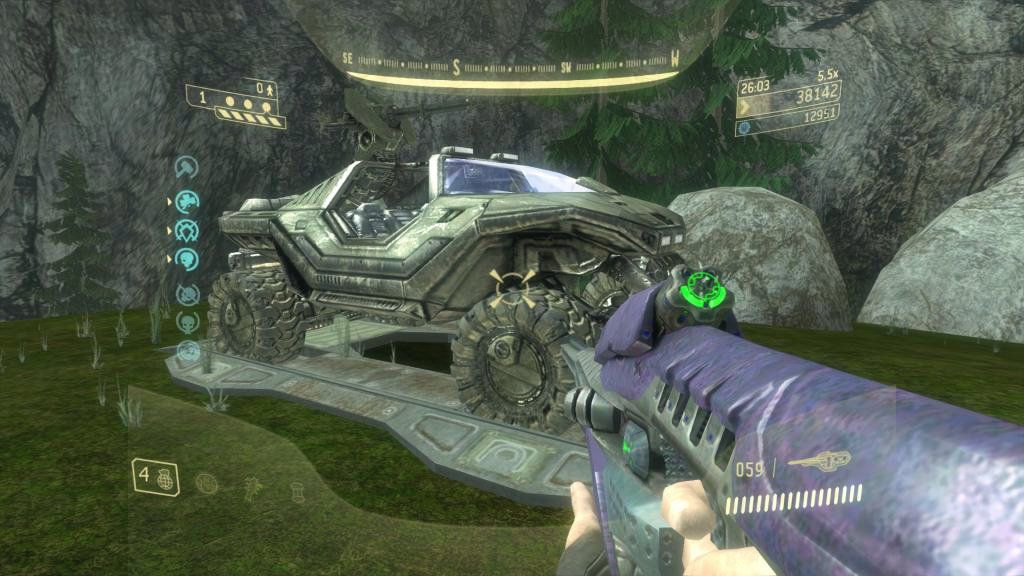 without bloom 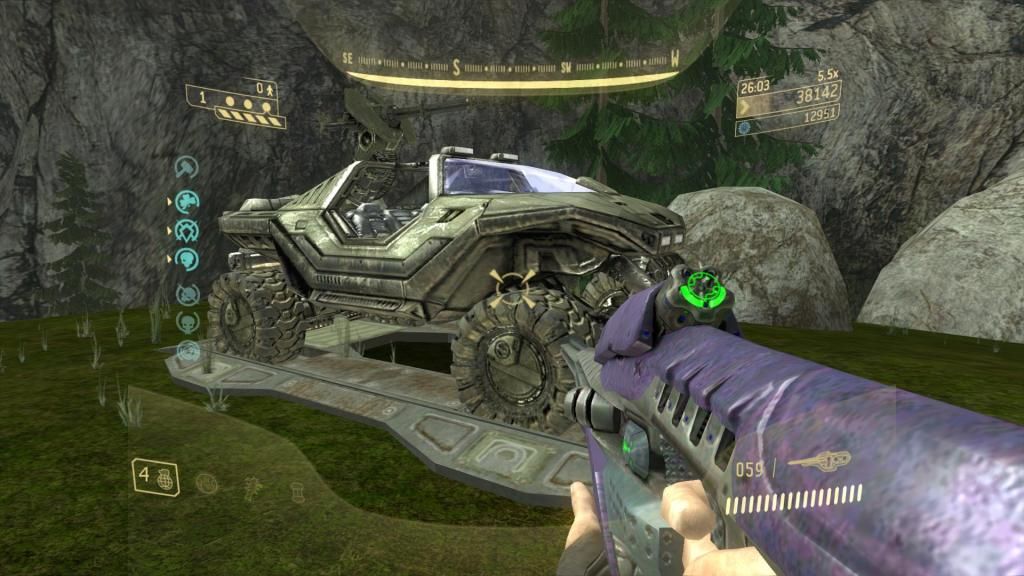 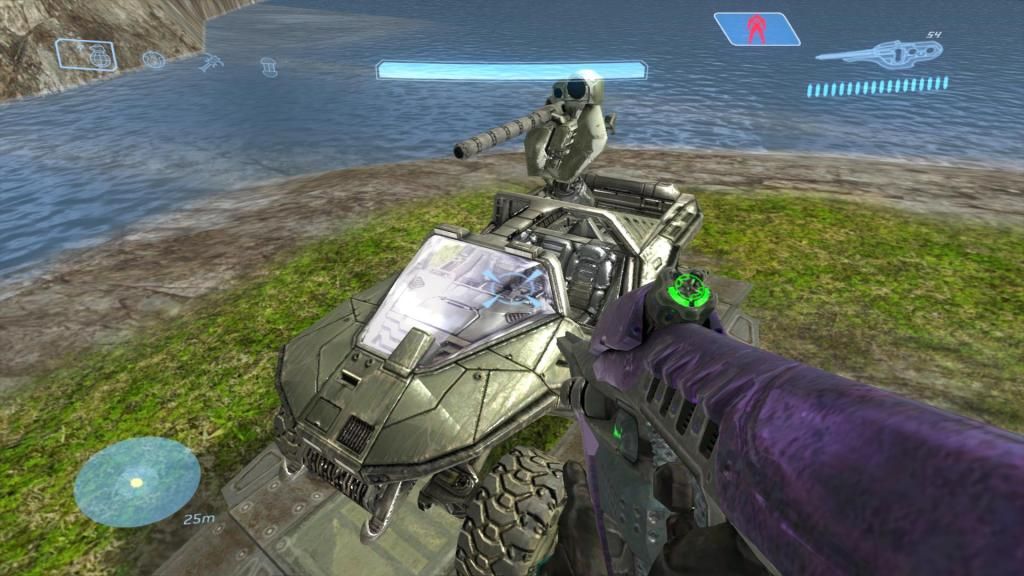 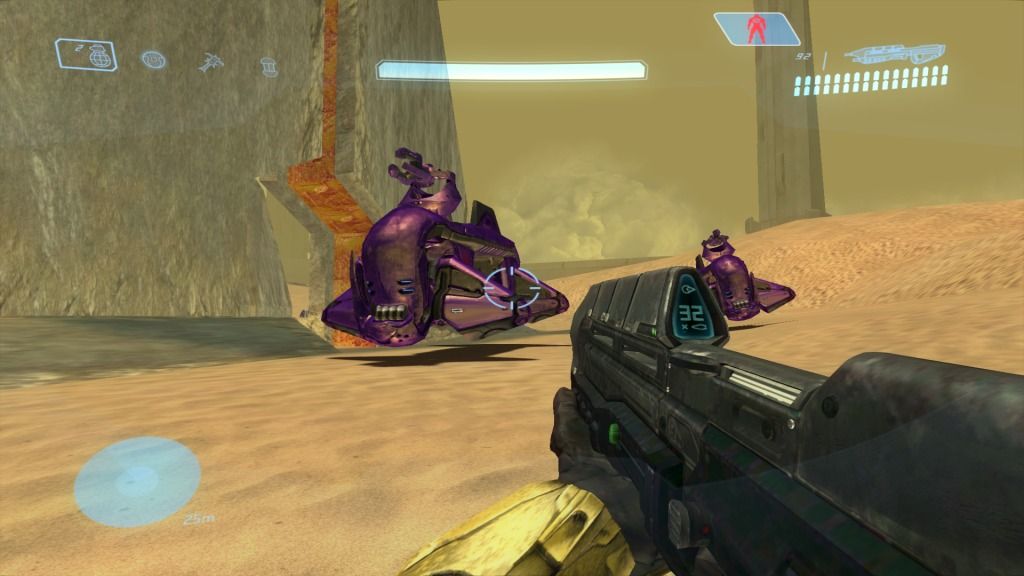 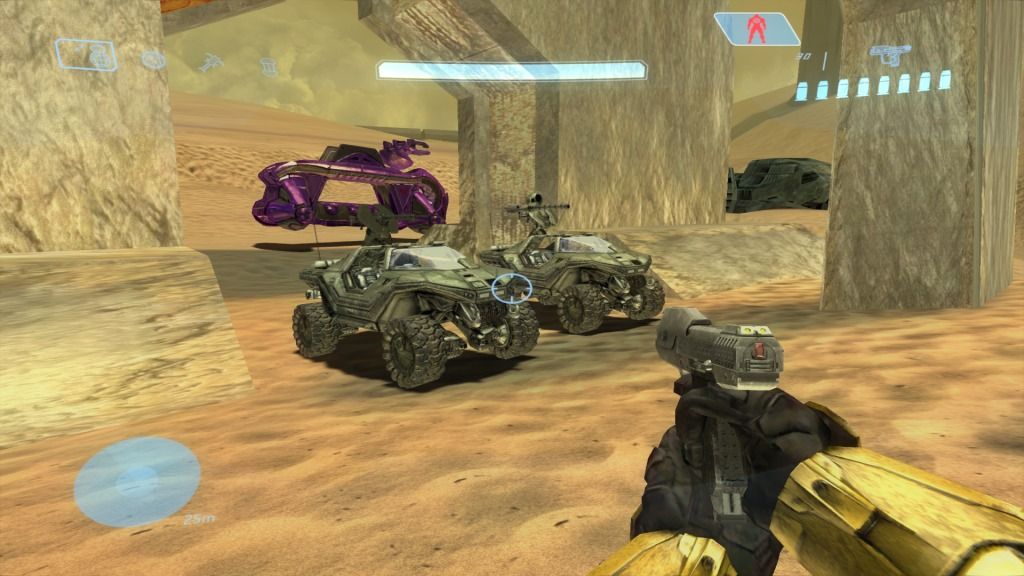 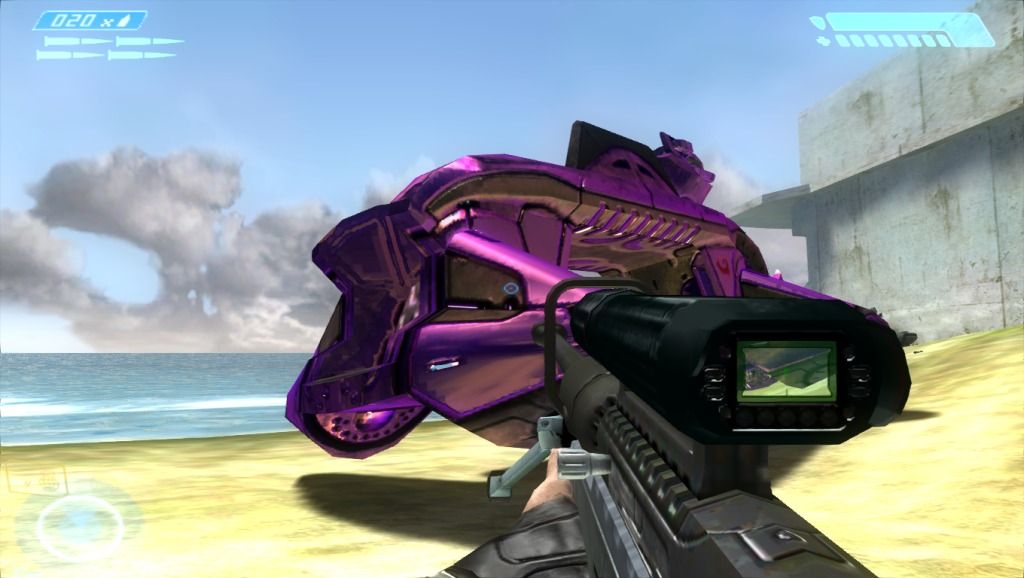 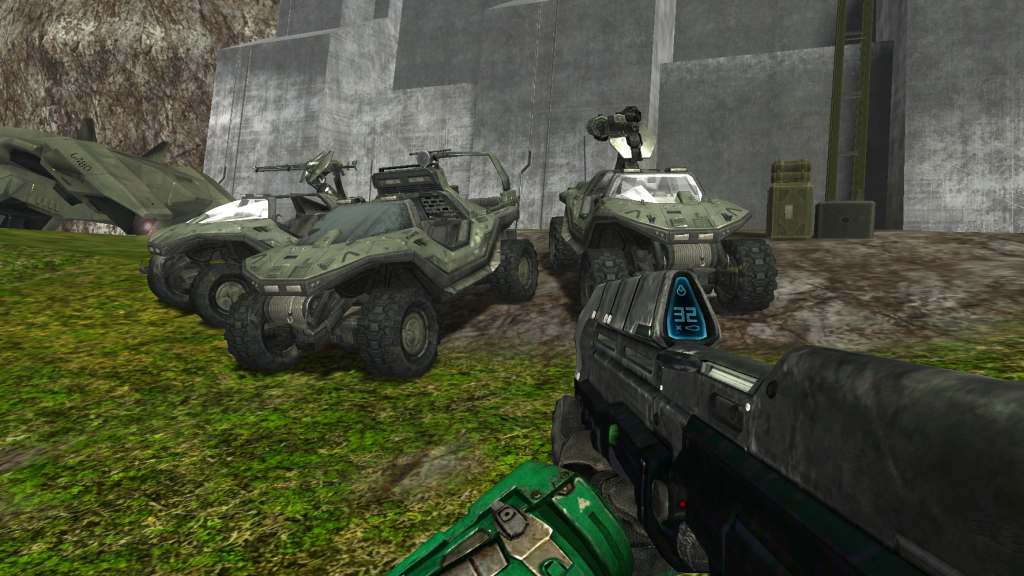 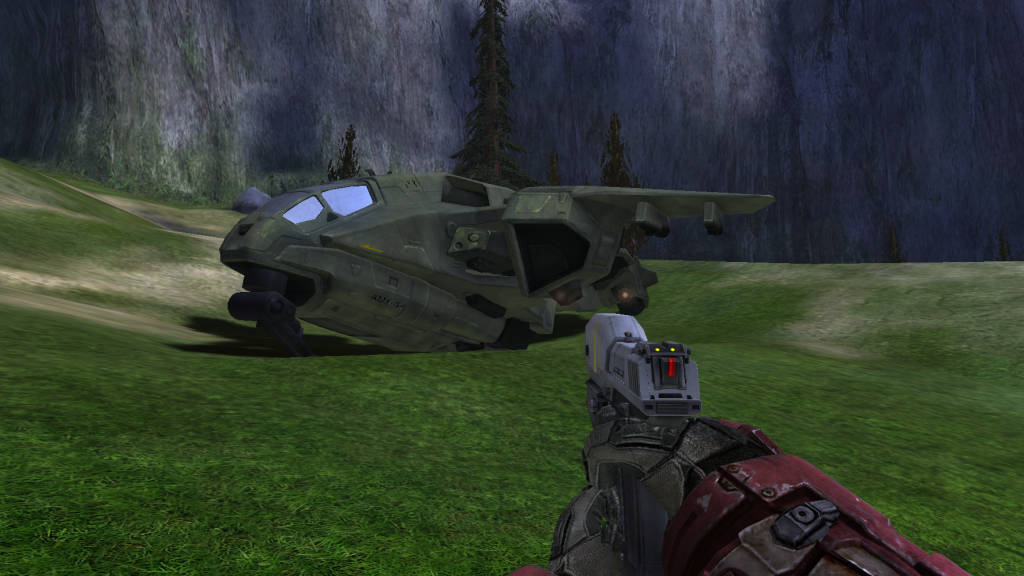 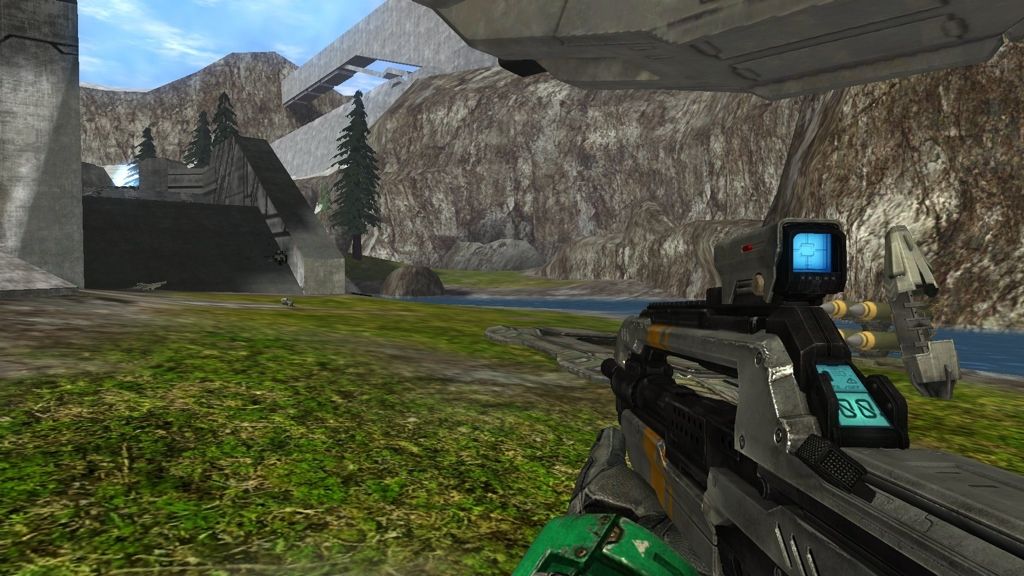 |
||||
|
|
|||||
|
Danger_zone_98 Joined: Nov 26, 2012 
|
Posted: May 11, 2013 12:06 PM
Msg. 114 of 248
Ambient Occlusion?
It's not Open Sauce   Yeah, it's a little dark and it's not so well configured right now. I didn't take the pictures, a friend sent me those. But how do you think it is possible? |
||||
|
|
|||||
|
Jaz Joined: Mar 21, 2010 
[Insert sarcastic comment here] |
Posted: May 11, 2013 01:21 PM
Msg. 115 of 248
Both the Nvidia Control Panel and Enbseries offer ambient occlusion settings. I believe there are other plugins that allow it but they're the most likely.
|
||||
|
|
|||||
|
Danger_zone_98 Joined: Nov 26, 2012
|
Posted: May 11, 2013 01:26 PM
Msg. 116 of 248
I thought it was impossible with ENB Series...
|
||||
|
|
|||||
|
Alexis Joined: Nov 22, 2010 |
Posted: May 27, 2013 12:24 AM
Msg. 117 of 248
Since this topic seems to be so slow-moving, I figured I would post my take on shaders for the H4 Chief. I am trying to get a more metallic/ceramic finish than what is seen in H4.
The visor is still a WIP. I wanted to get a decent fresnel set up before attempting the hex pattern.      Edited by Alexis on May 27, 2013 at 12:48 AM |
||||
|
|
|||||
|
eliteslasher Joined: Jun 30, 2008 
Crysis 3!!!!!!! All I have to say. :D |
Posted: May 27, 2013 12:43 AM
Msg. 118 of 248
For some reason the metal is looking plastic-like. For as much damage and grime as that thing seems to have taken, it is shining WAY too much. Post the specular used please. Also, what cube are you using. Something is making it look off to me.
|
||||
|
|
|||||
|
Alexis Joined: Nov 22, 2010 |
Posted: May 27, 2013 12:51 AM
Msg. 119 of 248
Quote: --- Original message by: eliteslasher For some reason the metal is looking plastic-like. For as much damage and grime as that thing seems to have taken, it is shining WAY too much. Post the specular used please. Also, what cube are you using. Something is making it look off to me. No cube used on the metal or techsuit. specular is the red channel of the original control map. I tried to get more of the original Reach trailer look as I am not a fan of the Halo 4 material setup, which seems far too waxy and dull. Edited by Alexis on May 27, 2013 at 01:32 AM |
||||
|
|
|||||
|
stunt_man Joined: Sep 22, 2009 
GMYF - Now hosting proper MLG gametypes! |
Posted: May 27, 2013 01:57 AM
Msg. 120 of 248
Lookin good rippa, lookin good.
|
||||
|
|
|||||
|
eliteslasher Joined: Jun 30, 2008
Crysis 3!!!!!!! All I have to say. :D |
Posted: May 27, 2013 05:02 AM
Msg. 121 of 248
That's the problem though. While I don't believe it should be a dull texture, textures that become scratched or battered should have less specualr intensity in those areas because they are most likely places to catch dirt or where the finish has been rubbed or scraped off and would leave imperfections in the metal. Having everything shine takes away the fact that it is metal. Now looking back at some things, it appears some of the larger gouges have a lower sp[ecular level, but areas on the flat in some spaces like the shoulder plating and other large plated areas should have a brushed sort of feel so it's like they are worn. The way they are now, it almost looks like he just wen't in for a fresh coat of gloss paint on some parts. I just think perhaps the specualr, or whatever layer or whatnot you are using for the specular, should have more contrast in it to discern worn unreflective areas from places that should be more reflective.
|
||||
|
|
|||||
|
Alexis Joined: Nov 22, 2010 |
Posted: May 27, 2013 12:38 PM
Msg. 122 of 248
Quote: --- Original message by: eliteslasher That's the problem though. While I don't believe it should be a dull texture, textures that become scratched or battered should have less specualr intensity in those areas because they are most likely places to catch dirt or where the finish has been rubbed or scraped off and would leave imperfections in the metal. Having everything shine takes away the fact that it is metal. Now looking back at some things, it appears some of the larger gouges have a lower sp[ecular level, but areas on the flat in some spaces like the shoulder plating and other large plated areas should have a brushed sort of feel so it's like they are worn. The way they are now, it almost looks like he just wen't in for a fresh coat of gloss paint on some parts. I just think perhaps the specualr, or whatever layer or whatnot you are using for the specular, should have more contrast in it to discern worn unreflective areas from places that should be more reflective. I understand your reasoning, Matching H4's materials was the first thing I tried, as well as a less reflective setup, but they were not the look I was trying to get. I have always preferred Halo 1 and 2's shinier spartans over the later games... The shine is really only present under harsh light. If you are indoors or under shadow, only the base metal beneath the paint shines. The specular map is pretty much black aside from some of the corner wear which are full white. Edited by Alexis on May 27, 2013 at 12:55 PM |
||||
|
|
|||||
|
killzone64 Joined: Jun 9, 2010
sometimes i miss the chaos occasionally |
Posted: May 27, 2013 01:43 PM
Msg. 123 of 248
good job on the spartans so far.
OK since i would like to get a little critique on my os shaders i will repost some of my photos from wip's Halo 3 ODST Barrier: 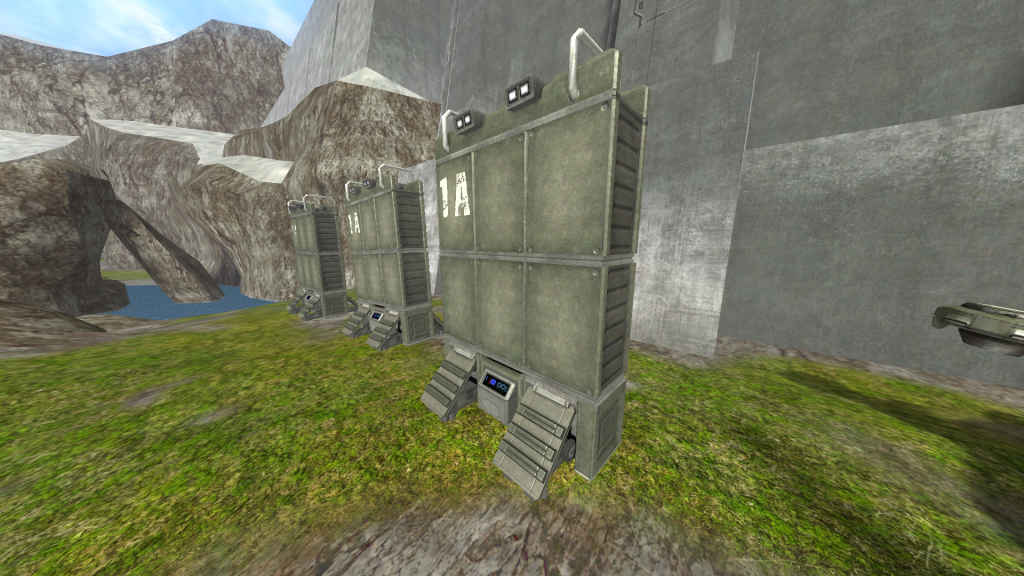 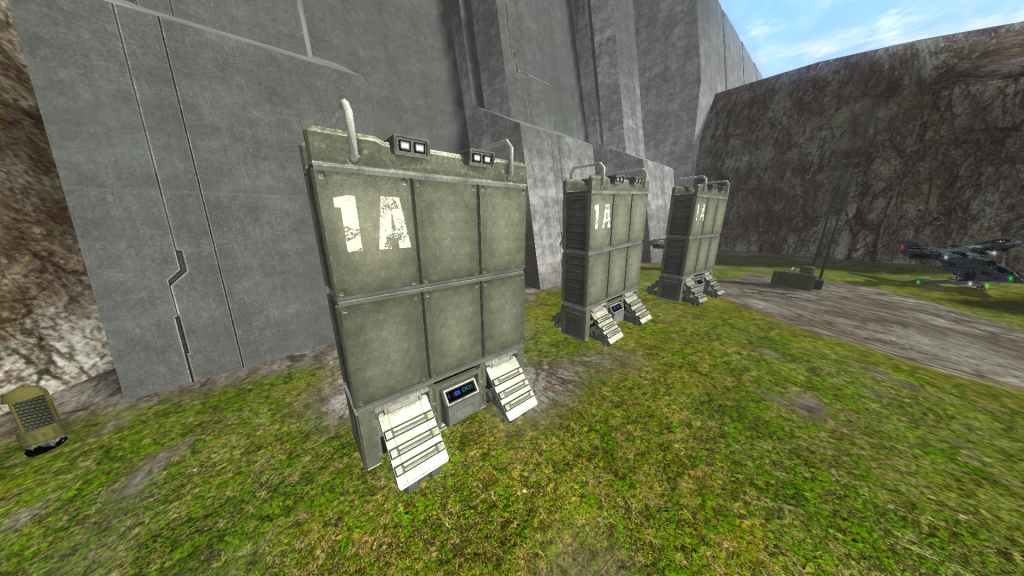 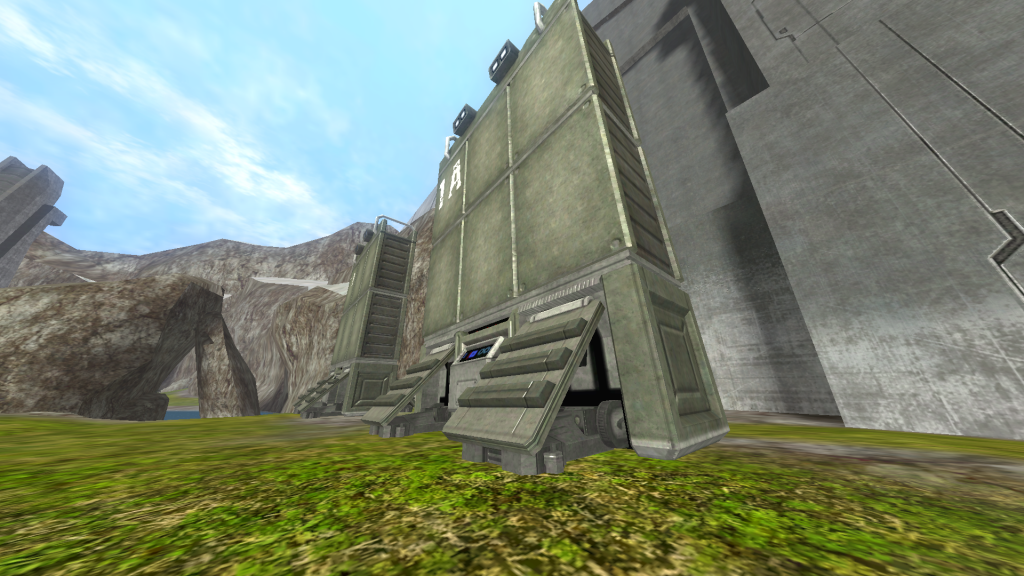 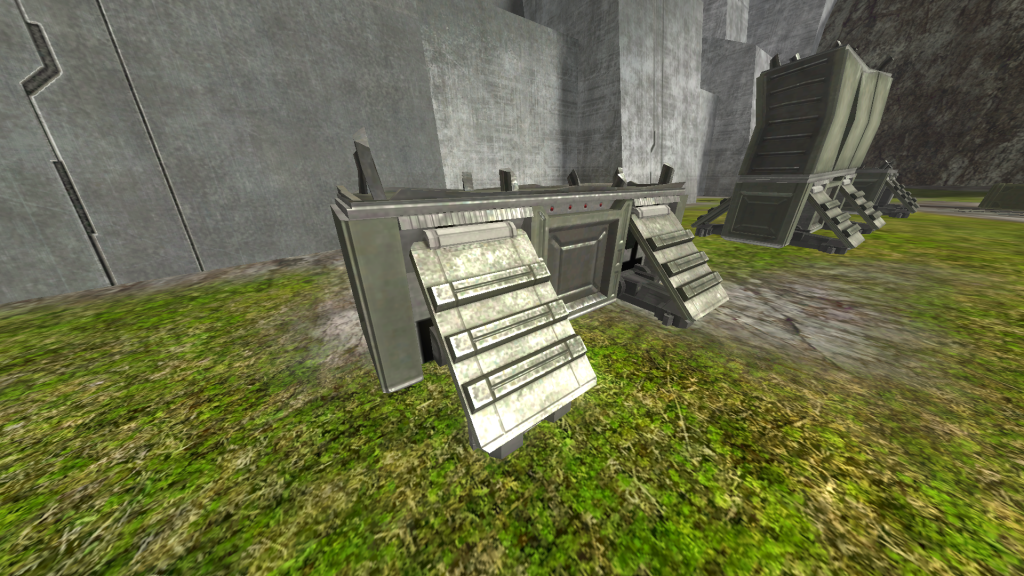 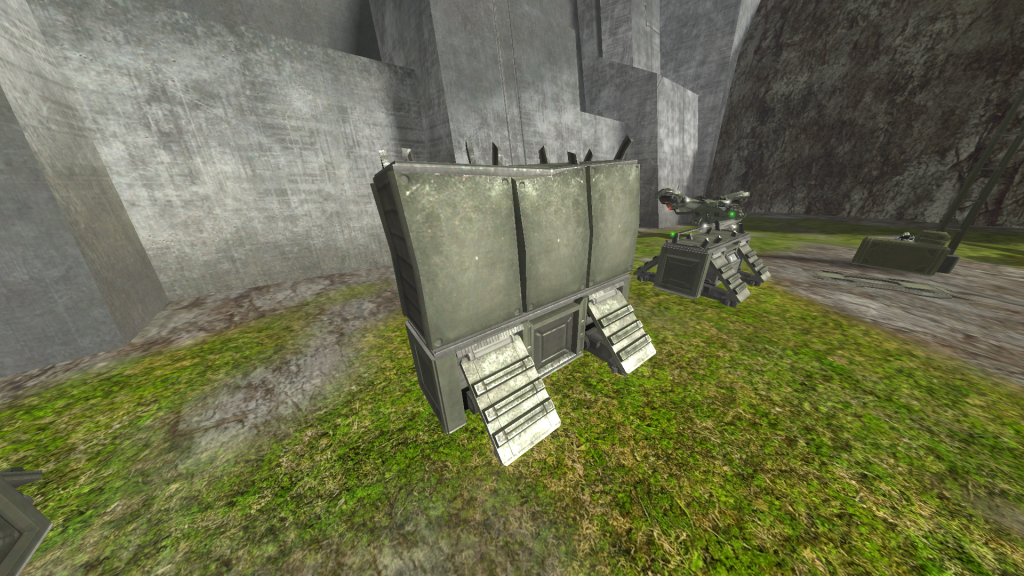 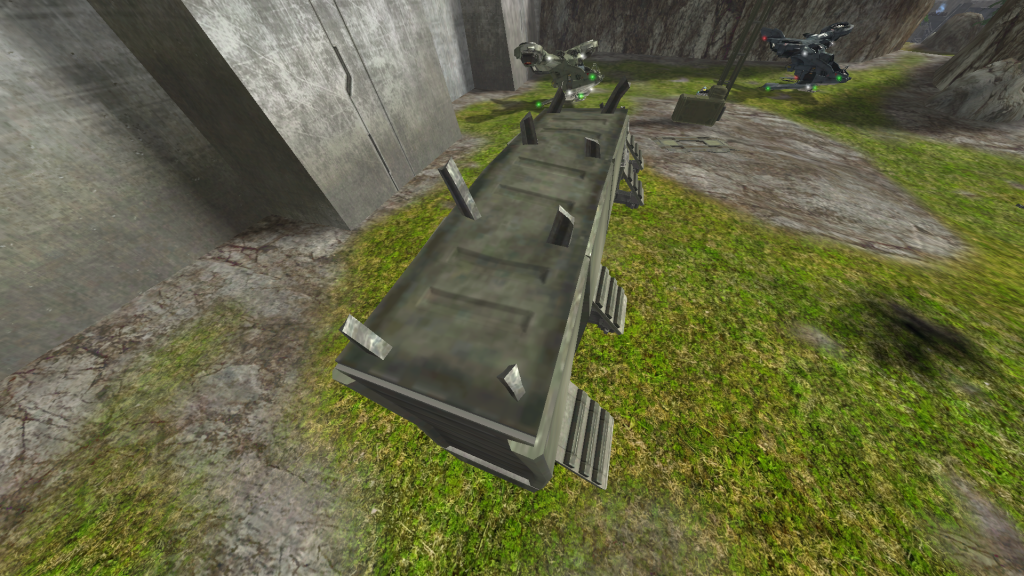 |
||||
|
|
|||||
|
Alexis Joined: Nov 22, 2010 |
Posted: May 27, 2013 02:12 PM
Msg. 124 of 248
Quote: good job on the spartans so far.OK since i would like to get a little critique on my os shaders i will repost some of my photos from wip'sHalo 3 ODST Barrier: Thanks. Your shader setup looks very close to the source! If anything, I believe ODST's highlights had a bit of a deeper gold... Though that may have been the color correction applied. Can I ask what your specular exponent, and coefficient values are? |
||||
|
|
|||||
|
killzone64 Joined: Jun 9, 2010
sometimes i miss the chaos occasionally |
Posted: May 27, 2013 03:50 PM
Msg. 125 of 248
the concrete/foam is set to
exponent: 6 coefficient: 2 turned down both perpendicular and parallel brightness down to 0.4 because its a duller object then for the main barrier exponent: 4 coefficient: 5.5 perpendicular and parallel brightness to 1 and specular color exponent is at 1.5 i didn't think i was that close, i didn't even bother looking up and references, just went off of memory Edited by killzone64 on May 27, 2013 at 03:52 PM |
||||
|
|
|||||
|
AllySuzumiya Joined: Feb 27, 2013
"Kotae wa itsumo watashi no mune ni.." |
Posted: May 27, 2013 03:57 PM
Msg. 126 of 248
Quote: --- Original message by: Alexis Since this topic seems to be so slow-moving, I figured I would post my take on shaders for the H4 Chief. I am trying to get a more metallic/ceramic finish than what is seen in H4. The visor is still a WIP. I wanted to get a decent fresnel set up before attempting the hex pattern. http://imageshack.us/a/img809/2281/4screenshot00.jpg http://imageshack.us/a/img195/8076/3screenshot00.jpg http://imageshack.us/a/img836/9067/2screenshot00.jpg http://imageshack.us/a/img826/5282/1screenshot00.jpg http://imageshack.us/a/img571/7959/0screenshot00.jpg Edited by Alexis on May 27, 2013 at 12:48 AM Its crazy that opensauce made this possible. I want to see ragnarok in HCE though. Itd probably look better with the halo 4 MC and the Halo 4 weapons |
||||
|
|
|||||
|
Alexis Joined: Nov 22, 2010 |
Posted: May 27, 2013 04:10 PM
Msg. 127 of 248
Quote: --- Original message by: killzone64 the concrete/foam is set to exponent: 6 coefficient: 2 turned down both perpendicular and parallel brightness down to 0.4 because its a duller object then for the main barrier exponent: 4 coefficient: 5.5 perpendicular and parallel brightness to 1 and specular color exponent is at 1.5 i didn't think i was that close, i didn't even bother looking up and references, just went off of memory Edited by killzone64 on May 27, 2013 at 03:52 PM Thanks for posting that info. The metal was about where I was going to suggest. Like I said, it looks pretty close to the source, aside from the reflection color. Quote: --- Original message by: AllySuzumiya Quote: --- Original message by: Alexis Since this topic seems to be so slow-moving, I figured I would post my take on shaders for the H4 Chief. I am trying to get a more metallic/ceramic finish than what is seen in H4. The visor is still a WIP. I wanted to get a decent fresnel set up before attempting the hex pattern. http://imageshack.us/a/img809/2281/4screenshot00.jpg http://imageshack.us/a/img195/8076/3screenshot00.jpg http://imageshack.us/a/img836/9067/2screenshot00.jpg http://imageshack.us/a/img826/5282/1screenshot00.jpg http://imageshack.us/a/img571/7959/0screenshot00.jpg Edited by Alexis on May 27, 2013 at 12:48 AM Its crazy that opensauce made this possible. I want to see ragnarok in HCE though. Itd probably look better with the halo 4 MC and the Halo 4 weapons I plan to start working on shaders for some Halo 4 weapons when I get a chance... I just hate the re-smoothing process. I am never content with the smoothing groups that were applied by the dev teams. |
||||
|
|
|||||
|
master noob Joined: Aug 10, 2012 
343Industries Advocate |
Posted: May 27, 2013 04:34 PM
Msg. 128 of 248
Quote: --- Original message by: Alexis I plan to start working on shaders for some Halo 4 weapons when I get a chance... I just hate the re-smoothing process. I am never content with the smoothing groups that were applied by the dev teams. that's because the smoothing groups should be 180 degrees smooth and all the vertices welded. the normals handle the edges and such. |
||||
|
|
|||||
|
Alexis Joined: Nov 22, 2010 |
Posted: May 27, 2013 05:13 PM
Msg. 129 of 248
Quote: --- Original message by: master noob Quote: --- Original message by: Alexis I plan to start working on shaders for some Halo 4 weapons when I get a chance... I just hate the re-smoothing process. I am never content with the smoothing groups that were applied by the dev teams. that's because the smoothing groups should be 180 degrees smooth and all the vertices welded. the normals handle the edges and such. Yeah, I basically apply all my ports' smoothing groups by hand. Granted my process is undoubtedly inefficient. -Import EMF -Apply Normals and Specular map to a highly reflective grey material. -Weld verts at .000001 -Clear existing Smoothing Groups -Re-smooth, taking into account the normals and reflectivity to prevent conflicting normals, and odd reflections. |
||||
|
|
|||||
|
XlzQwerty1 Joined: Aug 6, 2009 
|
Posted: May 27, 2013 06:07 PM
Msg. 130 of 248
I would suggest adding the smoothing groups before welding verts at 0.0001
That's what I do, and it's a bit more efficient as you can just undo and change the smoothing groups if the welding messes up some smoothing groups. |
||||
|
|
|||||
|
Alexis Joined: Nov 22, 2010 |
Posted: May 27, 2013 06:26 PM
Msg. 131 of 248
Quote: --- Original message by: XlzQwerty1 I would suggest adding the smoothing groups before welding verts at 0.0001 That's what I do, and it's a bit more efficient as you can just undo and change the smoothing groups if the welding messes up some smoothing groups. Ah, Yes.. I don't know why I hadn't considered that! Though, if you clear the smoothing groups after welding, nothing is smoothed. Since I am not relying on the existing smoothing, would the result not be the same? |
||||
|
|
|||||
|
XlzQwerty1 Joined: Aug 6, 2009
|
Posted: May 27, 2013 06:46 PM
Msg. 132 of 248
It would be much easier to apply smoothing groups since before welding, you can select polygon element pieces, much easier than selecting face by face after welding.
Whenever I import something, I remove all the smoothing groups on it, and apply them all to the smoothing group of 32. Then I start using polygon element select and assigning different smoothing groups, of course also deselecting group 32 until every face on the model has been assigned to something other than 32. Then I weld it all together. Edited by XlzQwerty1 on May 27, 2013 at 06:48 PM |
||||
|
|
|||||
|
master noob Joined: Aug 10, 2012
343Industries Advocate |
Posted: May 27, 2013 06:54 PM
Msg. 133 of 248
Quote: --- Original message by: XlzQwerty1 It would be much easier to apply smoothing groups since before welding, you can select polygon element pieces, much easier than selecting face by face after welding. Whenever I import something, I remove all the smoothing groups on it, and apply them all to the smoothing group of 32. Then I start using polygon element select and assigning different smoothing groups, of course also deselecting group 32 until every face on the model has been assigned to something other than 32. Then I weld it all together. or you could just weld everything and set the smoothing angle to 180 since the normal maps handle the rest I thought we were talking about halo 4 rips |
||||
|
|
|||||
|
Alexis Joined: Nov 22, 2010 |
Posted: May 27, 2013 07:04 PM
Msg. 134 of 248
Quote: --- Original message by: XlzQwerty1 It would be much easier to apply smoothing groups since before welding, you can select polygon element pieces, much easier than selecting face by face after welding. Whenever I import something, I remove all the smoothing groups on it, and apply them all to the smoothing group of 32. Then I start using polygon element select and assigning different smoothing groups, of course also deselecting group 32 until every face on the model has been assigned to something other than 32. Then I weld it all together. Edited by XlzQwerty1 on May 27, 2013 at 06:48 PM Ah, I see, though I don't usually use their poly elements when applying the smoothing since I am re-smoothing it to my "standards" if that makes sense. I can see where it would be beneficial to do it your way when you want to keep true to the model's original smoothing. Quote: --- Original message by: master noob Quote: --- Original message by: XlzQwerty1 It would be much easier to apply smoothing groups since before welding, you can select polygon element pieces, much easier than selecting face by face after welding. Whenever I import something, I remove all the smoothing groups on it, and apply them all to the smoothing group of 32. Then I start using polygon element select and assigning different smoothing groups, of course also deselecting group 32 until every face on the model has been assigned to something other than 32. Then I weld it all together. or you could just weld everything and set the smoothing angle to 180 since the normal maps handle the rest I thought we were talking about halo 4 rips I have done this in the past, but prefer to set the smoothing groups by hand, regardless of the normal maps. |
||||
|
|
|||||
|
XlzQwerty1 Joined: Aug 6, 2009
|
Posted: May 27, 2013 08:38 PM
Msg. 135 of 248
Well, you know, here and there I would sometimes change the smoothing groups from the original poly element to match what I think would fit best. Well, it's just a suggestion that you can consider.
|
||||
|
|
|||||
|
Alexis Joined: Nov 22, 2010 |
Posted: May 27, 2013 08:57 PM
Msg. 136 of 248
Quote: --- Original message by: XlzQwerty1 Well, you know, here and there I would sometimes change the smoothing groups from the original poly element to match what I think would fit best. Well, it's just a suggestion that you can consider. I definitely will! It may be useful when smoothing weapons with their dense meshes. |
||||
|
|
|||||
|
Masters1337 Joined: Mar 5, 2006
halonaminator's unfortunate idol |
Posted: May 28, 2013 01:32 AM
Msg. 137 of 248
Excellent work as always Alexis and Killzone.
|
||||
|
|
|||||
|
darksoldier Joined: Dec 28, 2010 
Helo my friend, it's time to fight ;) |
Posted: Feb 14, 2014 04:12 PM
Msg. 138 of 248
Just looking around OS features :)
      |
||||
|
|
|||||
|
MEGA_VKNG Joined: Dec 23, 2013 
|
Posted: Feb 14, 2014 04:43 PM
Msg. 139 of 248
tone down the shine on the armor, i like the visor though. looks like the H3 beta.
also it would be cool to see this stickied or whatever its called. if dennis were to rename it OS Shaders Work in progress thread bla bla bla. Edited by MEGASEAN2812 on Feb 14, 2014 at 05:21 PM |
||||
|
|
|||||
|
Dumb AI Joined: Sep 18, 2011 
Dead. |
Posted: Feb 14, 2014 05:52 PM
Msg. 140 of 248
Halo 2 Chief and my Halo 3 MP character.
   Edited by Dumb AI on Feb 14, 2014 at 05:53 PM |
||||
|
|
|||||
| Page 4 of 8 | Go to page: · 1 · 2 · 3 · [4] · 5 · 6 · 7 · 8 · Prev · Next |

|
