A Community discussion forum for Halo Custom Edition, Halo 2 Vista, Portal and Halo Machinima
|
 Home
Home Search
 Register
 Login
Login Member List
 Recent Posts
| »Forums Index »Halo Custom Edition (Bungie/Gearbox) »Halo CE General Discussion »Semi-Official Gallery [WIPS] | 
|
| Page 151 of 285 | Go to page: · 1 · ... · 148 · 149 · 150 · [151] · 152 · 153 · 154 · ... · 285 · Prev · Next |
| Author | Topic: Semi-Official Gallery [WIPS] (9951 messages, Page 151 of 285) | ||||
| Moderators: Dennis | |||||
 master noob Joined: Aug 10, 2012 
343Industries Advocate |
Posted: Nov 18, 2012 02:58 AM
Msg. 5251 of 9951
not posting this to showcase the render (that's half of the reason though) but to show that the technique I used works.
 by using a shortcut method, I made the helmet see-through and the face visible with minimal changes to the textures and models :D once I get back to my work computer sometime next week or so, I'll post the changed textures/models since demonstration and example are better teachers than a wall of text.(unless you want a wall of text) |
||||


|
|||||
|
P3 Joined: Dec 2, 2011 
|
Posted: Nov 18, 2012 08:27 AM
Msg. 5252 of 9951
Quote: --- Original message by: master noob not posting this to showcase the render (that's half of the reason though) but to show that the technique I used works. http://i.imgur.com/F2WWa.jpg by using a shortcut method, I made the helmet see-through and the face visible with minimal changes to the textures and models :D once I get back to my work computer sometime next week or so, I'll post the changed textures/models since demonstration and example are better teachers than a wall of text.(unless you want a wall of text) Yes, please do post some demonstrations. :) I am interested in knowing how you got them to look like this. I can't wait untill next week! XD Mind posting a wall of text for now untill next week when you can do what you were going to do? |
||||
|
|
|||||
|
Echo77 Joined: Jul 20, 2010 
Humble thyself and hold thy tongue. |
Posted: Nov 18, 2012 11:00 AM
Msg. 5253 of 9951
Quote: --- Original message by: Delicon20 I'm gonna toss around some Ideas for the grunt's throat area, kinda want to saturate it and turn it blue to match their blood (like the way the insides of people are usually red in video games) and maybe add a neck bone, now we all know why Halo was rated M It seems to already have a neck bone. I think the two circles are the spinal column and throat. |
||||
|
|
|||||
|
Delicon20 Joined: Oct 3, 2008 
Still here. Still loves bacon |
Posted: Nov 18, 2012 12:15 PM
Msg. 5254 of 9951
  not sure which I should use, if any which do you guys like? blue, partially blue, or original green? or give suggestions of what I should change/ add besides colors Edited by Delicon20 on Nov 18, 2012 at 12:18 PM |
||||
|
|
|||||
|
Dumb AI Joined: Sep 18, 2011 
Dead. |
Posted: Nov 18, 2012 12:39 PM
Msg. 5255 of 9951
The first one.
Less disgusting. |
||||
|
|
|||||
|
master noob Joined: Aug 10, 2012
343Industries Advocate |
Posted: Nov 18, 2012 01:05 PM
Msg. 5256 of 9951
wall o' text
1) modify the head rigging so no mandibles stick out 2) duplicate the visor polygons and invert them 3) modify the texture so the visor is slightly (about 75-25%) transparent 4) make the visor texture whatever you want the fog color to be (green, blue, orange, etc(make sure the colour's darkness is around the default texture)) 5) make the inverted visor 100% black(or modify the UVs to a dark area on the helmet texture) 6) make all the textured parts of the inside of the helmet (breather, edges, etc) completely black - that way they won't stick out. (alternatively, bake the light to increase the fog effect) 7) the face should be visible; simply edit the texture (I used baked lights) to make the face glow and fade to black 8) (this is the awkward step) make the head and inverted visor 100% illuminated. this is so shading does not affect the black parts and ruin the visual 9) profit I have the textures and models with me right now, but I have no way to check if they will work. so have a .zip :) broken link included: banner.max (the file that was used to render that scene 2010) ranger.max (a ranger elite with all parts necessary, albeit with rigging issues, fixed in banner.max 2010) a bunch of textures (the important ones have a hash-tag on 'em) banner.jpg (a larger version of the render) if there are any issues with the download, PM me or reply to this post saying "wow ur dumb (insert issue here)" Edited by master noob on Nov 18, 2012 at 09:55 PM |
||||
|
|
|||||
|
P3 Joined: Dec 2, 2011
|
Posted: Nov 18, 2012 02:19 PM
Msg. 5257 of 9951
I was wondering more of the how to do the lighting, the render setup, and how to acheive the matalic and rubber look. :|
But this also helped too. :) Can you post another wall of text on those? Also color change. <- Was it using color correction change the color? |
||||
|
|
|||||
|
Delicon20 Joined: Oct 3, 2008
Still here. Still loves bacon |
Posted: Nov 18, 2012 05:30 PM
Msg. 5258 of 9951
 decided to make the neck sort of glowy, like the grunts blood. Figured that this raises the gore factor while still making people who hate gore feel less likely to vomit, win-win also added various details all over the texture, most notably the glossy armor (light scratches) and the piece in the bottom left (large amount of wear and tear detail compared to the original) Edited by Delicon20 on Nov 18, 2012 at 05:31 PM |
||||
|
|
|||||
|
TauSigmaNova Joined: Jan 31, 2011 
If love is blind, I guess I'll buy myself a cane |
Posted: Nov 18, 2012 06:00 PM
Msg. 5259 of 9951
Looks nice. I'd sharpend the texture a bit and add more detail to skin personally.
|
||||
|
|
|||||
|
Delicon20 Joined: Oct 3, 2008
Still here. Still loves bacon |
Posted: Nov 18, 2012 08:26 PM
Msg. 5260 of 9951
 old old new newdecided to start doing the other textures so they're all the same consistant art style, once this and the head and back are roughly at the same point as the torso, then I may start trying some different detail strategies on the torso and maybe sharpen a few more things as you can see, I did the details first, and am going to do sharpening of edges after (I've already did some sharpening on the err....I thing they're fingers?) Edited by Delicon20 on Nov 18, 2012 at 08:27 PM |
||||
|
|
|||||
|
Kal825B Joined: Jan 16, 2012 
Last son of Krypt... Oh wait, i'm a clone. |
Posted: Nov 18, 2012 08:59 PM
Msg. 5261 of 9951
Gives it a reptilian look... awesome...
 |
||||
|
|
|||||
|
P3 Joined: Dec 2, 2011
|
Posted: Nov 18, 2012 09:15 PM
Msg. 5262 of 9951
Quote: --- Original message by: master noob wall o' text 1) modify the head rigging so no mandibles stick out 2) duplicate the visor polygons and invert them 3) modify the texture so the visor is slightly (about 75-25%) transparent 4) make the visor texture whatever you want the fog color to be (green, blue, orange, etc(make sure the colour's darkness is around the default texture)) 5) make the inverted visor 100% black(or modify the UVs to a dark area on the helmet texture) 6) make all the textured parts of the inside of the helmet (breather, edges, etc) completely black - that way they won't stick out. (alternatively, bake the light to increase the fog effect) 7) the face should be visible; simply edit the texture (I used baked lights) to make the face glow and fade to black 8) (this is the awkward step) make the head and inverted visor 100% illuminated. this is so shading does not affect the black parts and ruin the visual 9) profit I have the textures and models with me right now, but I have no way to check if they will work. so have a .zip :) http://filebeam.com/2c5392265906eba1ad3bbc363697e6ae included: banner.max (the file that was used to render that scene 2010) ranger.max (a ranger elite with all parts necessary, albeit with rigging issues, fixed in banner.max 2010) a bunch of textures (the important ones have a hash-tag on 'em) banner.jpg (a larger version of the render) if there are any issues with the download, PM me or reply to this post saying "wow ur dumb (insert issue here)" Is your link working? Doesn't seem to work for me. Also, are you going to post how to do the metal and lighting? |
||||
|
|
|||||
|
master noob Joined: Aug 10, 2012
343Industries Advocate |
Posted: Nov 18, 2012 09:30 PM
Msg. 5263 of 9951
Quote: --- Original message by: P3 Is your link working? Doesn't seem to work for me. Also, are you going to post how to do the metal and lighting? something seems to be up with filebeam, but this gives me time to adjust the files since I missed a few :P for the metal, I used a cubemap (converted into HDRi for convenience, since 3dsmax doesn't like cubemaps and mental ray being together) and for the lighting I used a single Photometric light with a yellow-red tint with an intensity of 50,000(from behind the elites, of course. an intensity like that would be blinding) with a Volume Light environmental setting. when I update the link, take a look at banner.max to see. |
||||
|
|
|||||
|
P3 Joined: Dec 2, 2011
|
Posted: Nov 18, 2012 09:59 PM
Msg. 5264 of 9951
Ok, great! Thanks. :) How about the color change? How did you do that?
|
||||
|
|
|||||
|
XlzQwerty1 Joined: Aug 6, 2009 
|
Posted: Nov 18, 2012 10:01 PM
Msg. 5265 of 9951
Quote: --- Original message by: master noob Quote: --- Original message by: P3 Is your link working? Doesn't seem to work for me. Also, are you going to post how to do the metal and lighting? something seems to be up with filebeam, but this gives me time to adjust the files since I missed a few :P for the metal, I used a cubemap (converted into HDRi for convenience, since 3dsmax doesn't like cubemaps and mental ray being together) and for the lighting I used a single Photometric light with a yellow-red tint with an intensity of 50,000(from behind the elites, of course. an intensity like that would be blinding) with a Volume Light environmental setting. when I update the link, take a look at banner.max to see. How does one convert a cubemap to an HDRimage? I use mental ray often too, and can't get cubemaps to work like in scanline renders. |
||||
|
|
|||||
|
master noob Joined: Aug 10, 2012
343Industries Advocate |
Posted: Nov 18, 2012 10:27 PM
Msg. 5266 of 9951
Quote: --- Original message by: XlzQwerty1 How does one convert a cubemap to an HDRimage? I use mental ray often too, and can't get cubemaps to work like in scanline renders. you make a box, invert the faces, match the UVs to the cubemap (or apply each side to each face) and, using mental ray, use the wraparound camera shader to render a 360 panoramic view, which essentially converts cubemaps to HDR. here's a few, but I accidentally rendered them with bloom: imgur.com/a/KPFU5 Quote: --- Original message by: P3 Ok, great! Thanks. :) How about the color change? How did you do that? using the red/green CC texture extracted using Adjutant, use a Composite map with 3 slots; the bottom slot holds the diffuse on the left side, the second has the desired team color on the left and the CC map on the right. you can look at the .max files, it's really hard to explain :P speaking of which, here is the updated file with missing textures and updated UVs; filebeam.com/5a7ee7f196e1a64cd8484265b5cca8ef |
||||
|
|
|||||
|
OpsY Joined: Feb 19, 2007 
Frobisher Bay |
Posted: Nov 18, 2012 11:35 PM
Msg. 5267 of 9951
Just two quickies of a map I've been working on for a long time
  |
||||
|
|
|||||
|
Dennis  Joined: Jan 27, 2005 
"We are made of starstuff.” ― Carl Sagan |
Posted: Nov 19, 2012 12:40 AM
Msg. 5268 of 9951
Quote: --- Original message by: OpsY :) now where have I seen that before.... I wonder Just two quickies of a map I've been working on for a long time http://screenshot.xfire.com/s/126256222-3.jpg http://video.xfire.com/5c4a9b-4.jpg  |
||||
|
|
|||||
|
Tape City Joined: Nov 14, 2012 
New Flyer 2306: The Howler Monkey Bus |
Posted: Nov 19, 2012 07:38 AM
Msg. 5269 of 9951
Quote: --- Original message by: OpsY Just two quickies of a map I've been working on for a long time http://screenshot.xfire.com/s/126256222-3.jpg http://video.xfire.com/5c4a9b-4.jpg Thanks for giving me an idea. Cool map! |
||||
|
|
|||||
|
OpsY Joined: Feb 19, 2007
Frobisher Bay |
Posted: Nov 19, 2012 12:41 PM
Msg. 5270 of 9951
Quote: --- Original message by: Dennis Quote: --- Original message by: OpsY :) now where have I seen that before.... I wonder Just two quickies of a map I've been working on for a long time <a href="http://screenshot.xfire.com/s/126256222-3.jpg" target="_blank">http://screenshot.xfire.com/s/126256222-3.jpg</a> <a href="http://video.xfire.com/5c4a9b-4.jpg" target="_blank">http://video.xfire.com/5c4a9b-4.jpg</a> Haha yeah it's the same map you are referring to although I've worked on it alot over the past years and added a bunch of features. Enough that I'm fairly optimistic on a pre-christmas launch |
||||
|
|
|||||
|
Delicon20 Joined: Oct 3, 2008
Still here. Still loves bacon |
Posted: Nov 19, 2012 09:38 PM
Msg. 5271 of 9951
orig:
 New:  got the head and back detailed and sharpened abit, focused on the head more than anything cause it's the part that you probably look at the most up close might try to get some in game or in sapien comparison photos tonight, if I can ever learn to start posting in the right threads XDDD EDIT: got the beta HD textures ingame   as you can see, at a distance the difference is not too noticeable, however up close:   the difference is much more obvious 2nd edit: viewer discretion is advised: http://img853.imageshack.us/img853/1542/popgoestheweasel.jpg Edited by Delicon20 on Nov 19, 2012 at 11:23 PM |
||||
|
|
|||||
|
Spartan_094 Joined: Jan 8, 2008 
|
Posted: Nov 21, 2012 03:42 AM
Msg. 5272 of 9951
Needs some shader work..and a little rigging work and it should be good. I need to get the color just right and the reflection too...and the right visor cubemap.
 |
||||
|
|
|||||
|
Dumb AI Joined: Sep 18, 2011
Dead. |
Posted: Nov 21, 2012 10:08 AM
Msg. 5273 of 9951
Yes,the visor definitely needs to be fixed.
|
||||
|
|
|||||
|
Delicon20 Joined: Oct 3, 2008
Still here. Still loves bacon |
Posted: Nov 21, 2012 10:11 AM
Msg. 5274 of 9951
That's pretty awesome
|
||||
|
|
|||||
|
DarkHalo003 Joined: Mar 10, 2008 
All ARs Need Green Little Buttons. |
Posted: Nov 21, 2012 12:25 PM
Msg. 5275 of 9951
 |
||||
|
|
|||||
|
eliteslasher Joined: Jun 30, 2008 
Crysis 3!!!!!!! All I have to say. :D |
Posted: Nov 22, 2012 12:53 AM
Msg. 5276 of 9951
lol we need to get DX11 on this game so we can say screw cubemaps!
 |
||||
|
|
|||||
|
CorpseManTS Joined: Nov 16, 2008 
Sorry, I cant hear u with my bullet in your mouth! |
Posted: Nov 22, 2012 01:01 AM
Msg. 5277 of 9951
screw buying an XBOX 360 on x-mas, I want that instead!!!
|
||||
|
|
|||||
|
Spartan314 Joined: Aug 21, 2010 
Former biped rigger & FP animator |
Posted: Nov 22, 2012 01:08 AM
Msg. 5278 of 9951
Quote: --- Original message by: eliteslasher lol we need to get DX11 on this game so we can say screw cubemaps! Heck, I'd be happy with just DX10 |
||||
|
|
|||||
|
Maniac1000 -Helpful Poster- Joined: Feb 24, 2007 
|
Posted: Nov 22, 2012 01:23 AM
Msg. 5279 of 9951
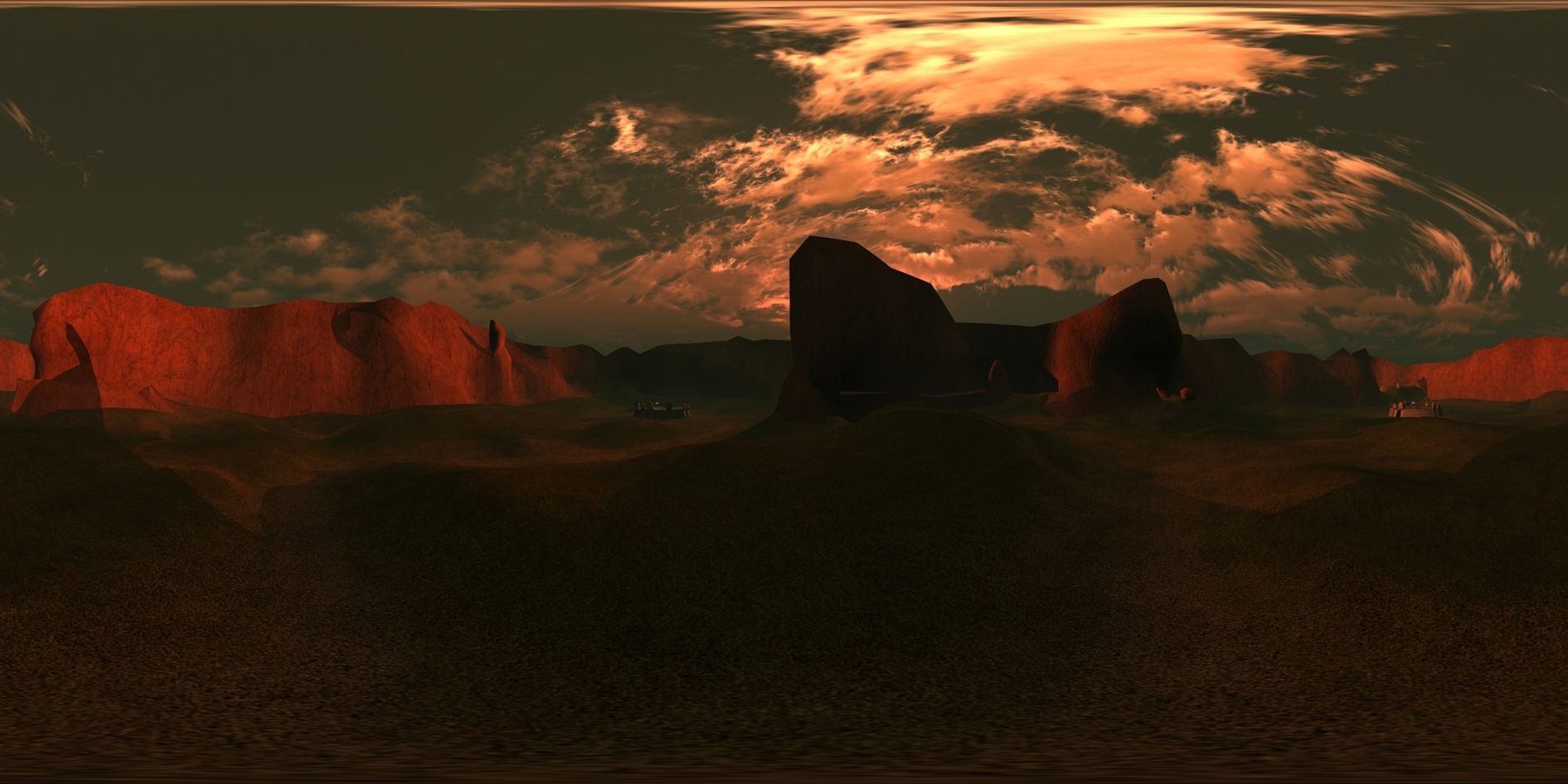 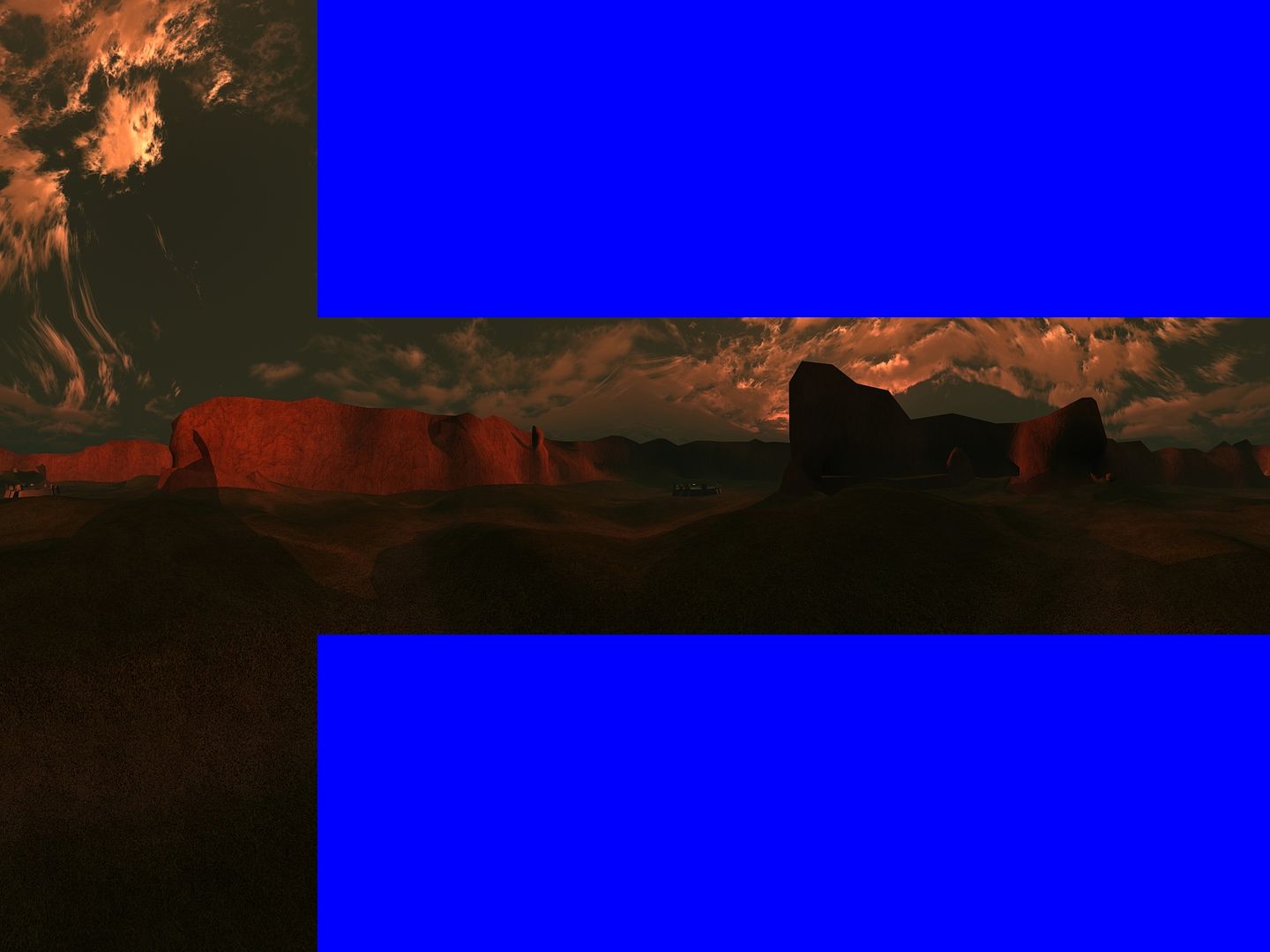 I dont even know. |
||||
|
|
|||||
|
Spartan_094 Joined: Jan 8, 2008
|
Posted: Nov 22, 2012 03:07 AM
Msg. 5280 of 9951
Still tinkering around, needs to be brighter but if i set it one value higher its to bright, its like blah!
  |
||||
|
|
|||||
|
KingFisher Joined: Jun 10, 2011 
Creativity is the main element of level design. |
Posted: Nov 22, 2012 04:11 AM
Msg. 5281 of 9951
That ODST looks great! Good job with everything.
|
||||
|
|
|||||
|
Spartan_094 Joined: Jan 8, 2008
|
Posted: Nov 22, 2012 12:34 PM
Msg. 5282 of 9951
Quote: --- Original message by: FX0042 b40 outside cubemap   yay |
||||
|
|
|||||
|
CAG Gonzo Joined: Apr 2, 2009 
Retreat? Hell! We just got here! |
Posted: Nov 22, 2012 12:42 PM
Msg. 5283 of 9951
Quote: --- Original message by: Spartan_094 Quote: --- Original message by: FX0042 b40 outside cubemap http://screenshot.xfire.com/s/126293118-4.jpg http://screenshot.xfire.com/s/126293123-4.jpg yay Yeah...wait, no...yeah. I came. Got to be the sexiest ODSTs I've seen in CE. |
||||
|
|
|||||
|
Invader Veex Joined: Apr 11, 2007 
i make poast |
Posted: Nov 22, 2012 12:58 PM
Msg. 5284 of 9951
Needs more flowers.
|
||||
|
|
|||||
|
bourrin33 Joined: Oct 19, 2009 
HEK not installed tho |
Posted: Nov 22, 2012 01:29 PM
Msg. 5285 of 9951
Quote: --- Original message by: Spartan_094 Quote: --- Original message by: FX0042 b40 outside cubemap http://screenshot.xfire.com/s/126293118-4.jpg http://screenshot.xfire.com/s/126293123-4.jpg yay Minor edited cubemap, in my spartan release, it's an edited version. I posted parameters of my shaders somewhere... Here :  just suggestin' |
||||
|
|
|||||
| Page 151 of 285 | Go to page: · 1 · ... · 148 · 149 · 150 · [151] · 152 · 153 · 154 · ... · 285 · Prev · Next |

|
