A Community discussion forum for Halo Custom Edition, Halo 2 Vista, Portal and Halo Machinima
|
 Home
Home Search
 Register
 Login
Login Member List
 Recent Posts
| Viewing User Profile for: Ghostgamer021 | |||||||||||||||||||||
| About | Contact | ||||||||||||||||||||
|
Send Private Message |
||||||||||||||||||||
| Post Statistics | |||||||||||||||||||||
|
Ghostgamer021 has contributed to 14 posts out of 465278 total posts
(0.00%) in 3,561 days (0.00 posts per day).
20 Most recent posts:
Halo CE General Discussion »
HOW EXCEED THE SIZE WITH OS_TOOL Jul 4, 2013 09:28 PM
(Total replies: 5)
Quote: --- Original message by: Mootjuh go to your maps folder and create a new folder called data_files. copy bitmaps.map, sounds.map and loc.map to that folder. In that folder, rename bitmaps.map as a10-bitmaps.map, sounds.map into a10-sounds.map and loc.map into a10-loc.map I think it would be wiser to replace a10 into default and having default-bitmaps etc. This would result in changing the command into: os_tool build-cache-file-ex default 0 0 1 levels\a10\mission_1 Edited by Mootjuh on Jul 3, 2013 at 02:26 PM Thank you ... for the explanation and I do not get this ... Invalid format in data file data_files\a10-bitmaps # # # FAILED TO OPEN FILE DATA-CACHE. Invalid format in data file data_files\a10-sounds # # # FAILED TO OPEN FILE DATA-CACHE. Invalid format in data file data_files\a10-loc # # # FAILED TO OPEN FILE DATA-CACHE. But now the only problem that I have is this ... every time I compile all started well but after a while I get this (when it finishes compiling) ... EAX: 0x62797377 EBX: 0x07DB6F01 ECX: 0x006BA800 EDX: 0x015B0908 EDI: 0x00129E88 ESI: 0x00000000 EBP: 0x00129D60 ESP: 0x00129D50 EIP: 0x772D7094, 8DC324A4????? EXCEPTION halt in\halopc\HaloCE\source\tag_files\tag_groups.c,#3142:offset>=0 && Offset+size<=data->size Anyway thanks for your help :) Edited by Ghostgamer021 on Jul 4, 2013 at 09:29 PM
Halo CE General Discussion »
HOW EXCEED THE SIZE WITH OS_TOOL Jul 3, 2013 02:13 PM
(Total replies: 5)
Quote: --- Original message by: Mootjuh Try this os_tool build-cache-file-ex a10 0 0 1 levels\a10\mission_1 It will become a .yelo Well I did what you told me, but I get this: Microsoft Windows [Versión 6.1.7601] Copyright (c) 2009 Microsoft Corporation. Reservados todos los derechos. D:\Program Files\Microsoft Games\Halo Custom Edition>os_tool build-cache-file-ex a10 0 0 1 levels\a10\mission_1 Engine Mod: cache will use mod-set 'a10' Invalid format in data file data_files\a10-bitmaps ### FAILED TO OPEN DATA-CACHE FILE. Invalid format in data file data_files\a10-sounds ### FAILED TO OPEN DATA-CACHE FILE. Invalid format in data file data_files\a10-loc ### FAILED TO OPEN DATA-CACHE FILE. EAX: 0x62797377 EBX: 0x07DB6F01 ECX: 0x006BA800 EDX: 0x015B0908 EDI: 0x00129E88 ESI: 0x00000000 EBP: 0x00129D60 ESP: 0x00129D50 EIP: 0x772D7094, C3 8D A4 24 ????? EXCEPTION halt in \halopc\haloce\source\tag_files\tag_groups.c,#3142: offset>=0 && offset+size<=data->size D:\Program Files\Microsoft Games\Halo Custom Edition>
Halo CE General Discussion »
HOW EXCEED THE SIZE WITH OS_TOOL Jul 3, 2013 08:31 AM
(Total replies: 5)
I have a problem when using the compiler... well I write this: os_tool build-cache-file-ex a10 true true levels\a10\mission_1 The problem is as follows: Microsoft Windows [Versión 6.1.7601] Copyright (c) 2009 Microsoft Corporation. Reservados todos los derechos. D:\Program Files\Microsoft Games\Halo Custom Edition>os_tool build-cache-file-ex a10 true true true levels\a10\mission_1 Engine Mod: cache will use mod-set 'a10' copying bitmaps... 25%... 50%... 75%... copying sounds... 25%... 50%... 75%... copying loc... 25%... 50%... done EAX: 0x00000000 EBX: 0x07E70201 ECX: 0x006BA818 EDX: 0x00000001 EDI: 0x00129E88 ESI: 0x00000000 EBP: 0x00129D60 ESP: 0x00129D50 EIP: 0x772D7094, C3 8D A4 24 ????? EXCEPTION halt in \halopc\haloce\source\tag_files\tag_groups.c,#3142: offset>=0 && offset+size<=data->size D:\Program Files\Microsoft Games\Halo Custom Edition> Good is all, I want to know is whether you can do something to exceed the weight limit on map... THANKS
Halo CE General Discussion »
Third person animations... ¿some tutorial about this? Jun 23, 2013 06:06 PM
(Total replies: 11)
Quote: --- Original message by: Dumb AI Quote: --- Original message by: Ghostgamer021 Well here I bring some pictures, I hope this answers your questions... These are some of the weapons I want to try to repair the animations in third person... Assault_rifle http://i1365.photobucket.com/albums/r745/Ghostgamer02/haloce2013-06-2121-28-48-68_zpsaf6bb9f7.png Magnum http://i1365.photobucket.com/albums/r745/Ghostgamer02/haloce2013-06-2121-29-22-26_zps3a40a2dc.png The Magnum looks fine. The AR seems to be missing a "left hand cyborg" marker. You can add it in Kornman00 (not sure about the regular Guerilla). You'll have to copy the position of the marker from another Assault Rifle gbxmodel tag. Edited by Dumb AI on Jun 22, 2013 at 01:35 AM As I said I am a noob... but thanks to your help [Dumb AI], although not understood very well what you told me, it succeeds fix... but just thank you all for trying to help a noob... 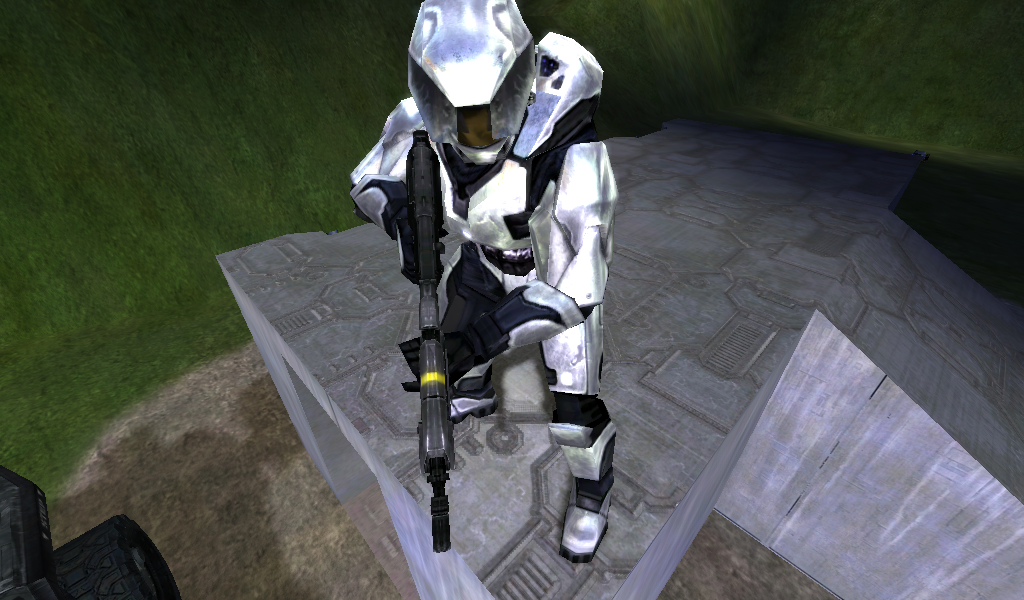 though... there are small details that would repair... 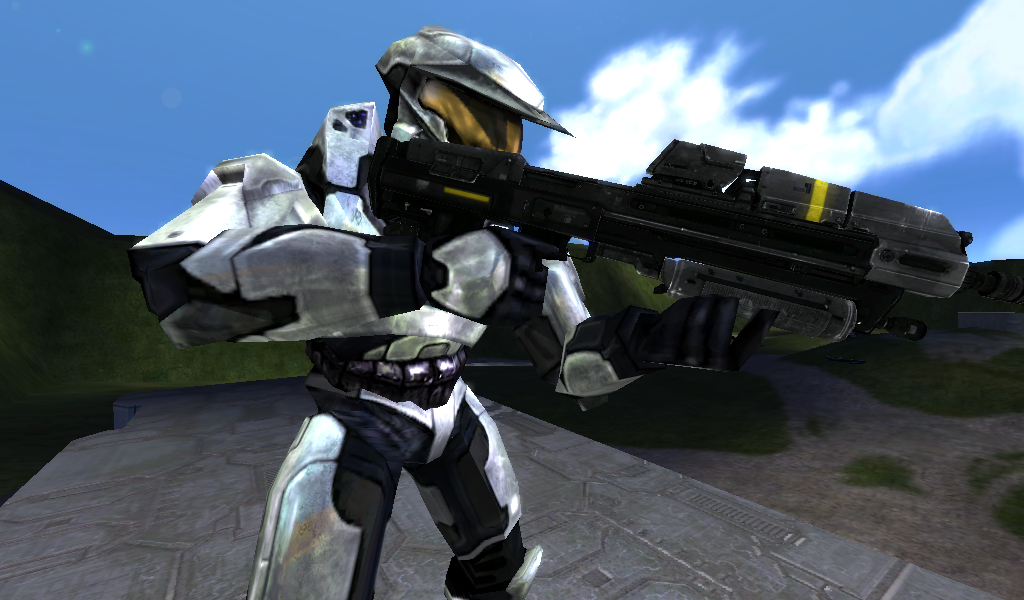 Edited by Ghostgamer021 on Jun 23, 2013 at 10:46 PM
Halo CE General Discussion »
Third person animations... ¿some tutorial about this? Jun 21, 2013 11:54 PM
(Total replies: 11)
Well here I bring some pictures, I hope this answers your questions... These are some of the weapons I want to try to repair the animations in third person... Assault_rifle 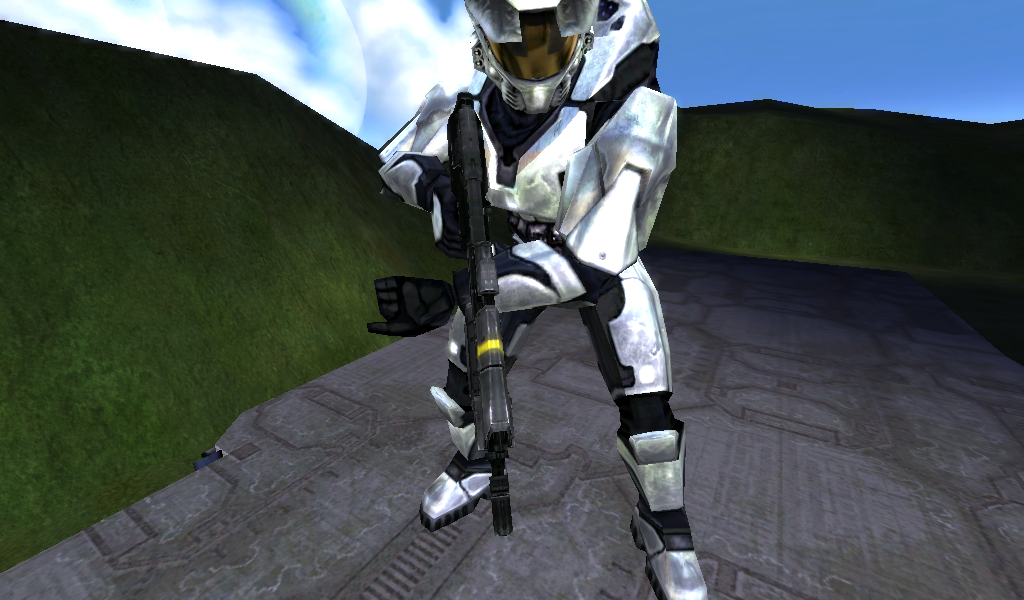 Magnum 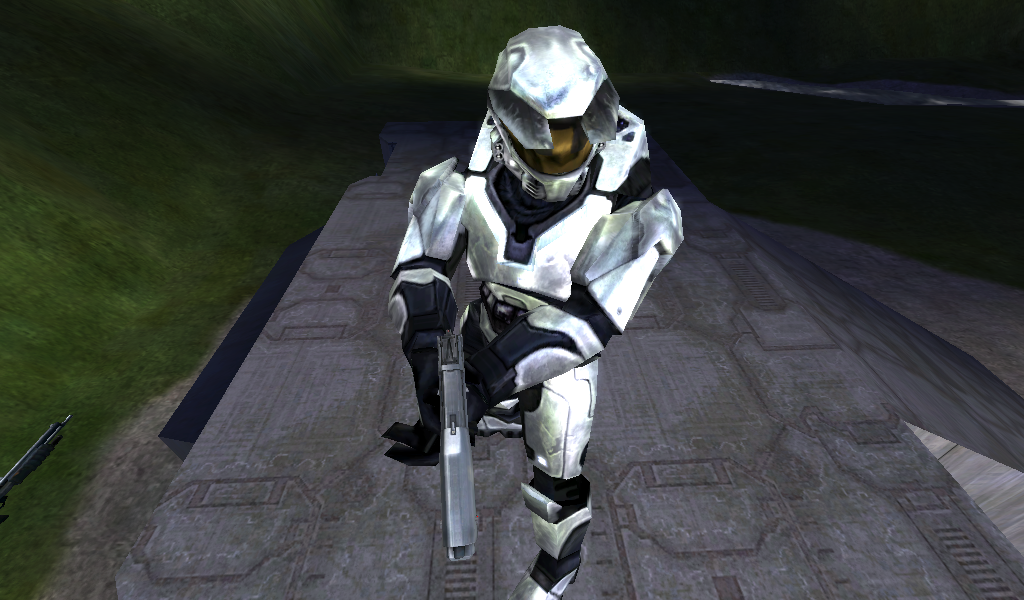
Halo CE General Discussion »
Third person animations... ¿some tutorial about this? Jun 21, 2013 09:25 PM
(Total replies: 11)
Well it's me again bothering, now I wonder if there is any tutorial about this "third-person animations", because the truth I've been searching the internet and find nothing... [sincerely thank you for your help]
Halo CE General Discussion »
Open Sauce 3.1 Normal Maps problem Jun 5, 2013 01:41 PM
(Total replies: 11)
Quote: --- Original message by: R93_Sniper enable console and type in pp_load. If that doesnt work, try pp_unload and then pp_load. Nothing happens, just remove the effects such as motion blur... pp_unload: 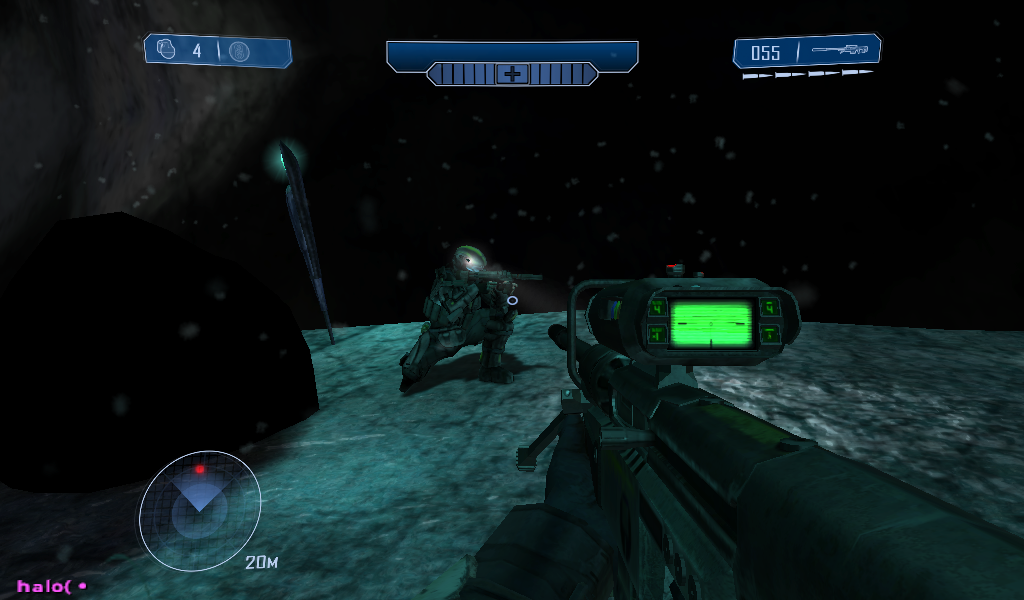 pp_load: 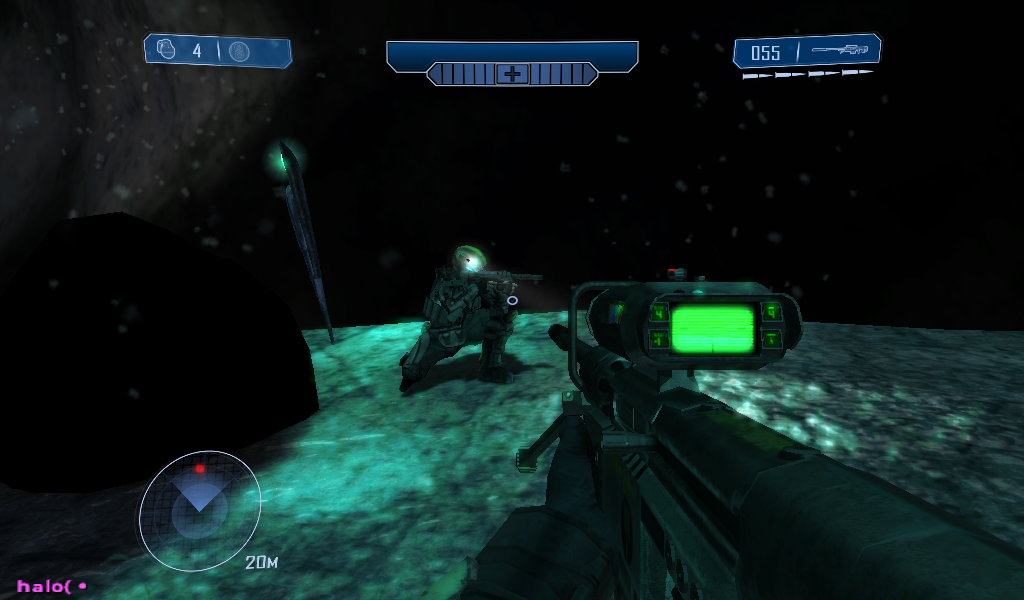
Halo CE General Discussion »
Open Sauce 3.1 Normal Maps problem Jun 4, 2013 08:50 PM
(Total replies: 11)
I also I have that problem with Open Sauce 3.1... in "OS_Settings.User.XML" I have this setup, and not if is correct... 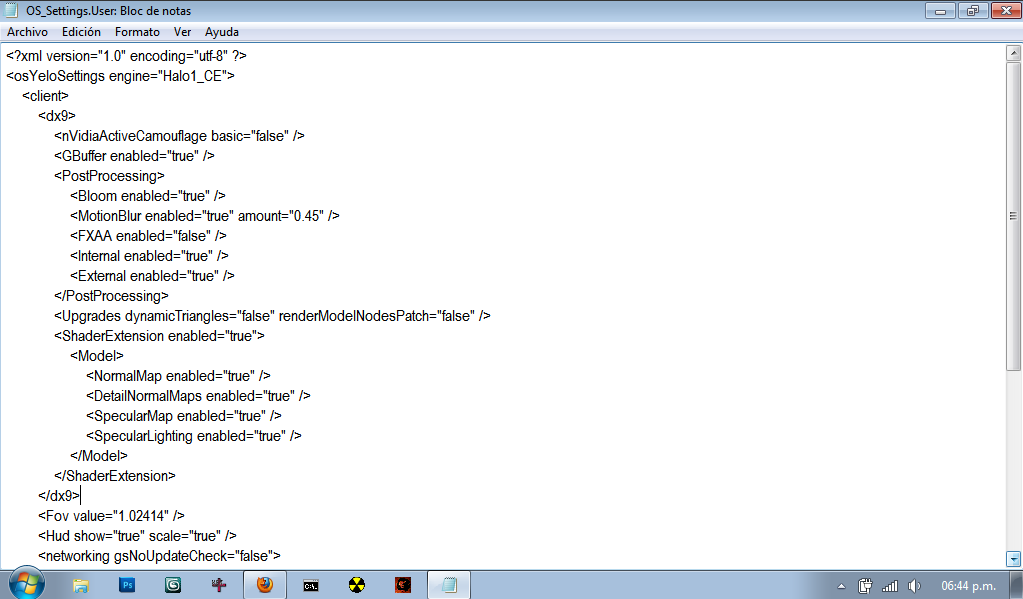 And also I have problems with the VISR (night vision), well when I press "Q", nothing happens only see the light of standard lamp...
Halo CE General Discussion »
Open Sauce - Shaders - HELP!! May 21, 2013 06:49 PM
(Total replies: 6)
Quote: --- Original message by: waffles OS shader tutorial Thank ally for actually holding onto it for all this time and uploading it. It explains basically every field from the 3.0.1-2 updates. Made this ages ago when the first public releases included the extension. Edited by waffles on May 21, 2013 at 02:17 PM Thank you for showing how to do this, and very good tutorial...
Halo CE General Discussion »
Open Sauce - Shaders - HELP!! May 20, 2013 06:54 AM
(Total replies: 6)
killzone64. well, first of the coefficient and exponent specular, not very well understood, but according to your explanation, I should not put such high numbers, but I put between 1-20 ... Right?. coefficient - what kind of values should I put?, because the truth I have no very clear that ... exponent - ..... exponent speculates color - the truth is not as it should wear a specular map ... and the specular map, there was a link by mediafire, the first. I did not find how to upload a photo as PC screen is small and not full out bitmaps .... and another thing, as I am new to this and I just did the steps according to a tutorial ... but would like to see how they should wear a "normal map", "specular map" and a "multipurpose map" .... Edited by Ghostgamer021 on May 20, 2013 at 07:03 AM
Halo CE General Discussion »
Open Sauce - Shaders - HELP!! May 19, 2013 07:12 PM
(Total replies: 6)
Well, first I'm new to shaders do with Open Sauce ... and well I want me clarify some doubts that I have about this, but first, the weapon I've been using to test is this:  So you see no effects , and well the truth and know how to make shaders with OS, but I can not any effect, and as i was watching some tutorials on how to do it but nothing ... This gun with "OS_shader" in the game: 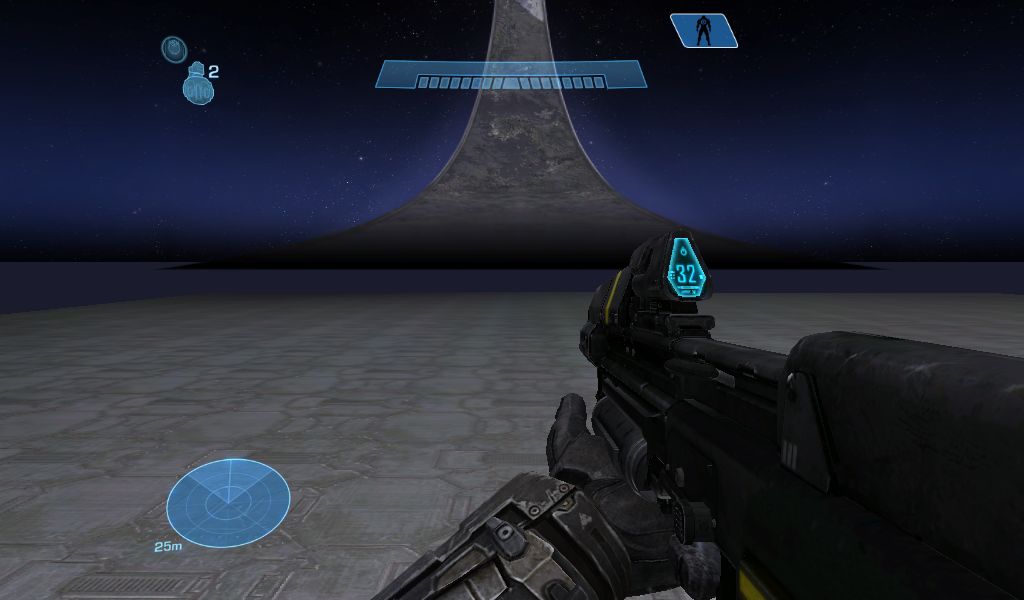 Well, according to the tutorial, you should be with the effects, but nothing, and as Alexis: http://forum.halomaps.org/index.cfm%3Fpage=userinfo&viewuserid=11481 Well the I was explaining how to do it, and thanks for your help, but it was almost the same with the tutorial:http://forum.halomaps.org/index.cfm%3Fpage=topic&topicID=40170 Now my doubts about this ... 1 - The "Specular map", well that I put the gun is this:http://www.mediafire.com/?069j9w8cio62tt7, is not mine is from another user ... okay that as Specular map, or must be different ...  2 - The "Normal maps", really do not quite understand that, but according i was looking at are the details that is added to the weapon, well the truth is not the one with the gun is this:http://www.mediafire.com/?qb1a1o7bflqpo63, is well that it has or not ... 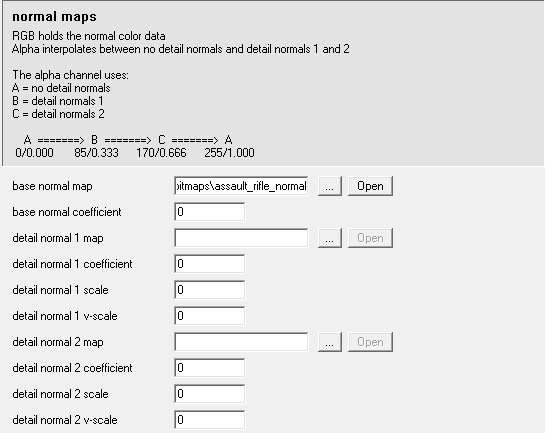 3 - The "Specular tint overrider", do not really understand that funsion has, but according the tutorial should be white, but the truth when I put it gives no effect ... 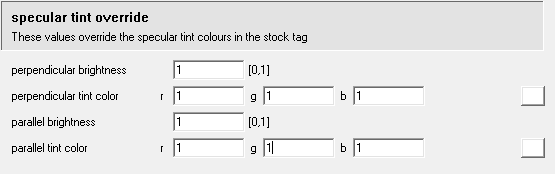 4 - The "Specular lighting", which funsion has, or gives effect to the weapon ...  Well that's it, almost need a full tutorial if you do not mind ... I do not understand why I get no results with this, maybe it's my PC, because in the map of Truth and Reconciliation.yelo, I can not activate the VISR and rocks appear dark and without texture ... well I think it may be that... And I'm really interested in learning to do this in order, to rub in the face of a friend who says that Open Sauce does not work, it's a s!#"$, and also because I like what you can do with this ...
Halo CE General Discussion »
Where can I find .yelo maps? Apr 29, 2013 07:22 AM
(Total replies: 1)
You can find a few maps (. Yelo) here. http://hce.halomaps.org/index.cfm?pg=1&sid=40 Although I think a little obvious, but it is the only page that are the maps, but there are also maps SP like this: http://hce.halomaps.org/index.cfm?fid=6273
Halo CE General Discussion »
Help! I want to learn to use OS and how to make maps with this (.yelo) Apr 22, 2013 06:10 PM
(Total replies: 3)
I know that the vast majority of Halomaps - Forum speak English, but I do not care, what I want is to learn to use this in one way or another okay thank you very much, I understand it cost a bit but still thank you very much, investigate a little more about it... THANKS!!!!
Halo CE General Discussion »
Help! I want to learn to use OS and how to make maps with this (.yelo) Apr 21, 2013 11:47 PM
(Total replies: 3)
Well first... I'm new to this part of HaloCE (create and edit maps). Well let me know how this works Open Sauce, and how to create maps with this. Previously I had been learning to create maps normally (without using OS), and I know how to operate guerilla and sapien. But that is totally different from working with Open Sauce, and I'm really, really INTERESTED in learning how to use ... Recently i was watching a tutorial on how to create a map, using Open Sauce, which would remain one (.yelo), and get done, but I came here a few questions ... 1. I can put any weapon or I have to move all the bitmaps, effects and shaders to a tag made in OS_guerilla to put glow effects. (this part does not quite understand how to ask the question, I hope you understand me) 2. How to create the effect bloom... this of animate the crosshair. Example: http://www.youtube.com/watch?v=Dj600PFlFd0 Well that would be all for now, and before criticizing am new to Halomaps - Forum, and never before had created a post ... and if I was wrong about something, about what I wrote or what I asked, I'm newbie, correct me ... And one last thing, I'm not American so I do not speak English ... for the moment xD Edited by Ghostgamer021 on Apr 21, 2013 at 11:49 PM |
|||||||||||||||||||||