A Community discussion forum for Halo Custom Edition, Halo 2 Vista, Portal and Halo Machinima
|
 Home
Home Search
 Register
 Login
Login Member List
 Recent Posts
| »Forums Index »Halo Custom Edition (Bungie/Gearbox) »Halo CE General Discussion »Third person animations... ¿some tutorial about this? | 
|
| Author | Topic: Third person animations... ¿some tutorial about this? (11 messages, Page 1 of 1) | ||||
| Moderators: Dennis | |||||
 Ghostgamer021 Joined: Apr 21, 2013 
Noob |
Posted: Jun 21, 2013 09:25 PM
Msg. 1 of 11
Well it's me again bothering, now I wonder if there is any tutorial about this "third-person animations", because the truth I've been searching the internet and find nothing...
[sincerely thank you for your help] |
||||


|
|||||
|
Jesse Joined: Jan 18, 2009 Discord: Holy Crust#4500 |
Posted: Jun 21, 2013 10:36 PM
Msg. 2 of 11
Quote: --- Original message by: Advancebo Primary Firing would be if you have barrels. It would have the same amount of key frames as the number of barrels. Exported as: stand fixed fire-1.JMO Secondary Firing would not be needed unless you plan on having an actual moving object for it. Depends on what it is, if its a barrel like above or some complex firing mechanism. Exported as: stand fixed fire-2.JMO Hatch opening can be any amount of keyframes you want. Exported as: stand opening.JMA - When you are exiting the vehicle stand closing.JMA - When you are entering the vehicle The opening and closing is coupled with "stand fixed idle.JMA", which tells what the vehicle is like when unoccupied. Turning would be 3 frames. 0 - Default 1 - Turning Right 2 - Default 3 - Turning Left Exported as: vehicle steering.JMO Accelerating has 3 main parts: stand acc-left-right.JMO - What the vehicle does when turning left or right, such as on the Warthog's Chaingun. stand acc-front-back.JMO - What the vehicle does when moving front or back, such as on the Warthog's Chaingun. stand acc-up-down.JMO - What the vehicle does when moving up or down, such as on the Warthog's Chaingun. Each has 3 keyframes, and they are in the order that it says: 0 - Default 1 - left/front/up 2 - Default 3 - right/back/down Rolling is not needed. Another animation you may need is "stand fixed aim-still", which defines where the vehicle's weapon can aim. The Warthog's Chaingun demonstrates that, where you can aim 360 degrees, but you cant aim straight up or straight down. For a full 360 aiming: 0 - Default 1 - Aiming Backwards 180 degrees, and down. 2 - Aiming Right 90 degrees, and down. 3 - Aiming Forward 0 degrees, and down. 4 - Aiming Left 90 degrees, and down. 5 - Aiming Backwards 180 degrees, and down. 6 - Aiming Backwards 180 degrees, at normal. 7 - Aiming Right 90 degrees, at normal. 8 - Aiming Forward 0 degrees, at normal. 9 - Aiming Left 90 degrees, at normal. 10 - Aiming Backwards 180 degrees, at normal. 11 - Aiming Backwards 180 degrees, and up. 12 - Aiming Right 90 degrees, and up. 13 - Aiming Forward 0 degrees, and up. 14 - Aiming Left 90 degrees, and up. 15 - Aiming Backwards 180 degrees, and up. __________________________________________ For 180 degrees aiming: 0 - Default 1 - Aiming Right degrees, down. 2 - Aiming Forward 0 degrees, down. 3 - Aiming Left , down. 4 - Aiming Right degrees, normal. 5 - Aiming Forward 0 degrees, normal. 6 - Aiming Left , normal. 7 - Aiming Right degrees, up. 8 - Aiming Forward 0 degrees, up. 9 - Aiming Left , up. Export both as: stand fixed aim-still.JMO For the actual landing gear coming out: Suspension Animations. Depending on where each suspension is, such as the Warthog and Scorpion has 4, but the Pelican has 3, you name each on differently. 0 - Default 1 - Extended Down 2 - Extended Up Then you export it for the location each suspension each. You have to make one for each suspension there is, the Warthog has 4 suspension animations, the Pelican has 3. So export as: suspension front.JMO - For the wheel suspension left back.JMO - For the left beam suspension right back.JMO - For the right beam. Hope this helps. You didn't specify if you meant bipeds so... Edited by Jesse on Jun 21, 2013 at 10:37 PM |
||||
|
|
|||||
|
R93_Sniper Joined: Feb 13, 2011 
When in Doubt, RUN! |
Posted: Jun 21, 2013 10:38 PM
Msg. 3 of 11
By third person animations, its obvious that he means bipeds. Vehicle animation is something else in on its own
|
||||
|
|
|||||
|
Jesse Joined: Jan 18, 2009 Discord: Holy Crust#4500 |
Posted: Jun 21, 2013 10:40 PM
Msg. 4 of 11
He didn't say.
|
||||
|
|
|||||
|
OrangeJuice Joined: Jan 29, 2009 
Documentation and debug.txt |
Posted: Jun 21, 2013 10:40 PM
Msg. 5 of 11
But then there's also third person weapon animating
and just third person general biped animating |
||||
|
|
|||||
|
Jesse Joined: Jan 18, 2009 Discord: Holy Crust#4500 |
Posted: Jun 21, 2013 10:47 PM
Msg. 6 of 11
Instead of arguing, how about we all try to help, like I originally tried to?
|
||||
|
|
|||||
|
Ghostgamer021 Joined: Apr 21, 2013
Noob |
Posted: Jun 21, 2013 11:54 PM
Msg. 7 of 11
Well here I bring some pictures, I hope this answers your questions...
These are some of the weapons I want to try to repair the animations in third person... Assault_rifle 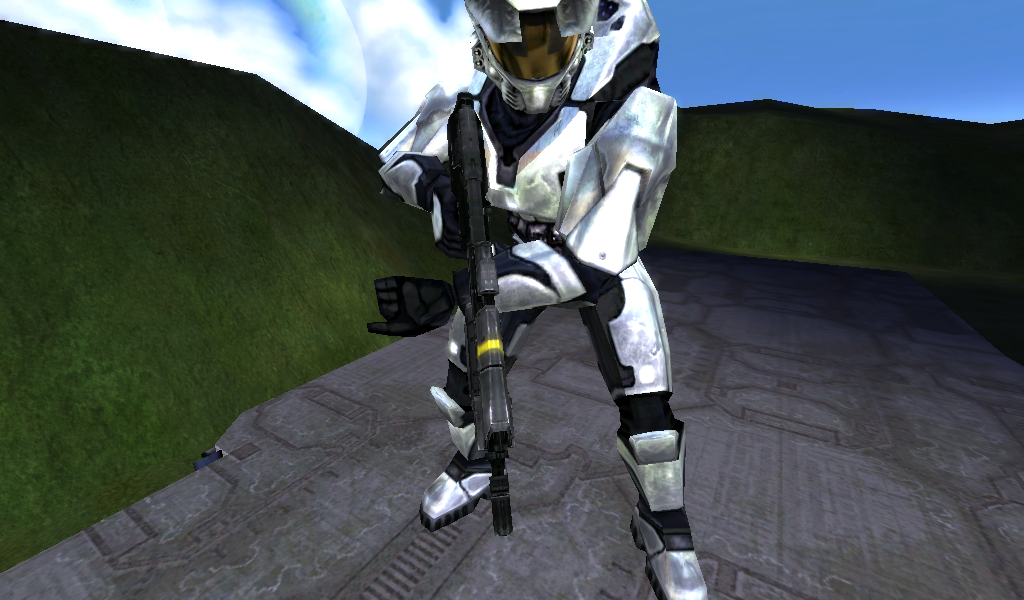 Magnum 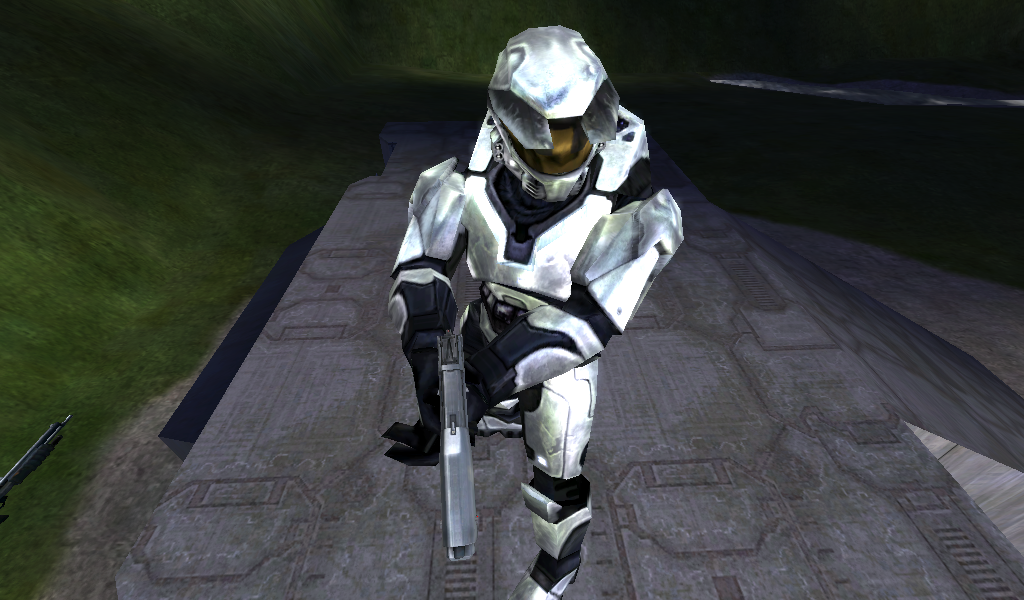 |
||||
|
|
|||||
|
R93_Sniper Joined: Feb 13, 2011
When in Doubt, RUN! |
Posted: Jun 22, 2013 12:36 AM
Msg. 8 of 11
that's an issue of marker placement. import the GBXmodels and then move the blue spheres to a different position. They should align with the front grip of the AR and on the left side of the magnum.
however, if you want completely custom animations, you could look at the animations that are there currently and then recreate them to your liking, and then replace them |
||||
|
|
|||||
|
Dumb AI Joined: Sep 18, 2011 
Dead. |
Posted: Jun 22, 2013 01:34 AM
Msg. 9 of 11
Quote: --- Original message by: Ghostgamer021 Well here I bring some pictures, I hope this answers your questions... These are some of the weapons I want to try to repair the animations in third person... Assault_rifle http://i1365.photobucket.com/albums/r745/Ghostgamer02/haloce2013-06-2121-28-48-68_zpsaf6bb9f7.png Magnum http://i1365.photobucket.com/albums/r745/Ghostgamer02/haloce2013-06-2121-29-22-26_zps3a40a2dc.png The Magnum looks fine. The AR seems to be missing a "left hand cyborg" marker. You can add it in Kornman00 (not sure about the regular Guerilla). You'll have to copy the position of the marker from another Assault Rifle gbxmodel tag. Edited by Dumb AI on Jun 22, 2013 at 01:35 AM |
||||
|
|
|||||
|
R93_Sniper Joined: Feb 13, 2011
When in Doubt, RUN! |
Posted: Jun 23, 2013 02:37 AM
Msg. 10 of 11
don't use Kornman Guerilla, use OS guerilla
|
||||
|
|
|||||
|
Ghostgamer021 Joined: Apr 21, 2013
Noob |
Posted: Jun 23, 2013 06:06 PM
Msg. 11 of 11
Quote: --- Original message by: Dumb AI Quote: --- Original message by: Ghostgamer021 Well here I bring some pictures, I hope this answers your questions... These are some of the weapons I want to try to repair the animations in third person... Assault_rifle http://i1365.photobucket.com/albums/r745/Ghostgamer02/haloce2013-06-2121-28-48-68_zpsaf6bb9f7.png Magnum http://i1365.photobucket.com/albums/r745/Ghostgamer02/haloce2013-06-2121-29-22-26_zps3a40a2dc.png The Magnum looks fine. The AR seems to be missing a "left hand cyborg" marker. You can add it in Kornman00 (not sure about the regular Guerilla). You'll have to copy the position of the marker from another Assault Rifle gbxmodel tag. Edited by Dumb AI on Jun 22, 2013 at 01:35 AM As I said I am a noob... but thanks to your help [Dumb AI], although not understood very well what you told me, it succeeds fix... but just thank you all for trying to help a noob... 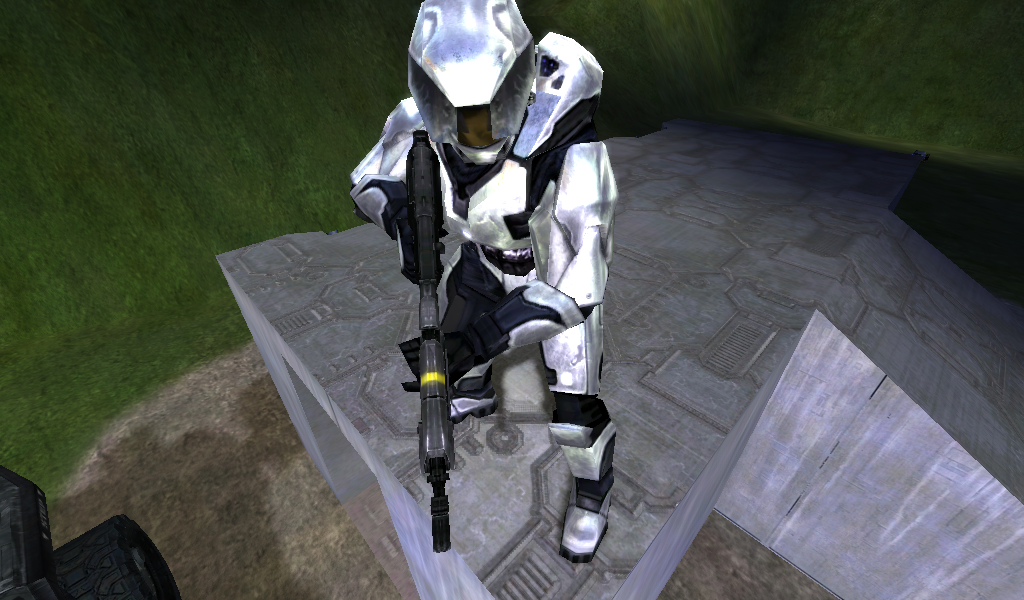 though... there are small details that would repair... 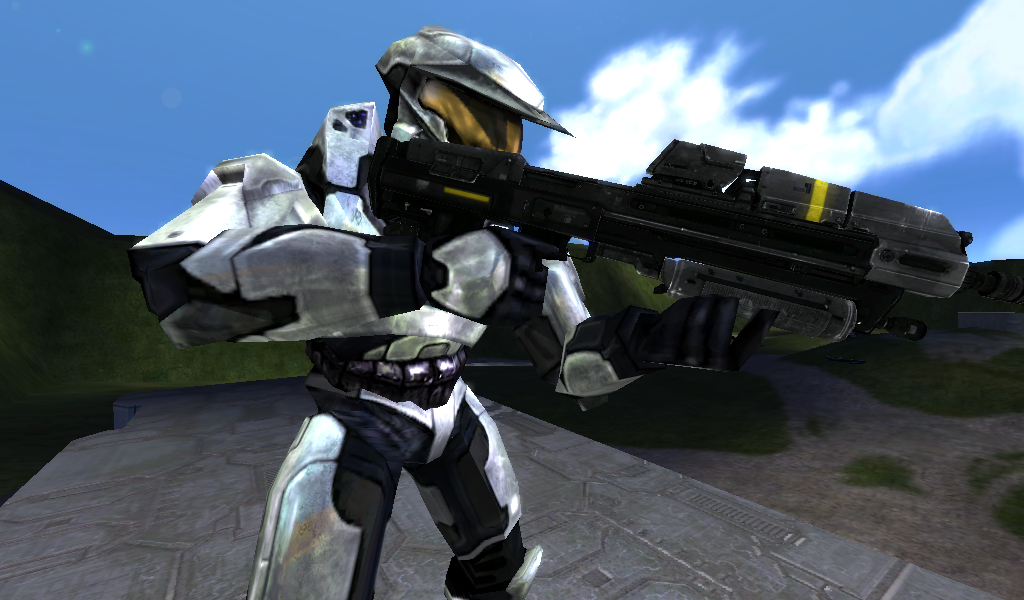 Edited by Ghostgamer021 on Jun 23, 2013 at 10:46 PM |
||||
|
|
|||||

|
