A Community discussion forum for Halo Custom Edition, Halo 2 Vista, Portal and Halo Machinima
|
 Home
Home Search
 Register
 Login
Login Member List
 Recent Posts
| »Forums Index »Halo Custom Edition (Bungie/Gearbox) »Halo CE General Discussion »What's your Halo CE input? | 
|
| Author | Topic: What's your Halo CE input? (21 messages, Page 1 of 1) | ||||
| Moderators: Dennis | |||||
 Oskarmandude Joined: Mar 16, 2013 
Bosnia |
Posted: May 4, 2013 08:49 PM
Msg. 1 of 21
Do you use a keyboard + mouse, do you use a controller or something else?
And post your button/key mapping. 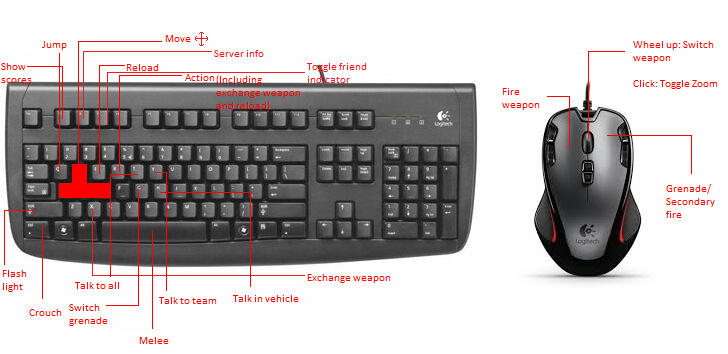 Edited by Oskarmandude on May 4, 2013 at 08:50 PM |
||||


|
|||||
|
MatthewDratt Joined: Sep 11, 2010 
TAKEDOWN IS OUT MattDratt.com |
Posted: May 4, 2013 09:19 PM
Msg. 2 of 21
keys - default
mouse - wireless ms one keyboard - some dell one that came with my computer |
||||
|
|
|||||
|
Jesse Joined: Jan 18, 2009 Discord: Holy Crust#4500 |
Posted: May 4, 2013 09:19 PM
Msg. 3 of 21
I use a keyboard and wireless mouse, but I do have my 360 controller set up so I could use it with halo, but with no ability to make custom settings, it's much too sensitive for CE.
|
||||
|
|
|||||
|
CRXxSkillzxXRC Joined: Jul 1, 2012 
Seriously, why look at MY quote of all people? |
Posted: May 4, 2013 09:21 PM
Msg. 4 of 21
Sorry to be a party crasher but...
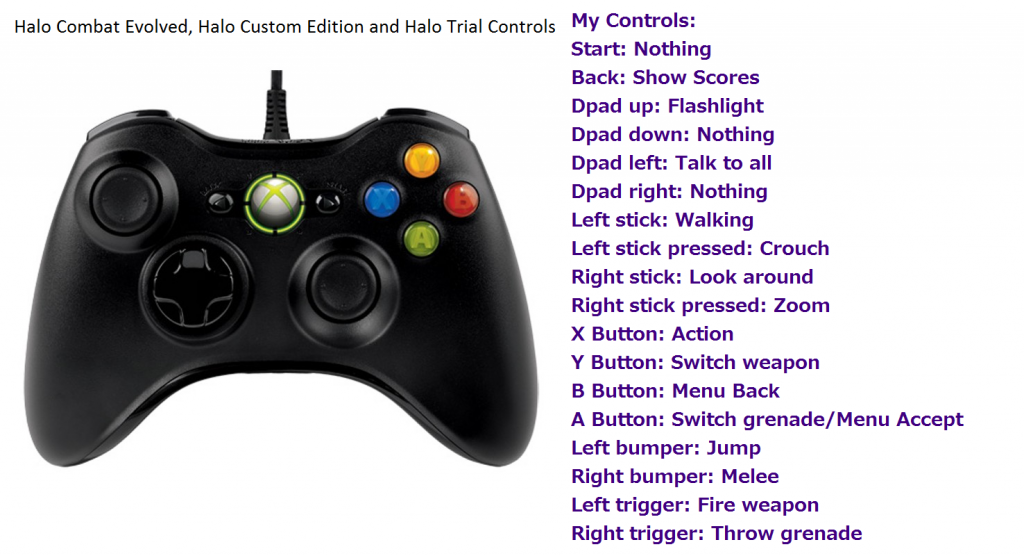 Only time I ever use my keyboard and mouse is when I can't find my controller under all of my broken mice Edited by CRXxSkillzxXRC on May 4, 2013 at 09:22 PM |
||||
|
|
|||||
|
CRXxSkillzxXRC Joined: Jul 1, 2012
Seriously, why look at MY quote of all people? |
Posted: May 4, 2013 09:36 PM
Msg. 5 of 21
Deal. As soon as I find my controller I shall pm you.
Edit: One downside to having a wired controller, there's a piece that always goes missing -.- Edited by CRXxSkillzxXRC on May 4, 2013 at 09:38 PM |
||||
|
|
|||||
|
OrangeJuice Joined: Jan 29, 2009 
Documentation and debug.txt |
Posted: May 4, 2013 09:57 PM
Msg. 6 of 21
I have a 7 button mouse with a tilt wheel
I use the side buttons to zoom and crouch instead of the keyboard and I use the middle mouse button to melee. In Crysis and SWAT4, I used to use the tilt wheel to lean left and right. ^-^ Try it, it's great and easy to remember |
||||
|
|
|||||
|
kirby_422 Joined: Jan 22, 2006 
Apparently public enemy number 1? |
Posted: May 5, 2013 12:32 AM
Msg. 7 of 21
All of halos default things at the default keyboard and mouse setup.
Through the RA Strings.dll, Left Shift as Recorded Animation, X as lock facing, C as alert. |
||||
|
|
|||||
|
Kozakuu Joined: Oct 30, 2011 
Only the person who was wisdom can read the most. |
Posted: May 5, 2013 02:07 AM
Msg. 8 of 21
 I don't play enough PC games to make getting a better mouse and keyboard worth it. Use all standard key bindings except for the controller, where I use bumper jumper. Edited by Kozakuu on May 5, 2013 at 03:24 AM |
||||
|
|
|||||
|
MHstudios Joined: Oct 10, 2012 
The maker of stuff.... |
Posted: May 5, 2013 09:51 PM
Msg. 9 of 21
 Custom paint job. Only thing changed are crouch ,X, grenade switch ,F, flashlight ,G, and melee ,Q, |
||||
|
|
|||||
|
eliteslasher Joined: Jun 30, 2008 
Crysis 3!!!!!!! All I have to say. :D |
Posted: May 5, 2013 10:48 PM
Msg. 10 of 21
Mouse:
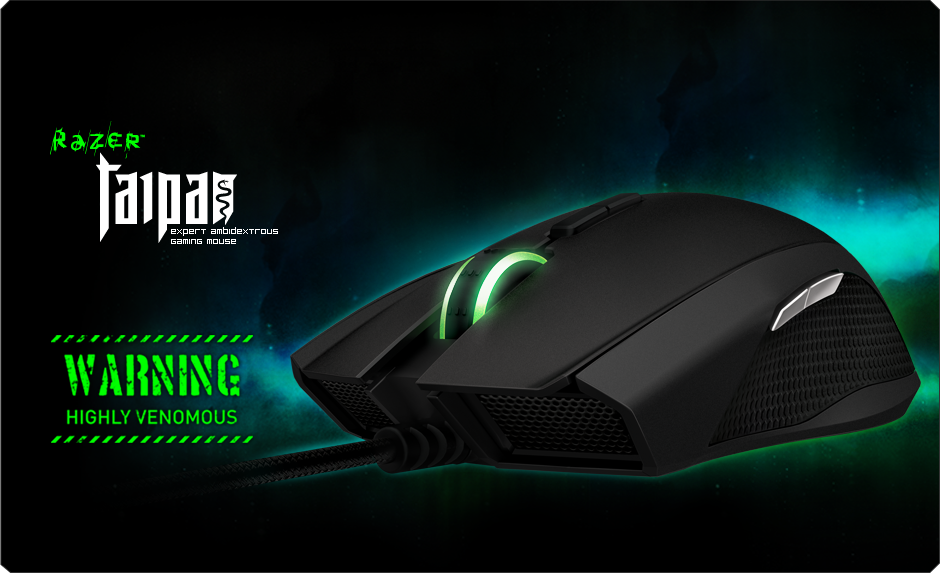 Keyboard:  and just to keep it all matching...  |
||||
|
|
|||||
|
Dumb AI Joined: Sep 18, 2011 
Dead. |
Posted: May 5, 2013 10:51 PM
Msg. 11 of 21
Quote: --- Original message by: eliteslasher Mouse: http://assets.razerzone.com/eeimages/products/293/razer-taipan.png Keyboard: http://assets.razerzone.com/eeimages/products/62/razer-lycosa-mirror.png and just to keep it all matching... http://assets.razerzone.com/eeimages/products/48/goliathus-speed.png Glowy keyboards and mice^ Mouse!  The A key and the ESC key doesn't work on my laptop keyboard anymore so I use this now.  Button setup: Default with the following modifications: F-melee V-switch grenades T and Y-chat C-crouch E-switch weapons Q-action "Previous page" mouse button-flashlight Z and scroll wheel-zoom X-swap weapons (this is redundant, I only use Q for swapping weapons) Controller (just for teh lulz)  As far as control setup goes, I use the Halo Reach "Recon" control layout. (sorry for taking up 3 times more space than anyone else xD) Edited by Dumb AI on May 5, 2013 at 11:15 PM |
||||
|
|
|||||
|
eliteslasher Joined: Jun 30, 2008
Crysis 3!!!!!!! All I have to say. :D |
Posted: May 5, 2013 11:01 PM
Msg. 12 of 21
I fancy Razer's quality because $$$ really does buy it. Best gaming items I have ever bought and TBQH, the pad is the most comfortable I have had of many.
|
||||
|
|
|||||
|
Oskarmandude Joined: Mar 16, 2013
Bosnia |
Posted: May 6, 2013 01:28 AM
Msg. 13 of 21
Quote: --- Original message by: Dumb AI Quote: --- Original message by: eliteslasher Mouse: http://assets.razerzone.com/eeimages/products/293/razer-taipan.png Keyboard: http://assets.razerzone.com/eeimages/products/62/razer-lycosa-mirror.png and just to keep it all matching... http://assets.razerzone.com/eeimages/products/48/goliathus-speed.png Glowy keyboards and mice^ Mouse! http://www.futureshop.ca/multimedia/Products/500x500/101/10150/10150318.jpg The A key and the ESC key doesn't work on my laptop keyboard anymore so I use this now. http://www.jascoproducts.com/products/pc/catalog/98136/98136webd1.jpg Button setup: Default with the following modifications: F-melee V-switch grenades T and Y-chat C-crouch E-switch weapons Q-action "Previous page" mouse button-flashlight Z and scroll wheel-zoom X-swap weapons (this is redundant, I only use Q for swapping weapons) Controller (just for teh lulz) http://media.gdgt.com/img/products/470/a2y6/a2y6-800.jpg As far as control setup goes, I use the Halo Reach "Recon" control layout. (sorry for taking up 3 times more space than anyone else xD) Edited by Dumb AI on May 5, 2013 at 11:15 PM Is that gamepad an Xinput one? |
||||
|
|
|||||
|
Jesse Joined: Jan 18, 2009 Discord: Holy Crust#4500 |
Posted: May 6, 2013 02:29 PM
Msg. 14 of 21
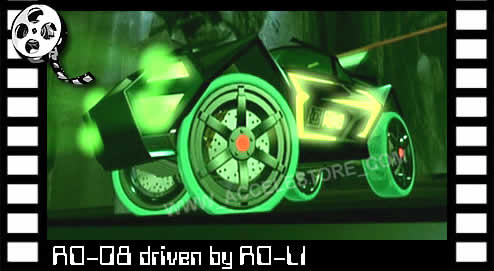 That glowing mouse reminds me of the Drones from Acceleracers. Edited by Jesse on May 6, 2013 at 02:29 PM |
||||
|
|
|||||
|
eliteslasher Joined: Jun 30, 2008
Crysis 3!!!!!!! All I have to say. :D |
Posted: May 6, 2013 02:37 PM
Msg. 15 of 21
haha! Yeah especially the front.
 |
||||
|
|
|||||
|
altis94 Joined: Oct 5, 2012 
Join my Discord https://discord.gg/GDVEaRD |
Posted: May 6, 2013 02:59 PM
Msg. 16 of 21
My mouse is a cheap wireless one but looks exactly the same. |
||||
|
|
|||||
|
eliteslasher Joined: Jun 30, 2008
Crysis 3!!!!!!! All I have to say. :D |
Posted: May 6, 2013 03:12 PM
Msg. 17 of 21
I didn't buy it for the looks. It was one of their mid range mice so I had 2 or 3 to chose from. I chose it for the button layout mainly as well as the low profile. I hate high profile mice and keys because having my wrist upwards just kills it after an hour or so. It doesn't have like 16 side buttons because I really don't need to macro everything since I don't play games that involve me paying $15 a month to a money-hungry company who happens to make certain popular games. *caugh caugh* we all know who I'm talking about *caugh*
But yeah it was middle of the pack, has everything I need to be a great gaming mouse, and the quick sensitivity changer makes it versatile for games when you need to find just that perfect sensitivity and that sensitivity is not the same for every game :/ |
||||
|
|
|||||
|
eliteslasher Joined: Jun 30, 2008
Crysis 3!!!!!!! All I have to say. :D |
Posted: May 6, 2013 05:00 PM
Msg. 18 of 21
Meh, I will admit, Vista got better though I will say I have had this setup for 8 months now and no sign of problems in the leas. I tell you man, quality over quantity is the best way to go.
 |
||||
|
|
|||||
|
Jaz Joined: Mar 21, 2010 
[Insert sarcastic comment here] |
Posted: May 6, 2013 05:24 PM
Msg. 19 of 21
I use the Gigabyte M6880 and an old Microsoft keyboard. Both work very well... or at least the mouse does. Keyboards aren't important though so...
I use the default keymapping with only one change. I swapped the switch grenade and throw grenade keys.(Now, G throws, left mouse switches) I got tired of accidentally throwing grenades due to instinct so I moved throw to a safer key. |
||||
|
|
|||||
|
Dumb AI Joined: Sep 18, 2011
Dead. |
Posted: May 6, 2013 09:28 PM
Msg. 20 of 21
Quote: --- Original message by: Oskarmandude Quote: --- Original message by: Dumb AI Quote: --- Original message by: eliteslasher Mouse: http://assets.razerzone.com/eeimages/products/293/razer-taipan.png Keyboard: http://assets.razerzone.com/eeimages/products/62/razer-lycosa-mirror.png and just to keep it all matching... http://assets.razerzone.com/eeimages/products/48/goliathus-speed.png Glowy keyboards and mice^ -stuff- Edited by Dumb AI on May 5, 2013 at 11:15 PM Is that gamepad an Xinput one? I don't really know what you mean by Xinput. It's a controller made for the Xbox 360. It's usable with Halo CE. Usually, I use it for my Xbox, not my PC but I like trying to play with a controller sometimes. EDIT: Did some Google-ing. I think it's Xinput. Matches most of the characteristics of a Xinput controller/gamepad. Edited by Dumb AI on May 6, 2013 at 09:34 PM |
||||
|
|
|||||
|
Oskarmandude Joined: Mar 16, 2013
Bosnia |
Posted: May 7, 2013 01:36 AM
Msg. 21 of 21
Quote: --- Original message by: Dumb AI Quote: --- Original message by: Oskarmandude Quote: --- Original message by: Dumb AI Quote: --- Original message by: eliteslasher Mouse: http://assets.razerzone.com/eeimages/products/293/razer-taipan.png Keyboard: http://assets.razerzone.com/eeimages/products/62/razer-lycosa-mirror.png and just to keep it all matching... http://assets.razerzone.com/eeimages/products/48/goliathus-speed.png Glowy keyboards and mice^ -stuff- Edited by Dumb AI on May 5, 2013 at 11:15 PM Is that gamepad an Xinput one? I don't really know what you mean by Xinput. It's a controller made for the Xbox 360. It's usable with Halo CE. Usually, I use it for my Xbox, not my PC but I like trying to play with a controller sometimes. EDIT: Did some Google-ing. I think it's Xinput. Matches most of the characteristics of a Xinput controller/gamepad. Edited by Dumb AI on May 6, 2013 at 09:34 PM What's the gamepad's name? BUMPY DUMPY Edited by Oskarmandude on Jun 24, 2013 at 02:38 AM |
||||
|
|
|||||

|
