A Community discussion forum for Halo Custom Edition, Halo 2 Vista, Portal and Halo Machinima
|
 Home
Home Search
 Register
 Login
Login Member List
 Recent Posts
| »Forums Index »Halo Custom Edition (Bungie/Gearbox) »Halo CE General Discussion »Semi-Official Gallery [WIPS] | 
|
| Page 114 of 285 | Go to page: · 1 · ... · 111 · 112 · 113 · [114] · 115 · 116 · 117 · ... · 285 · Prev · Next |
| Author | Topic: Semi-Official Gallery [WIPS] (9951 messages, Page 114 of 285) | ||||
| Moderators: Dennis | |||||
 darksoldier Joined: Dec 28, 2010 
Helo my friend, it's time to fight ;) |
Posted: Mar 3, 2012 04:29 PM
Msg. 3956 of 9951
Ok :D I will try to do that :)
|
||||


|
|||||
|
Dalek Joined: Aug 12, 2011 
|
Posted: Mar 4, 2012 08:19 AM
Msg. 3957 of 9951
 Darksoldier update |
||||
|
|
|||||
|
GAIGHER Joined: Nov 5, 2008 
|
Posted: Mar 4, 2012 12:14 PM
Msg. 3958 of 9951
Quote: --- Original message by: Maniac1000 Beautiful http://i159.photobucket.com/albums/t151/Maniac1000/newforerunnerbump.png  You started, i finished...  In 3Ds:  Click on image to enlarge. Diffuse:  Specular:  Bump:  ... Edited by GAIGHER on Mar 4, 2012 at 03:50 PM |
||||
|
|
|||||
|
Higuy Joined: Mar 6, 2007 
@lucasgovatos |
Posted: Mar 4, 2012 12:42 PM
Msg. 3959 of 9951
Thats awesome! But I feel like there may be a tad to many scratches in the bump that could potentially ruin the shader once ingame... Dunno though, try it out.
|
||||
|
|
|||||
|
GAIGHER Joined: Nov 5, 2008
|
Posted: Mar 4, 2012 01:08 PM
Msg. 3960 of 9951
Quote: --- Original message by: Higuy Use his bump >_<"Thats awesome! But I feel like there may be a tad to many scratches in the bump that could potentially ruin the shader once ingame... Dunno though, try it out. http://i159.photobucket.com/albums/t151/Maniac1000/newforerunnerbump.png |
||||
|
|
|||||
|
UnevenElefant5 Joined: May 3, 2008 
its been fun yall, i'll never forget this site :') |
Posted: Mar 4, 2012 01:48 PM
Msg. 3961 of 9951
Is it just me or are Gaigher's images taking ages to load?
|
||||
|
|
|||||
|
Jaz Joined: Mar 21, 2010 
[Insert sarcastic comment here] |
Posted: Mar 4, 2012 02:29 PM
Msg. 3962 of 9951
Quote: --- Original message by: UnevenElefant5 Is it just me or are Gaigher's images taking ages to load? Same for me, and my bandwidth's pretty great atm. |
||||
|
|
|||||
|
anonymous_2009 Joined: Jun 13, 2009 
|
Posted: Mar 4, 2012 02:50 PM
Msg. 3963 of 9951
He has used bmp... Gaigher, use jpg. NEVER use BMP...
*facepalm* |
||||
|
|
|||||
|
Skidrow925 Joined: Mar 19, 2010 
"ideological sense of respect and tact of a 5yo" |
Posted: Mar 4, 2012 03:29 PM
Msg. 3964 of 9951
Quote: --- Original message by: l283023 The images are around 6MB each. That and they are hosted on a French site. "Well there's yer problem." Quote: --- Original message by: anonymous_2009 He has used bmp... Gaigher, use jpg. NEVER use BMP... *facepalm* For sure. Myself, by the way, had no problem loading them. Edited by Skidrow925 on Mar 4, 2012 at 03:30 PM |
||||
|
|
|||||
|
ally Joined: Jun 23, 2010 
Aye Ready |
Posted: Mar 4, 2012 03:50 PM
Msg. 3965 of 9951
@dark soldier update, i think you should stretch the blue lights out some more, because
right now they look far too close together just. apart from that it's looking good :) |
||||
|
|
|||||
|
GAIGHER Joined: Nov 5, 2008
|
Posted: Mar 4, 2012 03:54 PM
Msg. 3966 of 9951
Quote: --- Original message by: anonymous_2009 Bmp = high quality, for Halo...He has used bmp... Gaigher, use jpg. NEVER use BMP... *facepalm* Sry, i edit the message (click on image to enlarge) |
||||
|
|
|||||
|
anonymous_2009 Joined: Jun 13, 2009
|
Posted: Mar 4, 2012 04:32 PM
Msg. 3967 of 9951
no... for god sake people. BMP, PNG ect.. they don't compress data, so you have ALL of the image data saved in the file. The majority of that data the human eye can't even see so it's useless.
BMP and PNG are for image manipulation and transportation so no quality is lost when editing them. JPG's compress images are you can't even tell... use jpg. Edited by anonymous_2009 on Mar 4, 2012 at 04:51 PM |
||||
|
|
|||||
|
Maniac1000 -Helpful Poster- Joined: Feb 24, 2007 
|
Posted: Mar 4, 2012 04:38 PM
Msg. 3968 of 9951
Nice one GAIGHER, i would have linked you to the layered tiff to make life easier for you :)
http://www.mediafire.com/i/?1t1vqqzerq4fcdu If i make more patterns will you finish them too? Edited by Maniac1000 on Mar 4, 2012 at 04:39 PM |
||||
|
|
|||||
|
GAIGHER Joined: Nov 5, 2008
|
Posted: Mar 4, 2012 05:03 PM
Msg. 3969 of 9951
BMP/TIF for Halo
JPG for Forum Quote: If i make more patterns will you finish them too? I have not always time.You have others ? (just construction lines, not the bump) I made the table of my site. http://gaighermod.free.fr/nk Look for christmas. http://gaighermod.free.fr/nk/themes/dalto_NO-Bug/images/bouton/ilum_anim |
||||
|
|
|||||
|
anonymous_2009 Joined: Jun 13, 2009
|
Posted: Mar 4, 2012 05:11 PM
Msg. 3970 of 9951
Oooh, forgot mention that, yes Gaigher. You would use Tiff and BMP and other uncompressed file types for a game engine as you would want all the detail. But JPG's are for the internet, where the image will be loaded onto the screen on a website.
|
||||
|
|
|||||
|
Maniac1000 -Helpful Poster- Joined: Feb 24, 2007
|
Posted: Mar 4, 2012 05:16 PM
Msg. 3971 of 9951
Yea, i make patterns and never can be arsed finishing them.
 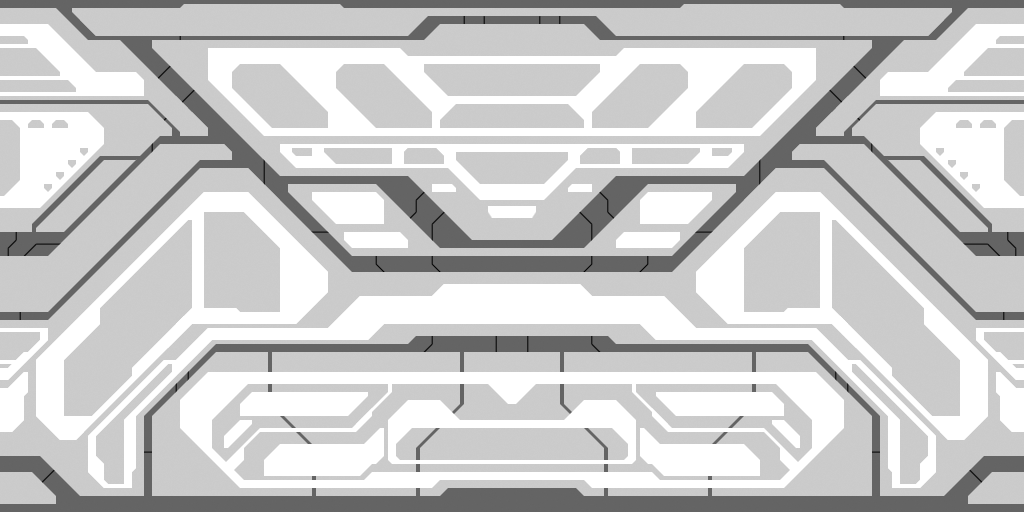 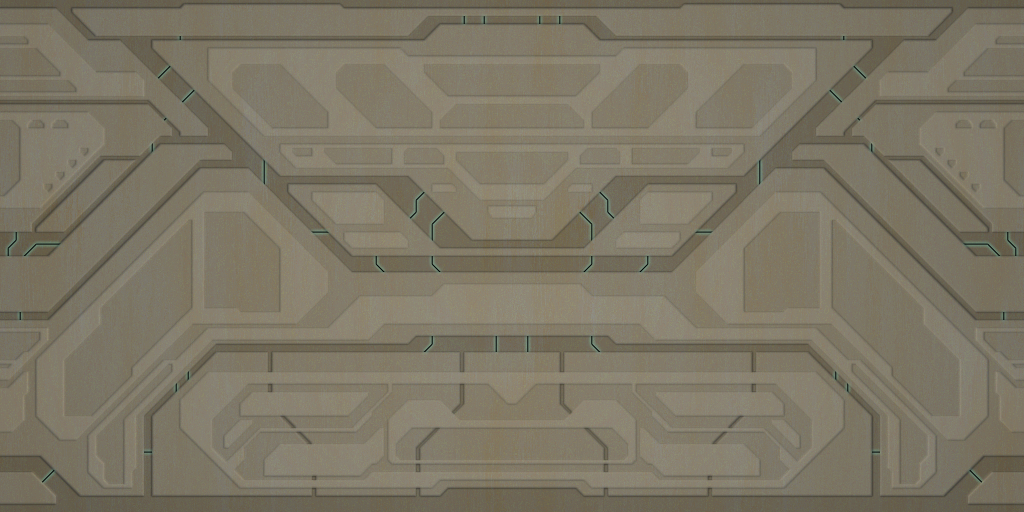  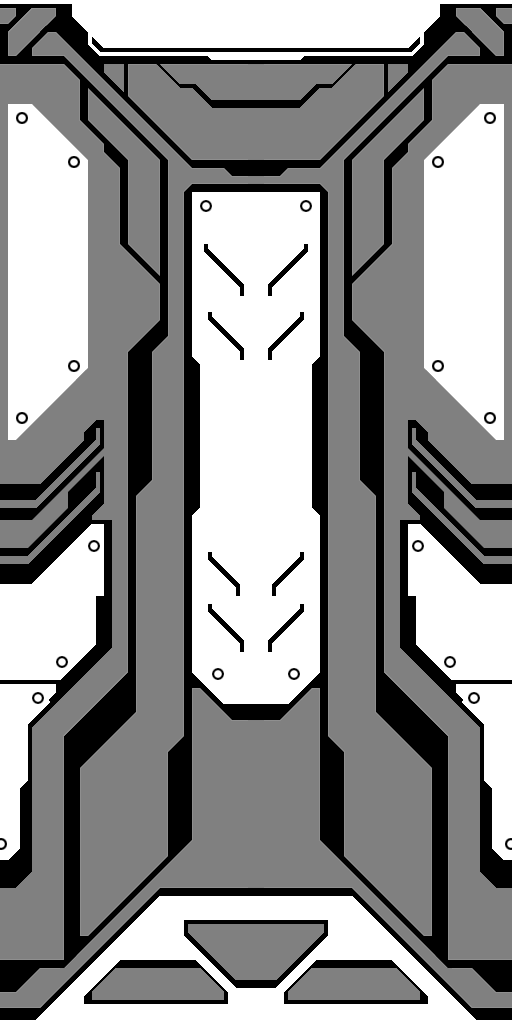    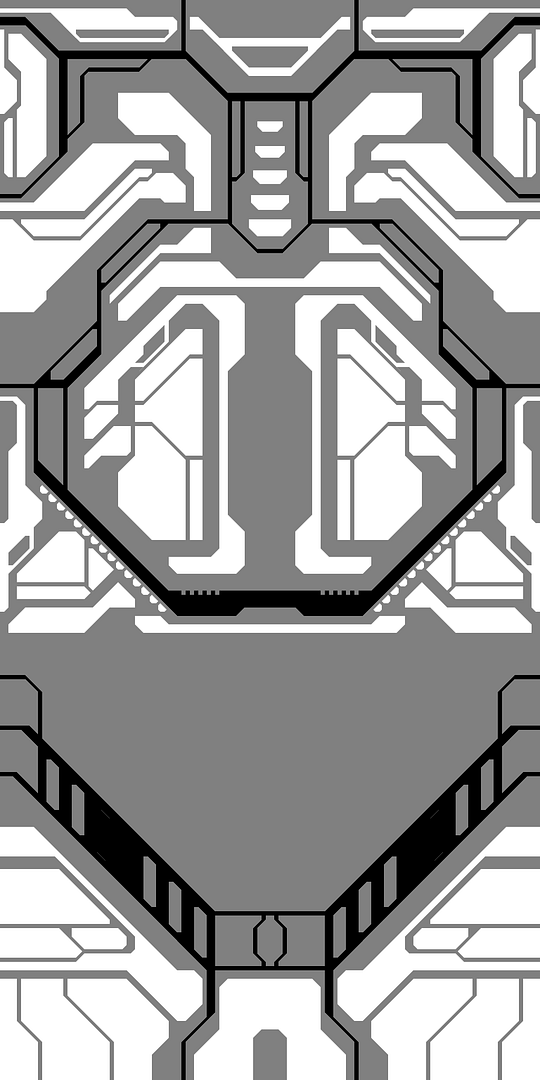  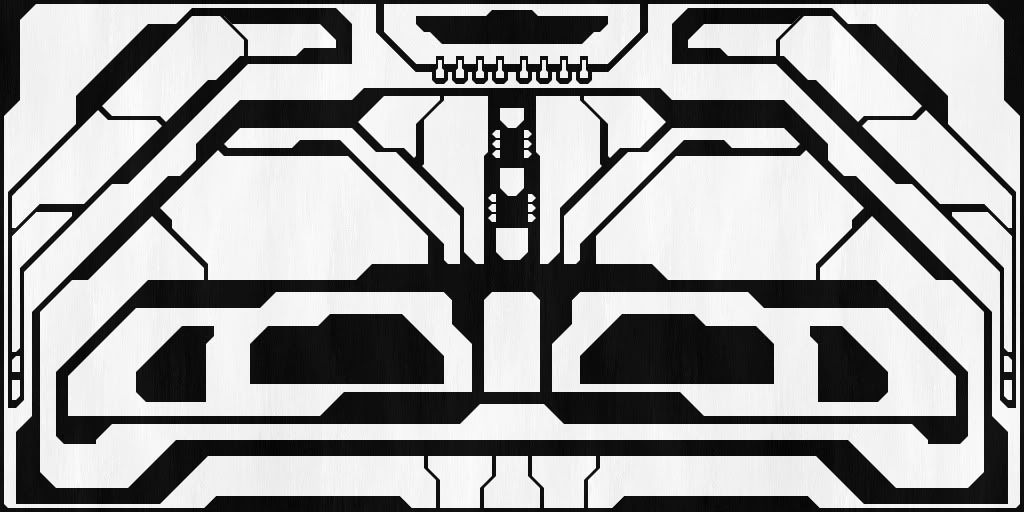 Edited by Maniac1000 on Mar 4, 2012 at 05:32 PM |
||||
|
|
|||||
|
ally Joined: Jun 23, 2010
Aye Ready |
Posted: Mar 4, 2012 05:32 PM
Msg. 3972 of 9951
some nice textures there guys, i'm liking them all.
|
||||
|
|
|||||
|
Maniac1000 -Helpful Poster- Joined: Feb 24, 2007
|
Posted: Mar 4, 2012 05:42 PM
Msg. 3973 of 9951
The bumps are very easy to make, ill make a tutorial tonight i think.
|
||||
|
|
|||||
|
ally Joined: Jun 23, 2010
Aye Ready |
Posted: Mar 4, 2012 05:50 PM
Msg. 3974 of 9951
that would be good of you, my ps skills are rubbish. maybe a quick tutorial on the tools you make the shapes/lines with too?
|
||||
|
|
|||||
|
GAIGHER Joined: Nov 5, 2008
|
Posted: Mar 4, 2012 06:22 PM
Msg. 3975 of 9951
Beautiful !
We could create a texture pack ! For "Halo CE Misc. Tags": http://hce.halomaps.org/index.cfm?pg=1&sid=20 You create construction lines, i finish the textures... Credit: Maniac1000 create construction lines. GAIGHER finish the textures. |
||||
|
|
|||||
|
Joddy Joined: Jul 3, 2010 |
Posted: Mar 5, 2012 09:29 AM
Msg. 3976 of 9951
@ ally
http://developer.nvidia.com/nvidia-texture-tools-adobe-photoshop NVIDIA Normal Map Filter for Photoshop. download, install and make your own bumps it's really easy. |
||||
|
|
|||||
|
Maniac1000 -Helpful Poster- Joined: Feb 24, 2007
|
Posted: Mar 5, 2012 10:05 AM
Msg. 3977 of 9951
ally uses crazybump, which is better than that nvidia plugin.
and it wont help you actually create the shapes, but thanks Joddy. also, yes you should release a texture pack GAIGHER. Edited by Maniac1000 on Mar 5, 2012 at 10:07 AM |
||||
|
|
|||||
|
GAIGHER Joined: Nov 5, 2008
|
Posted: Mar 5, 2012 10:19 AM
Msg. 3978 of 9951
Your construction lines are blurred.
 This makes the work difficult to decoupage. I renamed "forerunnernorm3" to "thick_strips_horizontal". In 3Ds:  thick_strips_horizontal in 3D  thick_strips_horizontal_rusted in 3D  thick_strips_horizontal  thick_strips_horizontal_rusted  |
||||
|
|
|||||
|
Maniac1000 -Helpful Poster- Joined: Feb 24, 2007
|
Posted: Mar 5, 2012 10:28 AM
Msg. 3979 of 9951
Nice.
The construction lines/shapes should not be blurred, i dunno why that would be. Here are layered tiffs, these may be better to work with. http://www.mediafire.com/?d807ubdd67bolcu http://www.mediafire.com/?94c5ba89f373pqi |
||||
|
|
|||||
|
ally Joined: Jun 23, 2010
Aye Ready |
Posted: Mar 5, 2012 11:06 AM
Msg. 3980 of 9951
true i use crazy bump, thank you anyway joddy :)
|
||||
|
|
|||||
|
6thLoneWolf Joined: Mar 1, 2011 
i'm a newbie :B |
Posted: Mar 5, 2012 09:43 PM
Msg. 3981 of 9951
lol bored
 br icon sucks btw xD |
||||
|
|
|||||
|
anonymous_2009 Joined: Jun 13, 2009
|
Posted: Mar 5, 2012 10:47 PM
Msg. 3982 of 9951
Quote: --- Original message by: 6thLoneWolf lol bored http://screenshot.xfire.com/s/122086780-4.jpg br icon sucks btw xD you can ingame the Halo 4 BR when it's done, i will publicly release it |
||||
|
|
|||||
|
Invader Veex Joined: Apr 11, 2007 
i make poast |
Posted: Mar 5, 2012 11:06 PM
Msg. 3983 of 9951
As much as I suck at modelling, I too am making a Halo 4 BR. That HUD isn't ingame, correct?
|
||||
|
|
|||||
|
Kozakuu Joined: Oct 30, 2011 
Only the person who was wisdom can read the most. |
Posted: Mar 6, 2012 12:13 AM
Msg. 3984 of 9951
Don't think so. Here's the actual HUD for reference.
  |
||||
|
|
|||||
|
6thLoneWolf Joined: Mar 1, 2011
i'm a newbie :B |
Posted: Mar 6, 2012 12:49 AM
Msg. 3985 of 9951
Quote: --- Original message by: anonymous_2009 Quote: --- Original message by: 6thLoneWolf lol bored http://screenshot.xfire.com/s/122086780-4.jpg br icon sucks btw xD you can ingame the Halo 4 BR when it's done, i will publicly release it Great!! :D Quote: --- Original message by: Invader Veex As much as I suck at modelling, I too am making a Halo 4 BR. That HUD isn't ingame, correct? Hud is in game :D model by zeej http://www.gamebanana.com/models/2016?vl[page]=3&mn=1&vl%255Bpage%255D=2&qpost=5759026 |
||||
|
|
|||||
|
Cheddars Joined: Oct 30, 2010 
Rave to the Grave. |
Posted: Mar 7, 2012 04:57 AM
Msg. 3986 of 9951
 guess what it is or is it just that bad? im planning on texturing when done and i hope to sell it for money for xbox live or other stuff. also, how do i fix these?  |
||||
|
|
|||||
|
anonymous_2009 Joined: Jun 13, 2009
|
Posted: Mar 7, 2012 09:34 AM
Msg. 3987 of 9951
Why do people insist on rending models in colours... render objects are a grey, and don't render on full black. Also give the object a bit of glossiness...
Edited by anonymous_2009 on Mar 7, 2012 at 09:34 AM |
||||
|
|
|||||
|
anonymous_2009 Joined: Jun 13, 2009
|
Posted: Mar 7, 2012 02:02 PM
Msg. 3988 of 9951
Dark grey, #101010 - I usually use something like that. The general 3d art industry will say the same most of the time, black is horrid.
|
||||
|
|
|||||
|
anonymous_2009 Joined: Jun 13, 2009
|
Posted: Mar 7, 2012 03:58 PM
Msg. 3989 of 9951
Dark grey is best, and make the entire model a greyish :)
|
||||
|
|
|||||
|
anonymous_2009 Joined: Jun 13, 2009
|
Posted: Mar 7, 2012 06:41 PM
Msg. 3990 of 9951
I use that default grey, but when sub'd modelling I just use the top left grey from the object color dialog as don't really need a material :P
|
||||
|
|
|||||
| Page 114 of 285 | Go to page: · 1 · ... · 111 · 112 · 113 · [114] · 115 · 116 · 117 · ... · 285 · Prev · Next |

|
