A Community discussion forum for Halo Custom Edition, Halo 2 Vista, Portal and Halo Machinima
|
 Home
Home Search
 Register
 Login
Login Member List
 Recent Posts
| Viewing User Profile for: flyinhawaiianryan | |||||||||||||||||||
| About | Contact | ||||||||||||||||||
|
Send Private Message |
||||||||||||||||||
| Post Statistics | |||||||||||||||||||
|
flyinhawaiianryan has contributed to 36 posts out of 465278 total posts
(.01%) in 5,092 days (.01 posts per day).
20 Most recent posts:
Halo CE Technical / Map Design »
How to import a model. Oct 1, 2009 12:34 AM
(Total replies: 18)
can anyone explain to me how to use the "Halo CE BSP Tag Converter V2.5"?
Halo CE Technical / Map Design »
How to import a model. Sep 30, 2009 10:03 PM
(Total replies: 18)
what do you mean by "Technically it should get through tool fine"? Are you saying that i shouldn't have to edit the model so it won't give me any errors when ran in tool?
Halo CE Technical / Map Design »
How to import a model. Sep 29, 2009 11:26 PM
(Total replies: 18)
Only 1 problem the model you gave me had like 2480 open faces. How do i deal with that?
Halo CE Technical / Map Design »
How to import a model. Sep 29, 2009 06:12 PM
(Total replies: 18)
I can't seem to find this member when i searched for him.
Halo CE Technical / Map Design »
How to import a model. Sep 29, 2009 05:52 PM
(Total replies: 18)
Thank you for replying! I have never used this program before and i read the instructions. Could you explain to me how to use this to obtain the base model from the level infinity?
Halo CE Technical / Map Design »
How to import a model. Sep 27, 2009 10:53 PM
(Total replies: 18)
I want to import the base model from the level infinity into 3ds max, but i don't know how to do it. Any advice? Edited by flyinhawaiianryan on Sep 27, 2009 at 10:53 PM Edited by flyinhawaiianryan on Sep 27, 2009 at 10:54 PM
Halo CE Technical / Map Design »
Help with My Custom Turret vehicle model Sep 27, 2009 12:50 AM
(Total replies: 24)
I didn't have to click add animation button cause i already did. The label box was blank and when i added cg it worked for some reason...?...
Halo CE Technical / Map Design »
Help with My Custom Turret vehicle model Sep 26, 2009 01:54 PM
(Total replies: 24)
Okay, i figured out how to fix it! Awesome my turret works! how come my turret wouldn't work with out doing that label thing you were talking about? You know with my animation tag? Edited by flyinhawaiianryan on Sep 26, 2009 at 02:15 PM
Halo CE Technical / Map Design »
Help with My Custom Turret vehicle model Sep 26, 2009 12:26 PM
(Total replies: 24)
Awesome that worked! Now the only problem is it's only shooting one bullet every 3 seconds for example it shoots a bullet wait 3 seconds and then out comes another after waiting 3 seconds. How can i change this so it is just like a regular chain gun?
Halo CE Technical / Map Design »
Help with My Custom Turret vehicle model Sep 26, 2009 11:30 AM
(Total replies: 24)
Halo CE Technical / Map Design »
Help with My Custom Turret vehicle model Sep 26, 2009 01:21 AM
(Total replies: 24)
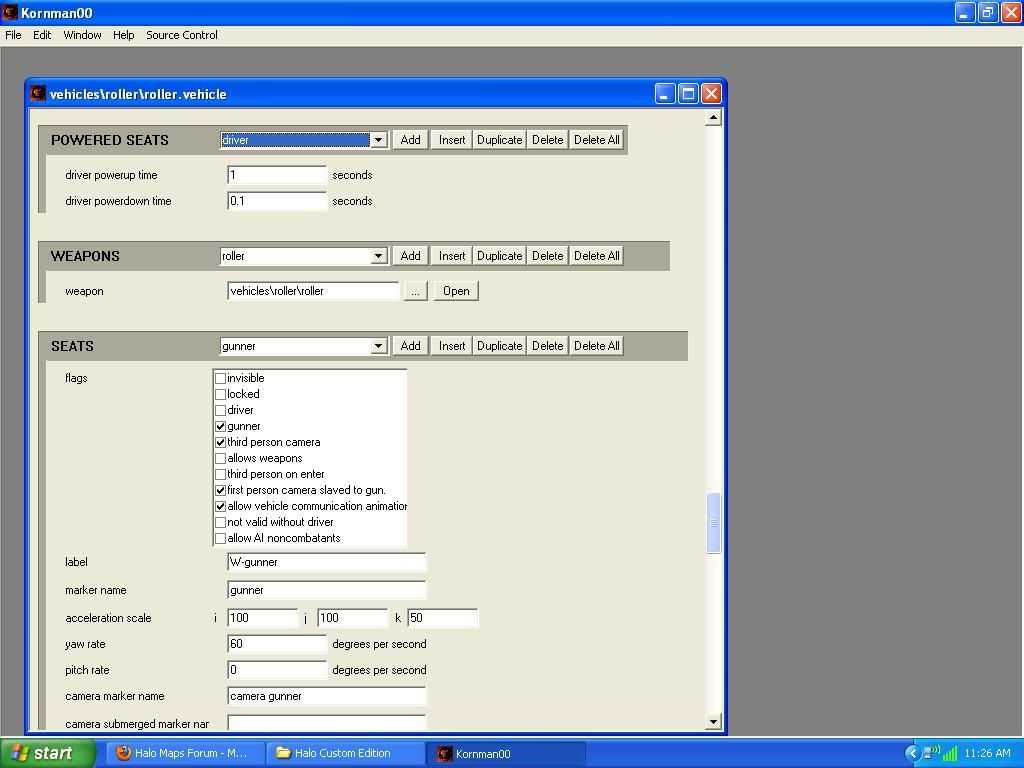
If you need to see more just let me know. if you can't see it try right clicking the image icon an go to view image. 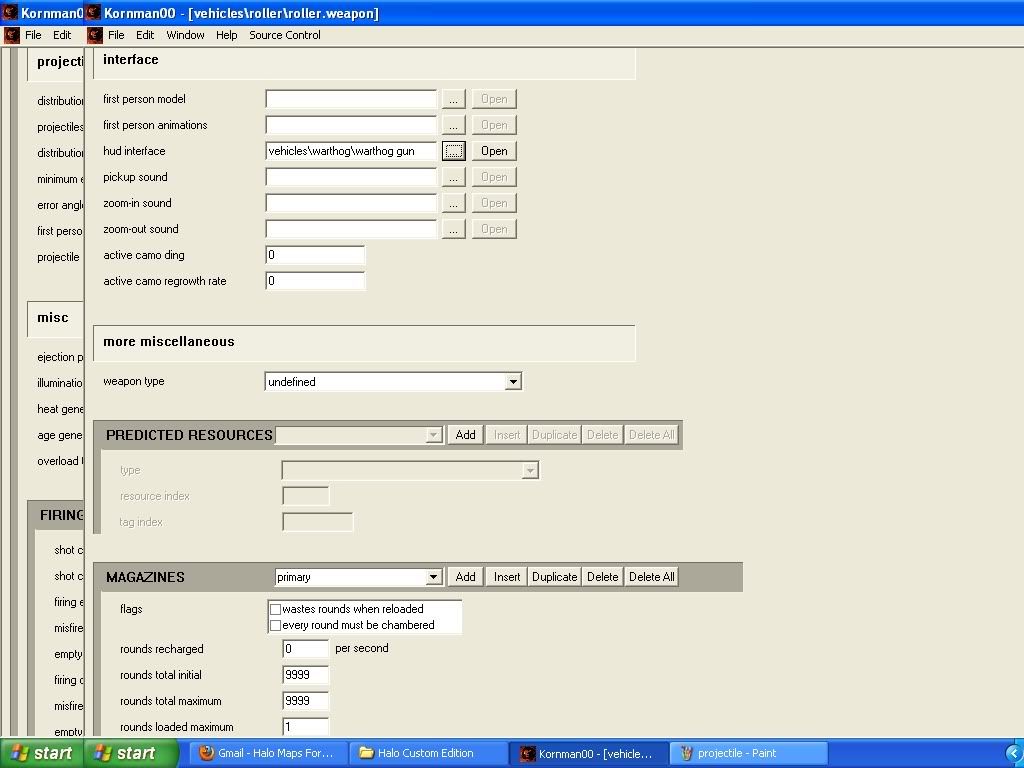 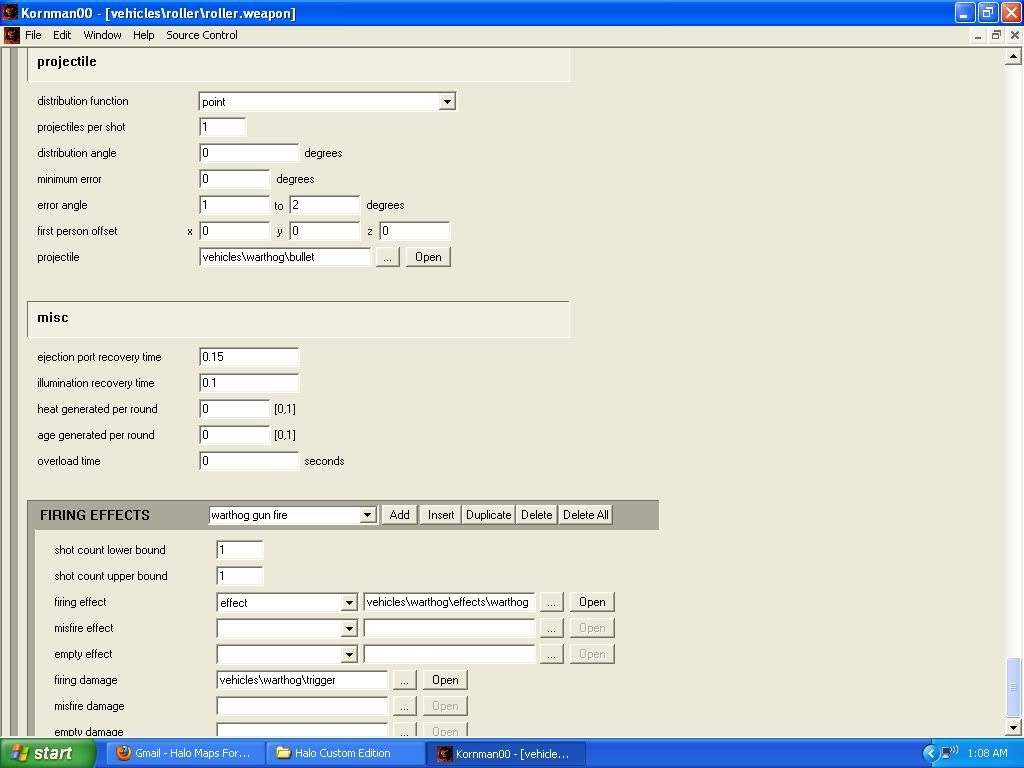 Edited by flyinhawaiianryan on Sep 26, 2009 at 01:26 AM
Halo CE Technical / Map Design »
Help with My Custom Turret vehicle model Sep 26, 2009 12:53 AM
(Total replies: 24)
That is correct! But, it seems like the tags i have set up for my .weapon tag is correct... I'm just kinda stuck right now.
Halo CE Technical / Map Design »
Help with My Custom Turret vehicle model Sep 25, 2009 11:45 PM
(Total replies: 24)
Yes! Thank you! Unfortunately, my turret model is completely useless because it doesn't have any cross hairs or bullet projectiles! I have followed the tutorial like a 10 times! And i am still getting the same results. I just want my turret model to work!
Halo CE Technical / Map Design »
Help with My Custom Turret vehicle model Sep 24, 2009 11:09 PM
(Total replies: 24)
Could you be a little more clear Gamma? I tried what i thought you wanted me to do and still nothing! i get the same thing i can enter the turret but no cross hairs and no bullets... Can you be more specific like say "in guirilla open the .weapon file you made for your model" or something like that.
Halo CE Technical / Map Design »
Help with My Custom Turret vehicle model Sep 24, 2009 09:18 AM
(Total replies: 24)
I'm sure there has to be an easier way to obtain what i want.
Halo CE Technical / Map Design »
Help with My Custom Turret vehicle model Sep 23, 2009 10:33 PM
(Total replies: 24)
I'm not really sure how to do what you are telling me. what i tried was opening up gurilla and opening my models .vehicle and swap the weapons tag with the warthog gun.weapon i also tried to open my .weapon tag for my model and it look exactly like the warthog gun.weapon tag so i just left it the same... i run the game and i can enter the turret and look around but there is no cross hairs and i can not soot any projectiles. Please explain how i can tag this? I thought i already did?
Halo CE Technical / Map Design »
Help with My Custom Turret vehicle model Sep 23, 2009 12:35 PM
(Total replies: 24)
Great! That worked...but, i don't have any cross hairs and no bullets will fire out of it... :(
Halo CE Technical / Map Design »
Help with My Custom Turret vehicle model Sep 23, 2009 12:41 AM
(Total replies: 24)
No it did not! I already knew however, to make sure the gametypes are checked in the properties pallet in sapien. I don't know how to swop the vehicles in globals/globals. Can you please explain how to this?
Halo CE Technical / Map Design »
Help with My Custom Turret vehicle model Sep 23, 2009 12:12 AM
(Total replies: 24)
I was doing a tutorial from "the Ghost's HaloCE Tutorial site" on 1) Modeling/Skinning a Custom Turret 2) Animating a Custom Turret and 3) Tagging a Custom Turret. I believe i did all the steps in the tutorial correct! my problem is It doesn't show up in GAME! I will show up in sapien and i can place them all over the map but it will not show IN GAME! Anyone have a way of trouble shooting this problem?
Halo CE Technical / Map Design »
i have a very annoying problem can anyone help me? Sep 23, 2009 12:02 AM
(Total replies: 97)
Sapien would not open cause i need to add specific tags that were missing and that was causing sapien to not open. so i just extracted the tags i needed and put them in the right folders or the right place using HEK+ and BAM! SUCCESS! 
|
|||||||||||||||||||
