A Community discussion forum for Halo Custom Edition, Halo 2 Vista, Portal and Halo Machinima
|
 Home
Home Search
 Register
 Login
Login Member List
 Recent Posts
| »Forums Index »Halo Custom Edition (Bungie/Gearbox) »Halo CE General Discussion »Rigging gone really bad | 
|
| Author | Topic: Rigging gone really bad (20 messages, Page 1 of 1) | ||||
| Moderators: Dennis | |||||
 Darkzealotx Joined: Jun 15, 2014 
|
Posted: Dec 7, 2014 09:53 AM
Msg. 1 of 20
That's awful...
|
||||


|
|||||
|
Spiral Joined: Apr 3, 2011 
I hope i'm out of the way |
Posted: Dec 7, 2014 02:16 PM
Msg. 2 of 20
This may sound like an odd solution but run 3dsmax or whatever you are using as administrator.
I've had my rigs look like a stretched out mess for years and never knew how to make bipeds properly because of that. I've learned to run everything as admin to fix everything. Also check if the bone affect limit is 2 in the skin modifier. Halo only supports 2. Edited by Spiral on Dec 7, 2014 at 05:00 PM |
||||
|
|
|||||
|
sshers4 Joined: Apr 28, 2013 
|
Posted: Dec 7, 2014 05:18 PM
Msg. 3 of 20
Did you scale the bones if that is incase that's the solution.
If you have xfire I can try and fix it. |
||||
|
|
|||||
|
R93_Sniper Joined: Feb 13, 2011 
When in Doubt, RUN! |
Posted: Dec 7, 2014 06:13 PM
Msg. 4 of 20
bones should be all set to 100% scale when exporting models, but can be rescaled during animation without issue so long as its consistent scaling.
What exactly did you rig everything with, and how exactly did you do it? I'm curious to see what your process for rigging was, because that might give a hint to what went wrong. |
||||
|
|
|||||
|
Super Flanker Joined: Oct 5, 2012 
The length of your life depends on my aim. |
Posted: Dec 9, 2014 09:11 AM
Msg. 5 of 20
Quote: --- Original message by: Rododo Those marines are trying really hard to piss me off =| there are no particular reasons for mushballing like that https://i.imgur.com/Uoytu2Z.jpg Now, if I rig a right arm on the right arm's bones... well, that's what I am supposed to do, am I not? Or that's something I am missing? I thought this was something floody. |
||||
|
|
|||||
|
SOI_7 Joined: Mar 23, 2012 
Welcome to the true man's world |
Posted: Dec 9, 2014 01:51 PM
Msg. 6 of 20
Quote: --- Original message by: Rododo Well, the marine was feeling alone, so I provided him a wife. Unnamed bumblebee pilot, don't be shy, come here https://i.imgur.com/hYbiCSZ.jpg Now, here you have a step-by-step tutorial showing HOW YOU SCREW UP A MODEL WITHOUT EVEN KNOWING WHY What I did with the marine: 1) Exported in amf with adjutant. 2) Opened it with the script generated by Adjutant, default settings applied. Rigging is preserved, that's worth saying. 3) Deleted the old bones/markers and deleted the old "skin" modifier 4) Imported stock marine bones and markers. 5) Adjusted the marine bones to fit the body of the new model, edited envelopes, and checked the hierarchy stuff to be where it should be (everything linked to bip01 pelvis, markers attached to the right bones yadda yadda yadda). Exported in JMS with TheGhost's script (the one that preserves rigging), only error popped up was the "vertixes rigged to more than one bone". 6) tool model "characters\marine reach". It compiled fine, no errors popped up. 7) Changed the "node list checksum" so that it matched the node list checksum of the model-animation of the marine (from 3251 to -1623928023, in order to avoid the "OUT OF OBJECT: cannot draw marine" error) 8) Put it in a map with Sapien and saw this What I did with the bumblebee pilot 1) Opened with GBX Model Importer. Rigging, UVW and all the stuff were preserved. 2) Deleted old "visor" bone so that it could use the "marine" model animation. 3) tool model "characters\pilot 2\". It compiled fine, no errors popped up. 4) Changed the "node list checksum" from 3251 to -1623928023 (the stock model had -1154900487) 5) Put it in a map with Sapien and saw this It is also worth noting that both the models actually render well in 3DS Max with the marine animations, imported with the Halo Animation Importer script (or, at least, they still don't look good, but you can actually recognize a human shape moving there, and not just a bunch of deformed corpses), so I guess that, whatever went wrong, it is not a matter of "pure rigging". Edited by Rododo on Dec 9, 2014 at 12:51 PM Problem found. First of all, you never need to adjust the bones according to the model, unless you're going to re-export all your animations with the new data. On the other hand, you'd better change the MODEL according to the bones. This will solve any compatibility issues. Also, there's a section in the Skin modifier that allows you to change the bone affect limit. About the pilot, deleting the visor node changed the bone hierarchy, creating what you got. You need to either rig the pilot with the marine boneset or re-export each animation with the new bone data |
||||
|
|
|||||
|
SOI_7 Joined: Mar 23, 2012
Welcome to the true man's world |
Posted: Dec 9, 2014 03:31 PM
Msg. 7 of 20
Quote: --- Original message by: Rododo Sorry, exactly HOW do I change my model according to the bones? Rotating bones is easy, rotating body parts, on the other hand, isn't. I mean, the marine is in a position and I don't know how to change it (and, however, by taking a look at another, working marine model from Reach, it seems that the creator moved the bones as I did). Could you be more clear? Keep in mind that you are dealing with a total noob. Edited by Rododo on Dec 9, 2014 at 02:16 PM It's alright. When I said "change the model according to the bones" I meant move the vertices so that the whole mesh fits the boneset (eg. stretch the arms if they're longer than the bones etc.). Basically you have to edit the geometry itself, working with the "Editable Mesh" modifier. You CAN move and rotate the bones as you like before rigging the model, though. What you have to avoid is stretching them or deleting one or more bones (affecting the bone hierarchy) EDIT: Sometimes the exporter gives weights to wrong vertices just because it wants to. I suggest to re-import the model after compiling it and manually fix the wrong weights Edited by SOI_7 on Dec 9, 2014 at 03:44 PM |
||||
|
|
|||||
|
Spiral Joined: Apr 3, 2011
I hope i'm out of the way |
Posted: Dec 9, 2014 09:41 PM
Msg. 8 of 20
To be safe with any mesh issues, I always select all verts and weld at the threshold of 0.01
Not sure if that actually will fix this. |
||||
|
|
|||||
|
SGT Arroyo Joined: Jul 23, 2014 
golden |
Posted: Dec 10, 2014 01:42 AM
Msg. 9 of 20
I quickly stuffed a reach marine ingame and didnt find any errors
 Edited by SGT Arroyo on Dec 10, 2014 at 01:42 AM |
||||
|
|
|||||
|
SOI_7 Joined: Mar 23, 2012
Welcome to the true man's world |
Posted: Dec 10, 2014 01:06 PM
Msg. 10 of 20
Quote: --- Original message by: Rododo Ok, I eventually got it right. It is not well rigged at all (I still don't know how to rig properly, only thing I can do is editing envelopes by enlarging the circle thing at the edge of the bones, which is quite unpratical), but now you can recognize a human shape, moving in there. Thanks for the help, guys! Glad to have helped! Anyway, there's an easy tool if you are using 3DS Max: in the Skin modifier, where it says "Select", check the "vertices" flag. Then, select the vertices you want to rig, scroll down to "Weight properties", select the "Weight tool" (The one with the wrench icon), and assign the desired weights selecting a number. Voilą! Edited by SOI_7 on Dec 10, 2014 at 01:07 PM |
||||
|
|
|||||
|
Super Flanker Joined: Oct 5, 2012
The length of your life depends on my aim. |
Posted: Dec 12, 2014 09:57 AM
Msg. 11 of 20
Quote: --- Original message by: Rododo (I still don't know how to rig properly, https://www.youtube.com/watch?v=rC3hqIyjthc&list=TL6_yrqZa0FJU If you cannot rig after this you need key pew pie. Edited by SS Flanker on Dec 12, 2014 at 09:57 AM |
||||
|
|
|||||
|
Spiral Joined: Apr 3, 2011
I hope i'm out of the way |
Posted: Dec 13, 2014 03:16 AM
Msg. 12 of 20
Oh no
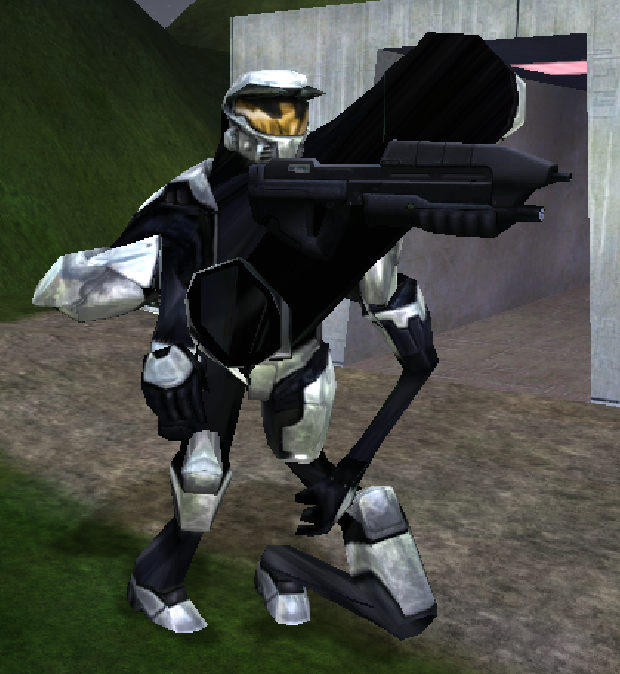 Why is this happening to me? I've been able to do this just fine before! All I did was import using the exact same maxscript that i've used before. Selected all the verts and welded by 0.01 like I normally do. Exported with my usual jms exporter. Compiled, no errors. Matched node checksum. Now BAM, as if I just started modding halo again. :( Now I did upgrade my PC but that is probably a 99% chance that the new stuff is not the problem. Here is what I did. I upgraded to a new Hard drive. SSD. Same operating system. Installed halo PC. (legitimate copy, happy I have one) Updated Halo PC. Installed Halo ce. Manually updated to 1.09. Installed HEK. Installed OS. I ran everything as admin (which fixed my issues when I was new at modding). I gave me full permission to the scripts and folders. This is weird. I have made many things in the past involving rigs:     The majority of these once looked like the spartan up there. Anyone have a solution? I'm pretty sure this has to do with some settings when running something. And again, I have fixed this issue before. I have no idea what I did or why this is happening. Oh and I downgraded from 3dsmax 2015 to 2014 because apparently the student license doesn't want a (version specific) program to be one more than one system... Edited by Spiral on Dec 13, 2014 at 03:43 AM |
||||
|
|
|||||
|
Super Flanker Joined: Oct 5, 2012
The length of your life depends on my aim. |
Posted: Dec 13, 2014 09:45 AM
Msg. 13 of 20
Quote: --- Original message by: Spiral Oh no http://i.gyazo.com/e1cdb22ba224071df7651cbc6d09c24e.png Why is this happening to me? I've been able to do this just fine before! All I did was import using the exact same maxscript that i've used before. Selected all the verts and welded by 0.01 like I normally do. Exported with my usual jms exporter. Compiled, no errors. Matched node checksum. Now BAM, as if I just started modding halo again. :( Now I did upgrade my PC but that is probably a 99% chance that the new stuff is not the problem. Here is what I did. I upgraded to a new Hard drive. SSD. Same operating system. Installed halo PC. (legitimate copy, happy I have one) Updated Halo PC. Installed Halo ce. Manually updated to 1.09. Installed HEK. Installed OS. I ran everything as admin (which fixed my issues when I was new at modding). I gave me full permission to the scripts and folders. This is weird. I have made many things in the past involving rigs: http://i.imgur.com/omh5eBM.png http://i.imgur.com/XQ63oqO.png http://i.imgur.com/DdEAxYH.png http://i.imgur.com/PSuW4ae.png The majority of these once looked like the spartan up there. Anyone have a solution? I'm pretty sure this has to do with some settings when running something. And again, I have fixed this issue before. I have no idea what I did or why this is happening. Oh and I downgraded from 3dsmax 2015 to 2014 because apparently the student license doesn't want a (version specific) program to be one more than one system... Edited by Spiral on Dec 13, 2014 at 03:43 AM XFORCE. |
||||
|
|
|||||
|
sshers4 Joined: Apr 28, 2013
|
Posted: Dec 16, 2014 09:19 AM
Msg. 14 of 20
Did you tick the vertics box?
|
||||
|
|
|||||
|
SOI_7 Joined: Mar 23, 2012
Welcome to the true man's world |
Posted: Dec 16, 2014 11:27 AM
Msg. 15 of 20
Quote: --- Original message by: SOI_7 Anyway, there's an easy tool if you are using 3DS Max: in the Skin modifier, where it says "Select", check the "vertices" flag. Then, select the vertices you want to rig, scroll down to "Weight properties", select the "Weight tool" (The one with the wrench icon), and assign the desired weights selecting a number. Voilą! Edited by SOI_7 on Dec 10, 2014 at 01:07 PM This applies also if you want to remove a weight, you have basically to select the "0" number |
||||
|
|
|||||
|
R93_Sniper Joined: Feb 13, 2011
When in Doubt, RUN! |
Posted: Dec 16, 2014 04:32 PM
Msg. 16 of 20
no no no no no no NO
You don't type in 0 to remove weights. What you should do instead is ensure that normalize is checked off and assign those weights to the chest. If you type in 0, CE will automatically split the weights amongst any bone within the area. |
||||
|
|
|||||
|
MEGA_VKNG Joined: Dec 23, 2013 
|
Posted: Dec 16, 2014 10:29 PM
Msg. 17 of 20
@spiral
are those... elite body parts in the backround? O.o you sick animal. |
||||
|
|
|||||
|
Spiral Joined: Apr 3, 2011
I hope i'm out of the way |
Posted: Dec 17, 2014 03:34 AM
Msg. 18 of 20
FP leg tests. Hahaha, look at my ammo. Great number.
Anyone know why I can't take a model from halo ce to 3ds then back to halo ce correctly? Edited by Spiral on Dec 17, 2014 at 03:38 AM |
||||
|
|
|||||
|
R93_Sniper Joined: Feb 13, 2011
When in Doubt, RUN! |
Posted: Dec 17, 2014 05:27 AM
Msg. 19 of 20
what are you doing exactly?
Also welding verts at 0.01 would work too, since the GBXmodel thing breaks elements up based on various edge loops. |
||||
|
|
|||||
|
Spiral Joined: Apr 3, 2011
I hope i'm out of the way |
Posted: Dec 17, 2014 01:00 PM
Msg. 20 of 20
Sorry Rododo for sharing this thread with you.
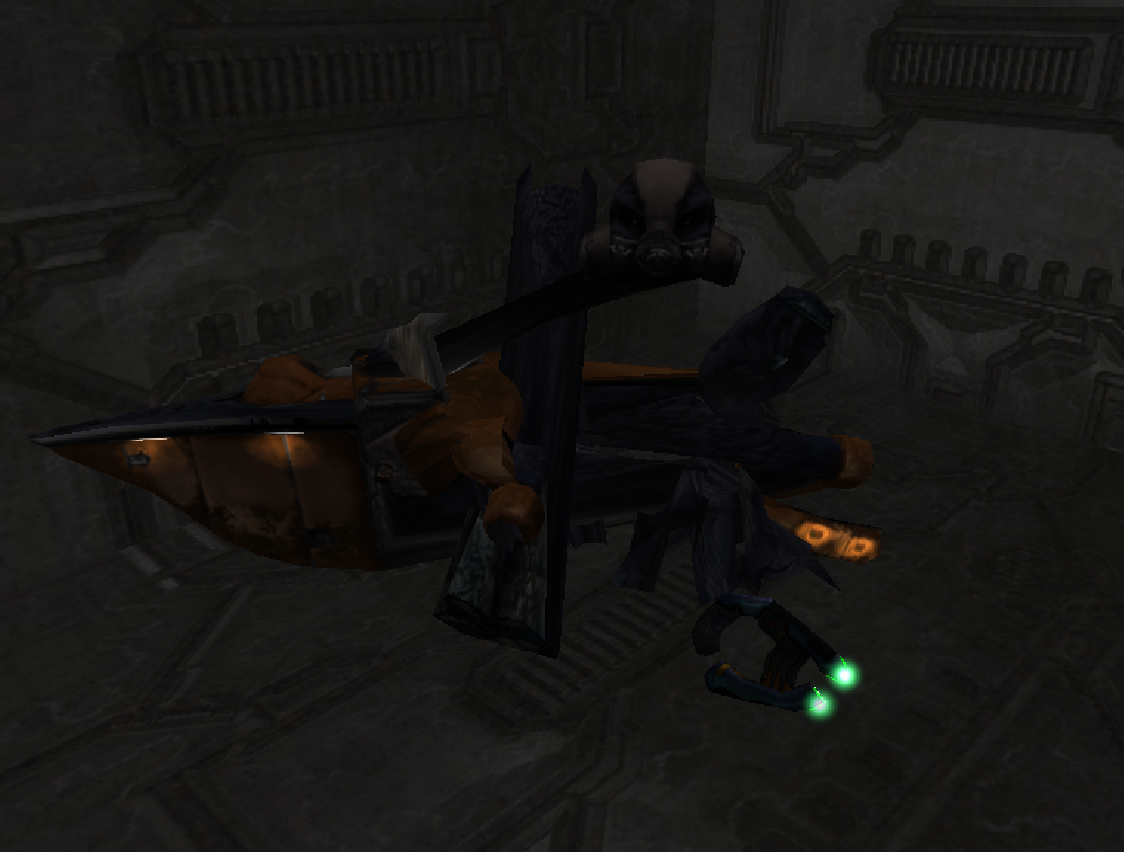 :( So I'm doing this Run the GBXModel_Importer_v2-05 script. 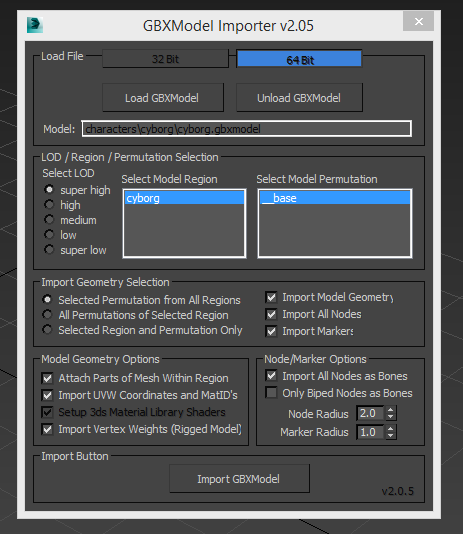 Weld verts by .01 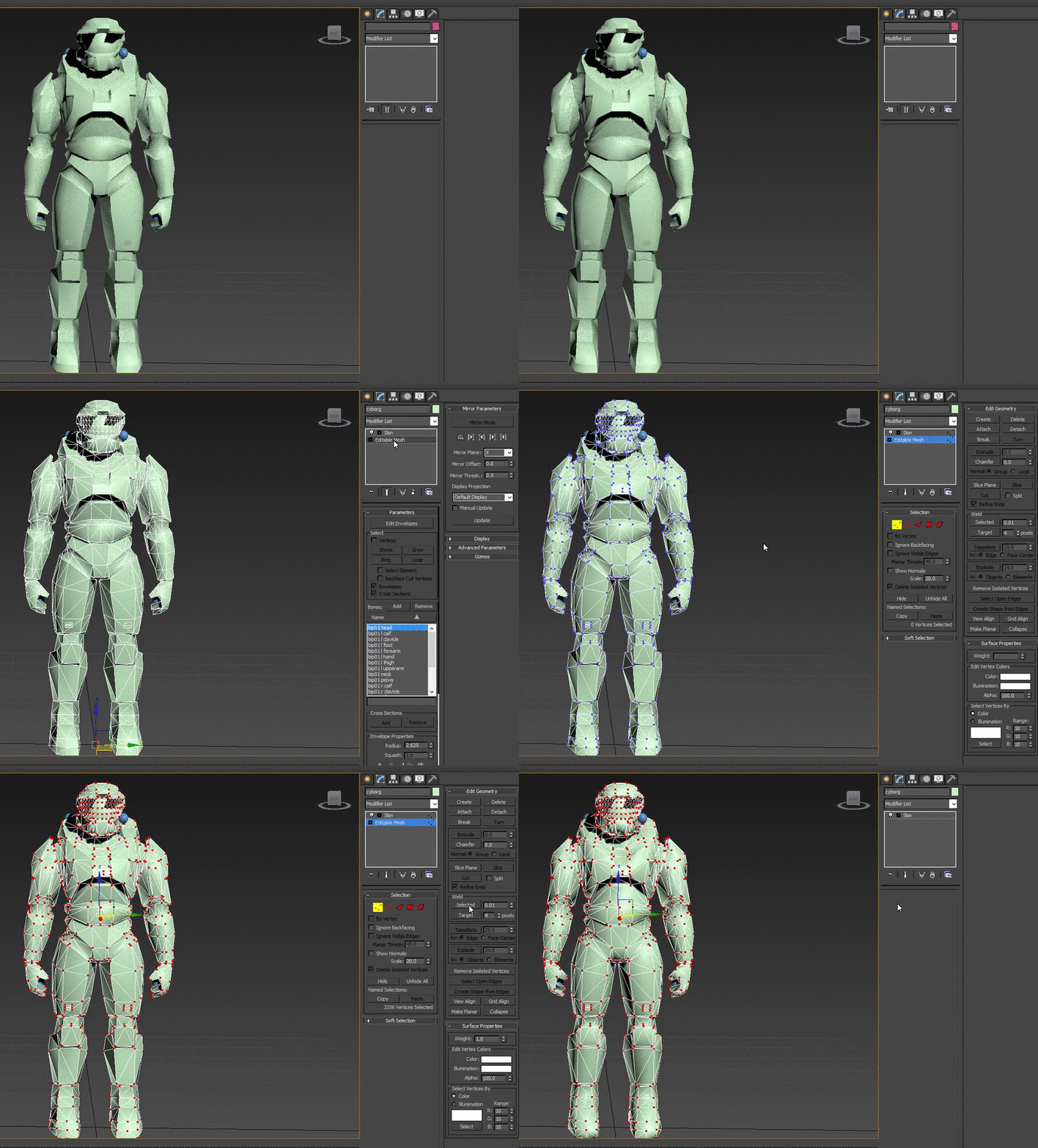 Linking the mesh under the pelvis 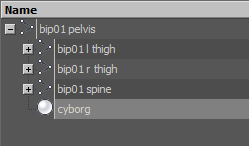 Assigned the material to the mesh (no actual texture in 3ds, but that can't possibly be the problem) 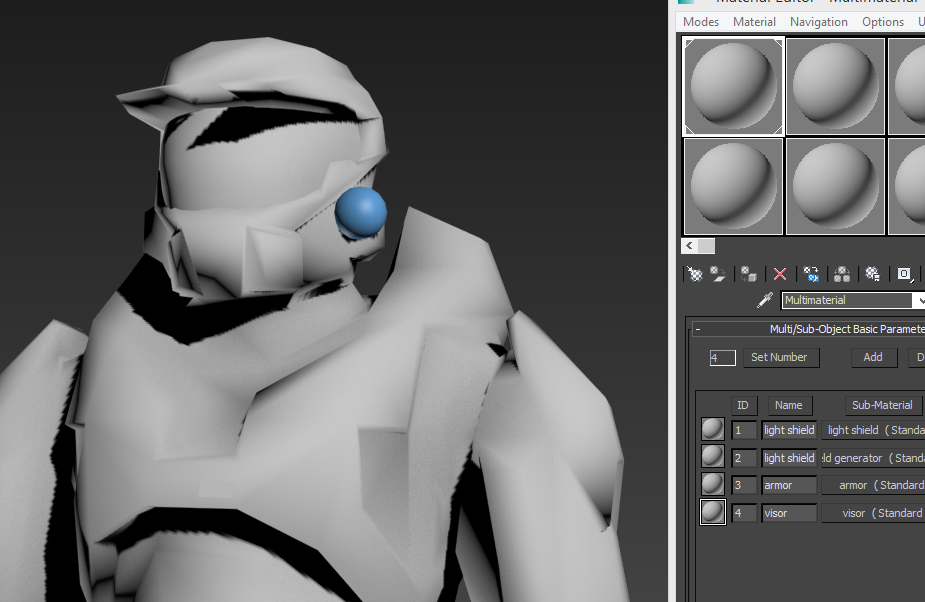 Bones work fine here (yes I did ctrl z and un-do the rotations) 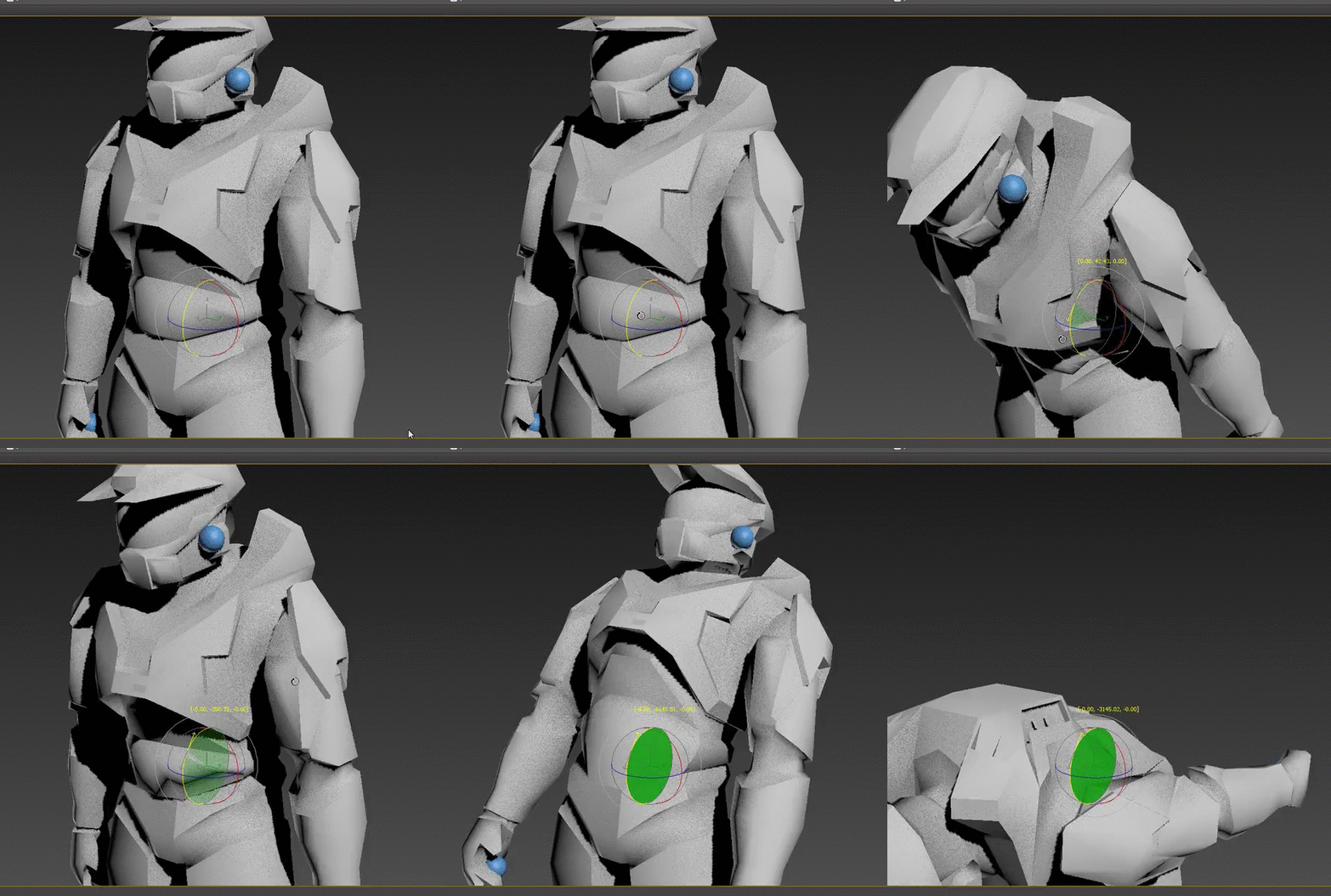 Exporting as JMS 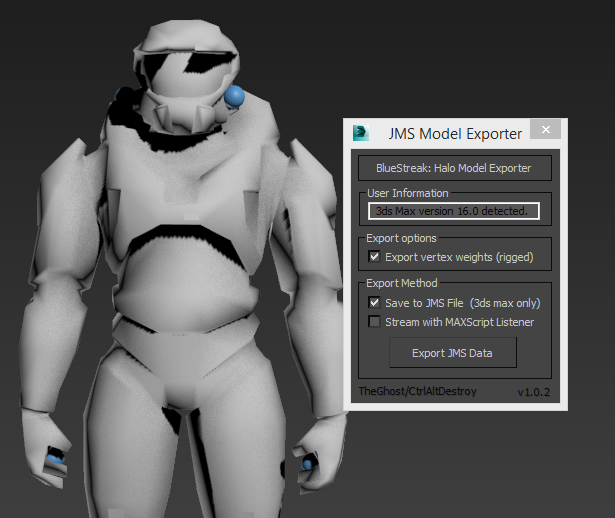 Compiled 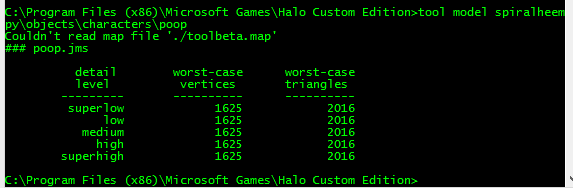 Used the stock halo biped tag with my model. Node checksum matched 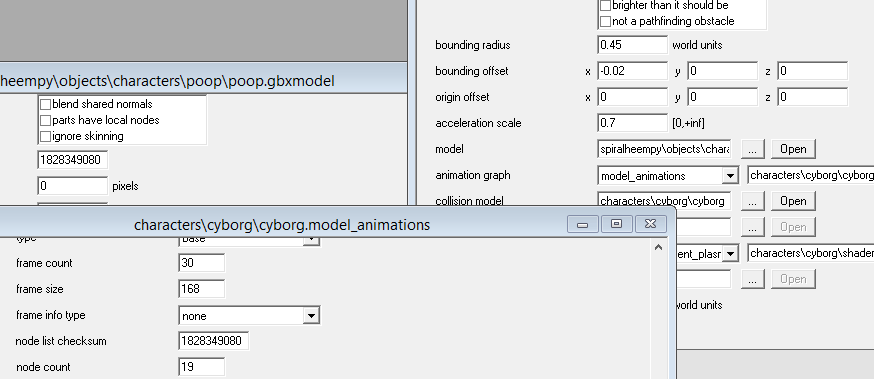 Place in Sapien 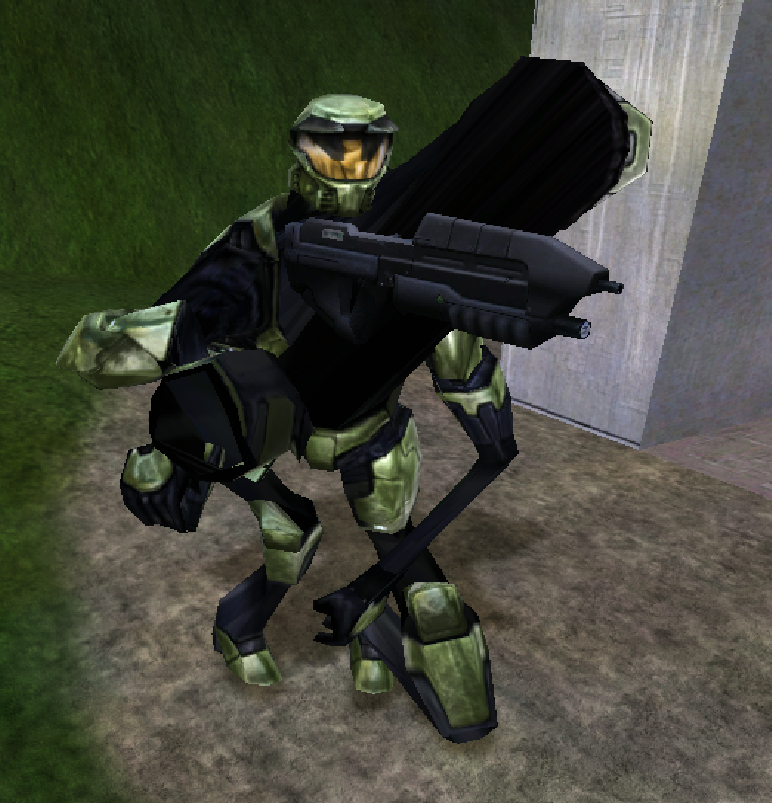 :( I'm pretty sure this is a permission thing on my computer rather than a user error involving halo. Now I do remember fixing this by running 3dsmax as administrator, but that is not fixing this! Here: 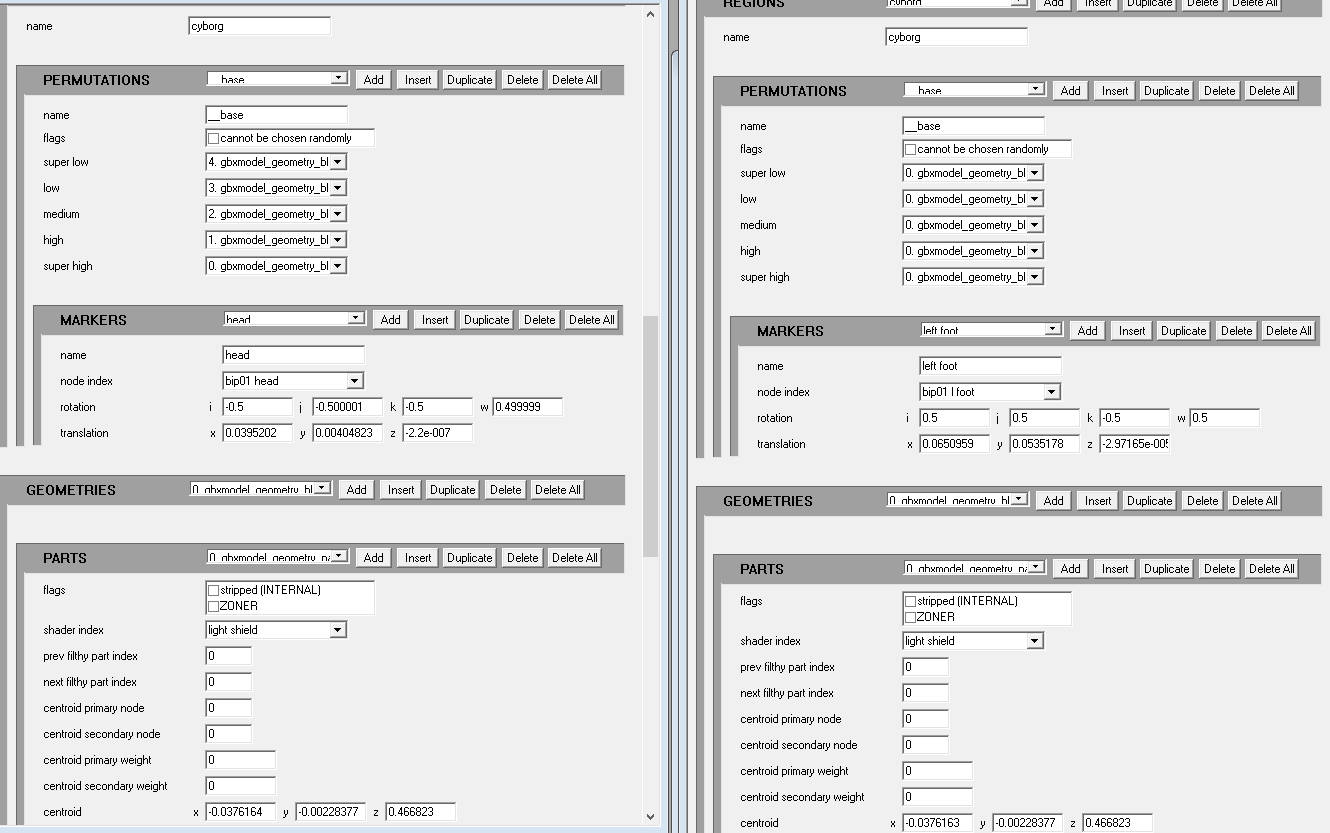 Original cyborg on left, my cyborg on right. A few differences. The markers starts off with left foot under markers on my model for some reason. The original is head. Edited by Spiral on Dec 17, 2014 at 01:17 PM |
||||
|
|
|||||

|
