A Community discussion forum for Halo Custom Edition, Halo 2 Vista, Portal and Halo Machinima
|
 Home
Home Search
 Register
 Login
Login Member List
 Recent Posts
| »Forums Index »Halo Custom Edition (Bungie/Gearbox) »Halo CE General Discussion »What does this warning mean? | 
|
| Author | Topic: What does this warning mean? (4 messages, Page 1 of 1) | ||||
| Moderators: Dennis | |||||
 MEGA_VKNG Joined: Dec 23, 2013 
|
Posted: Feb 23, 2014 05:26 PM
Msg. 1 of 4
### WARNING: randomly chose one of the 2 shaders called 'material #' (you should fix this!)
I dont have anything in my bsp named that, all i have is +Sky and ground. |
||||


|
|||||
|
SOI_7 Joined: Mar 23, 2012 
Welcome to the true man's world |
Posted: Feb 23, 2014 05:28 PM
Msg. 2 of 4
You have two shaders of different types, but with the same name, so Tool didn't know which one had to be used. Just remove the unneeded one in your shaders folder.
|
||||
|
|
|||||
|
MEGA_VKNG Joined: Dec 23, 2013
|
Posted: Feb 23, 2014 06:08 PM
Msg. 3 of 4
ok, fixed that, errors gone.
but... 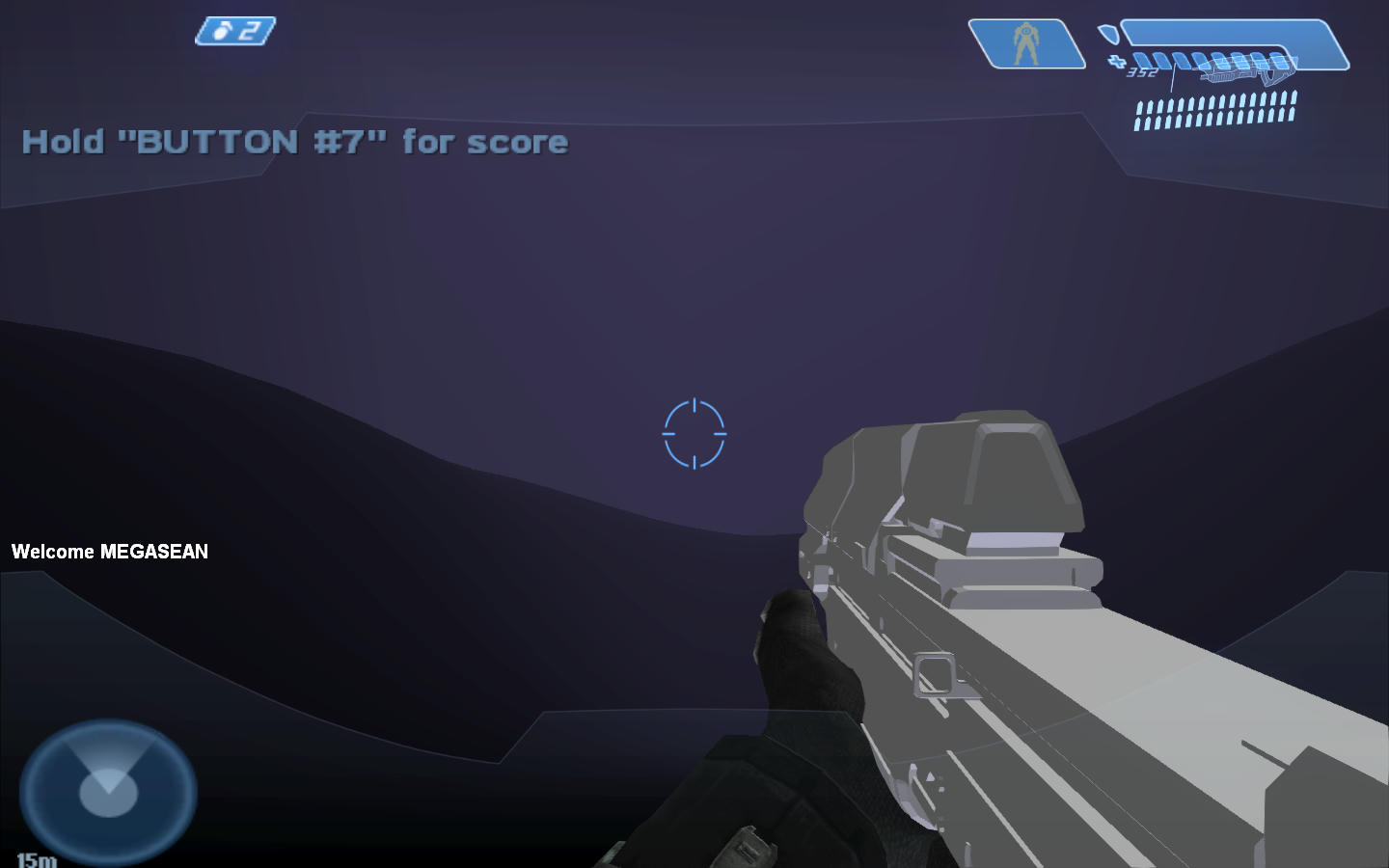 Dim purple sky, +sky not working, everything black. Edited by MEGASEAN2812 on Feb 23, 2014 at 06:09 PM |
||||
|
|
|||||
|
OrangeJuice Joined: Jan 29, 2009 
Documentation and debug.txt |
Posted: Feb 23, 2014 06:11 PM
Msg. 4 of 4
Don't use the blank textboxes that appear near the marterials on the list. Click on each submaterial and rename the text at the top already says things like 'material #xx'
|
||||
|
|
|||||

|
