A Community discussion forum for Halo Custom Edition, Halo 2 Vista, Portal and Halo Machinima
|
 Home
Home Search
 Register
 Login
Login Member List
 Recent Posts
| »Forums Index »Halo Custom Edition (Bungie/Gearbox) »Halo CE Technical / Map Design »Best way to UV this cliff face? | 
|
| Author | Topic: Best way to UV this cliff face? (6 messages, Page 1 of 1) | ||||
| Moderators: Dennis | |||||
 stunt_man Joined: Sep 22, 2009 
GMYF - Now hosting proper MLG gametypes! |
Posted: Aug 15, 2013 04:08 PM
Msg. 1 of 6
Hi,
I started putting together a test map so I could work on my terrain-modelling skills. I think the model itself turned out not so bad, but I'm stuck at UV mapping. I have no problem mapping structures and linear geometry, but when it comes to something like a cliff face, I'm lost. I've dabbled a little bit in pelt mapping, unwrapping, and finally planar mapping - which gave me the best horizontal result, but the top/bottom seams don't match with the top/bottom of the texture: 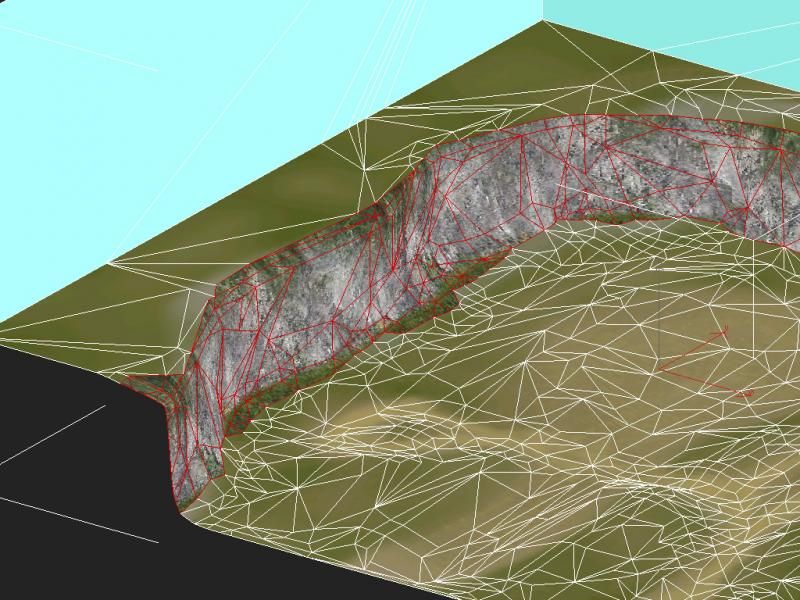 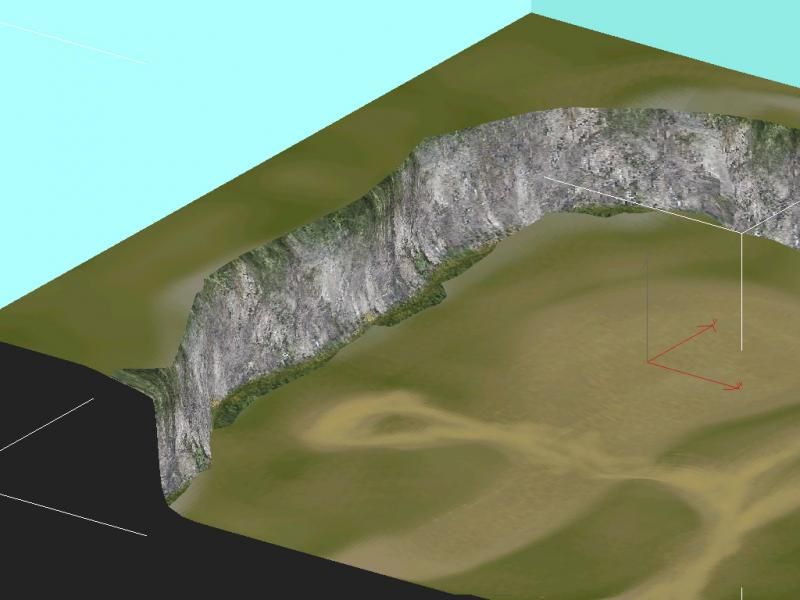 I looked around for tutorials but couldn't find any that were really helpful. I'm just wondering how some of the more experienced modellers here would go about mapping a cliff like this. The texture I'm using is a30's "cliff rock" 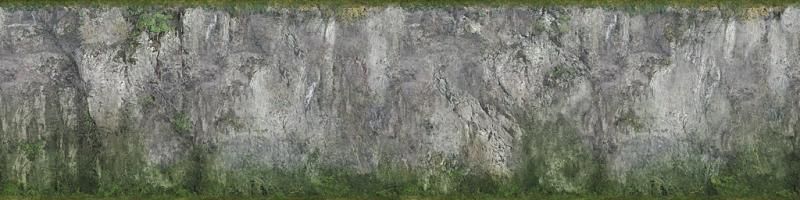 |
||||


|
|||||
|
MatthewDratt Joined: Sep 11, 2010 
TAKEDOWN IS OUT MattDratt.com |
Posted: Aug 16, 2013 05:51 PM
Msg. 2 of 6
Since no one else is replying I guess I will with my lack of knowledge.
You could probably get better help but what I'd say is select an about straight portion of the cliff. (Like select all the faces on a single side). Then whatever your height is, make the width the same proportion as the image. Your image is 4:1 (width:height) so if your height comes out to be 600 make your width 2400. At least that's what I would do Though I'm never very good.... |
||||
|
|
|||||
|
stunt_man Joined: Sep 22, 2009
GMYF - Now hosting proper MLG gametypes! |
Posted: Aug 16, 2013 06:58 PM
Msg. 3 of 6
Thanks for the reply,
Yeah, that's pretty much what I did with the planar mapping. The problem is that the top edge isn't perfectly straight (horizontally), there are dips in it. I believe that to get the most realistic result, I'd have to somehow align the curved top edge with the straight edge of the texture... Not sure if that's clear... Am I missing a secret treasure trove of tutorials pertinent to this topic? Because I've looked high and low for good UV mapping/unwrapping tuts and frankly it's been pretty fruitless... Does anyone know of any good books, youtube vids, online tuts, anything that could help me? I must prevail in my quest to make quality maps. |
||||
|
|
|||||
|
stunt_man Joined: Sep 22, 2009
GMYF - Now hosting proper MLG gametypes! |
Posted: Aug 16, 2013 07:34 PM
Msg. 4 of 6
If I set up all the edge verts (and, in doing so, my seams) to line up with the texture, is there a way to relax the inner vertices to the seams? I'm convinced there's a more efficient, cleaner way to do this than manually adjusting all the vertices and chasing uv stretching all over the surface for hours...
|
||||
|
|
|||||
|
stunt_man Joined: Sep 22, 2009
GMYF - Now hosting proper MLG gametypes! |
Posted: Aug 16, 2013 08:31 PM
Msg. 5 of 6
Yeah I just tried the relax tool, not at all what I'm going for. It just seems to stretch the UV's even worse.
Just messing with moving the vertices manually, as you suggested, this is what I came up with so far: Viewport Before: (At this stage, only planar mapping has been applied) 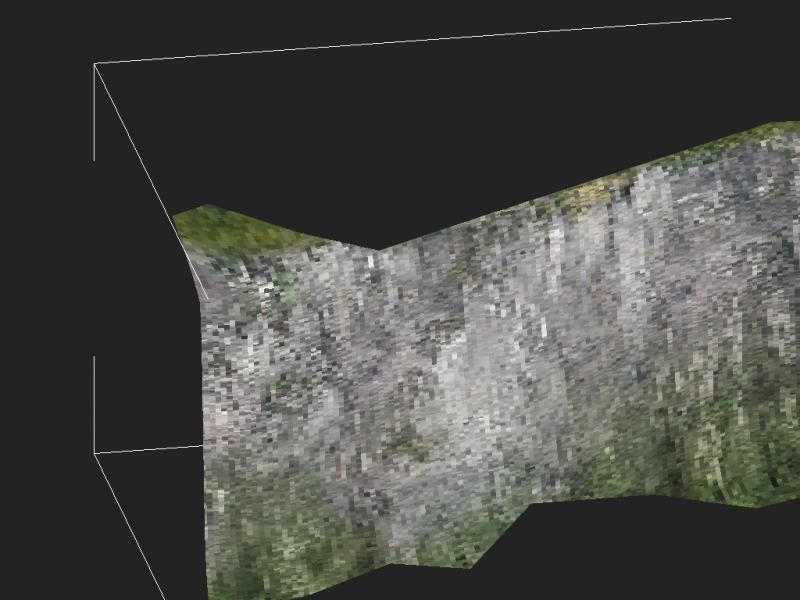 Unwrap before moving vertices: 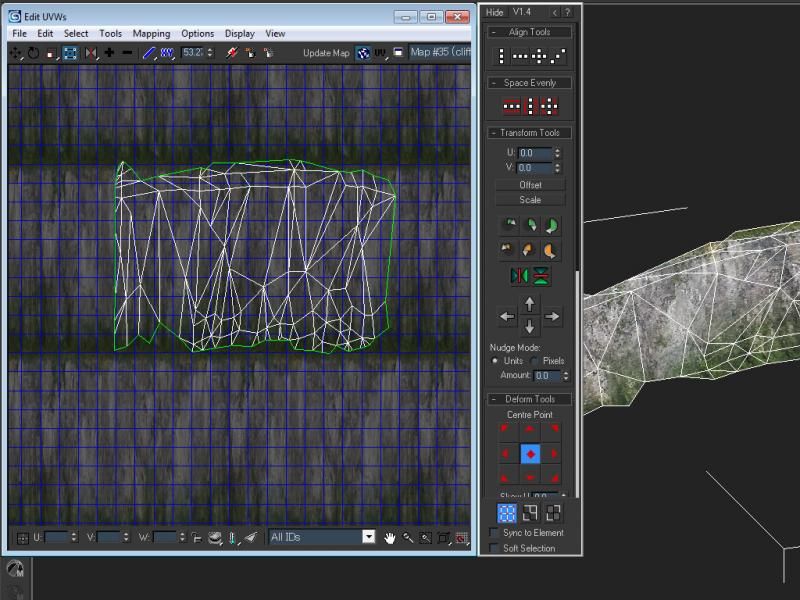 Unwrap after moving vertices: (Here I started by moving the upper vertices to line up with the upper edge of the texture, then worked my way downwards, adjusting vertices to get rid of stretching) 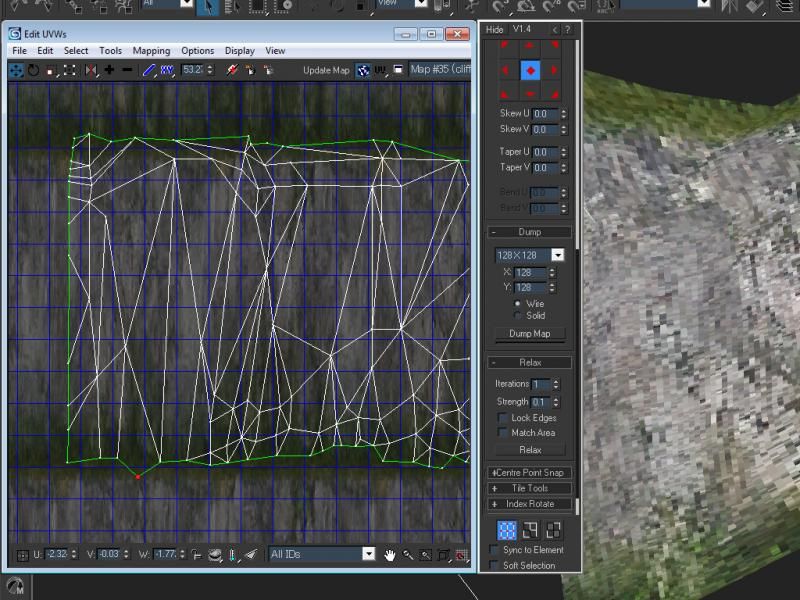 Viewport after moving vertices: (At this point it looks better than before, but still stretchy) 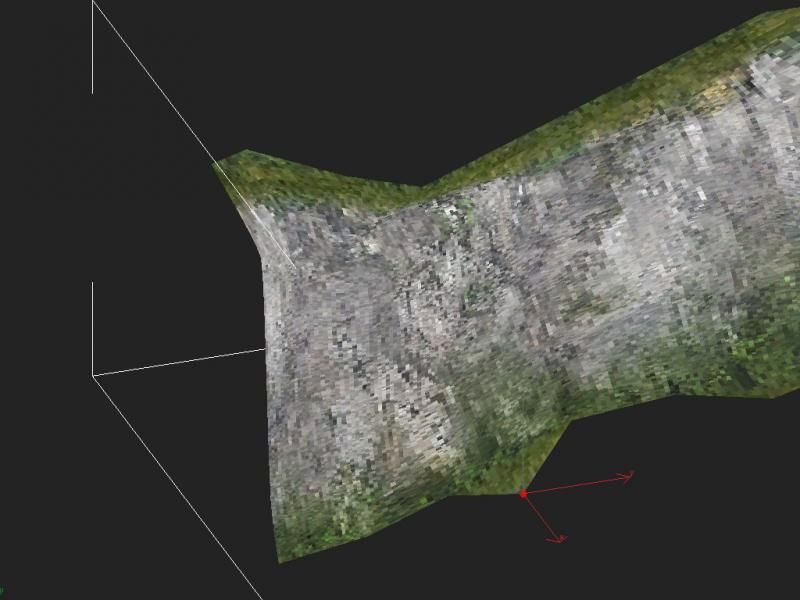 Render after moving vertices (don't mind everything but the cliffs): 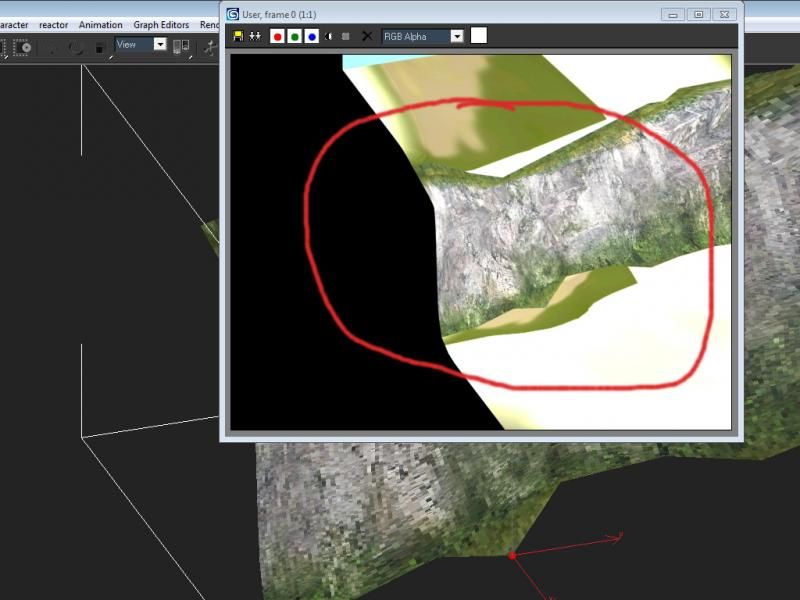 Am I being too finnicky about stretching? I'm a bit of a perfectionist, and I like using the right tools for the job to maximize efficiency... Let's take a look at a30's cliffs: a30 viewport pic: 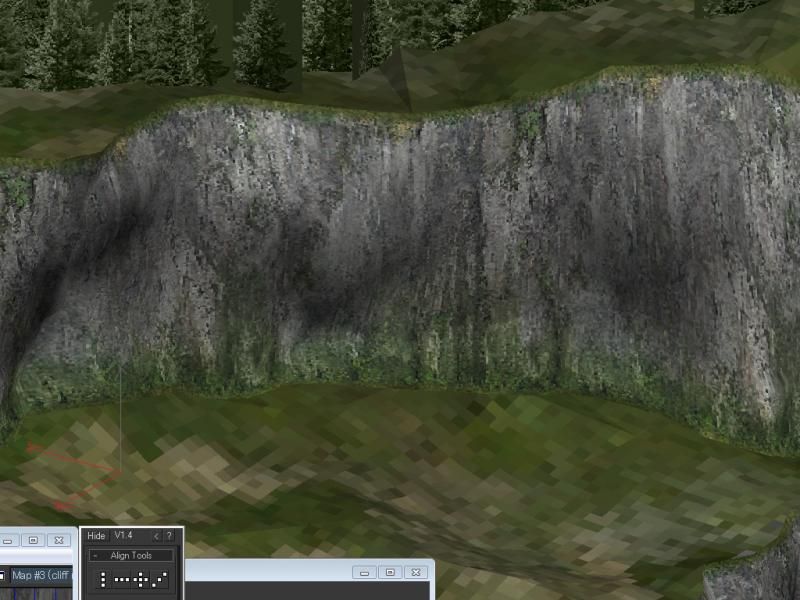 Notice how the cliff's edges line up perfectly with the texture? Let's take a look under the hood at the UV unwrap: 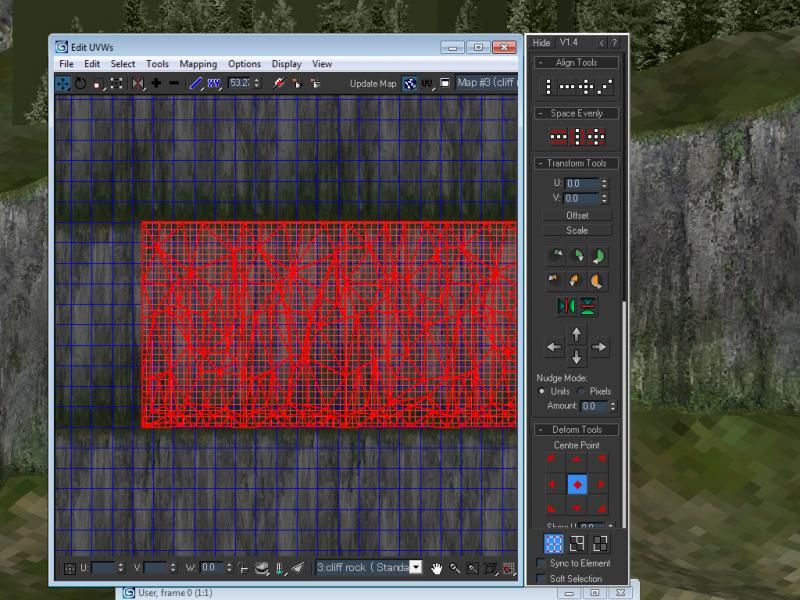 I'm curious as to what UV technique(s) Bungie used to achieve this result. In the end, the reason I want to line up the cliff edges is because I want it to blend as seamlessly as possible with my ground texture. SIDE NOTE: From a bit of research I noticed that two different techniques can be used to achieve the blending effect between grass and cliffs. There's "a30-style" (shown above - and this is the technique I'm trying to get my head around) and "timberland-style", which uses two nearly identical ground shaders (base map: ground texture, primary map: colorless 4-way tileable cliff rock). The difference is the scale of the cliff rock map. For most of the BSP, except the cliffs, the ground shader with a smaller-scale cliff map is used, thus making the cliff map resemble a dirt path (with help from brown coloring from the base map). For the cliffs, the other ground shader is used, this time with a larger-scale cliff map and grey coloring from the base map. That being said, "timberland-style" blending is super easy to accomplish, and a30's technique is a little harder, but in the end they both have different end results, and I'm trying to add as many techniques to my palette as possible... Any guesses to how Bungie managed to unwrap those cliffs so precisely? |
||||
|
|
|||||
|
CAG Gonzo Joined: Apr 2, 2009 
Retreat? Hell! We just got here! |
Posted: Sep 3, 2013 01:15 PM
Msg. 6 of 6
I'd love to know how they did that. I've been planar mapping my cliffs by rotating the projection to get a relatively straight UV mapping (i.e. if the overall cliff portion is rotated 20 degrees, I also rotate the projection 20 degrees). Then I manually adjust UVW vertices. It's a pain, but it produces good results. I map my cliffs in sections instead of all at once, and I adjust seams accordingly. To avoid stretching, I usually eyeball it by adjusting inner vertices until I'm satisfied with the result.
If you ask me, some stretching is acceptable, as cliffs are oddly textured. I do wish there was an easier way, however. |
||||
|
|
|||||

|
