A Community discussion forum for Halo Custom Edition, Halo 2 Vista, Portal and Halo Machinima
|
 Home
Home Search
 Register
 Login
Login Member List
 Recent Posts
| »Forums Index »Halo Custom Edition (Bungie/Gearbox) »Halo CE General Discussion »Halo CE freezes after starting | 
|
| Author | Topic: Halo CE freezes after starting (8 messages, Page 1 of 1) | ||||
| Moderators: Dennis | |||||
 Jessonei Joined: Feb 28, 2009 |
Posted: Feb 28, 2009 06:03 AM
Msg. 1 of 8
I think this is not a rare problem, but i've to know the answer, because i want to play it!
 So, every time I started the game, the Halo screen came and nothing happened. How to get in the menu? I'm running Vista Home Premium. Thanks. So, every time I started the game, the Halo screen came and nothing happened. How to get in the menu? I'm running Vista Home Premium. Thanks. |
||||


|
|||||
|
Koo294 Joined: Nov 30, 2008 
How is she when she doesn't surf? |
Posted: Feb 28, 2009 06:17 AM
Msg. 2 of 8
turn anti-aliasing to application managed (or controlled) on the 3D settings of your graphics card
|
||||
|
|
|||||
|
Jessonei Joined: Feb 28, 2009 |
Posted: Feb 28, 2009 06:27 AM
Msg. 3 of 8
I've got an Ati HD 3870, but I can't find that option in ATI Catalyst Control Center. I can apply temporal anti-aliasing, but i don't know what it means.
|
||||
|
|
|||||
|
Bokito Joined: Oct 31, 2007 
Playing ODST since 09-21-09 |
Posted: Feb 28, 2009 06:45 AM
Msg. 4 of 8
Have you got any downloaded maps? If so, maybe there's a corrupt map file and because of that Halo won't start.
|
||||
|
|
|||||
|
Koo294 Joined: Nov 30, 2008
How is she when she doesn't surf? |
Posted: Feb 28, 2009 06:47 AM
Msg. 5 of 8
right click on the ATI icon next to the time in the bottom right
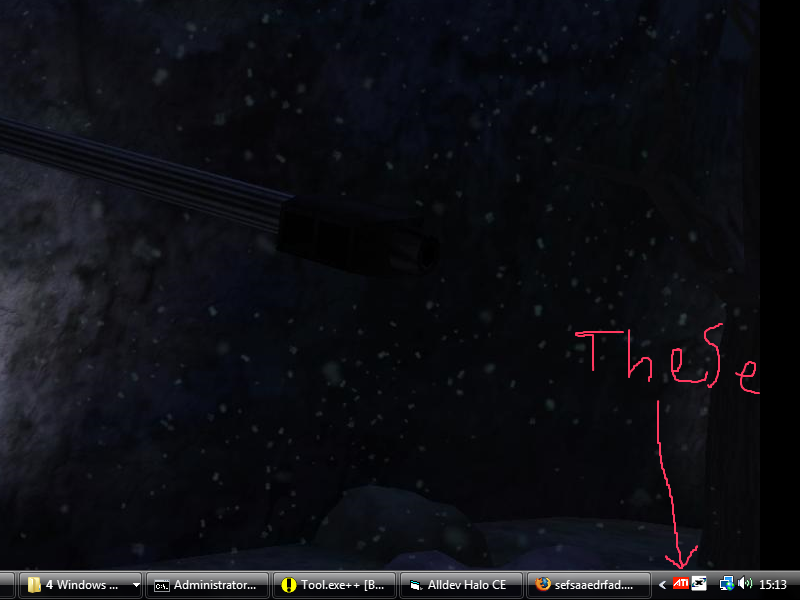 then go to 3D (under the graphics card name) settings then go to anti-aliasing, and set to application managed. 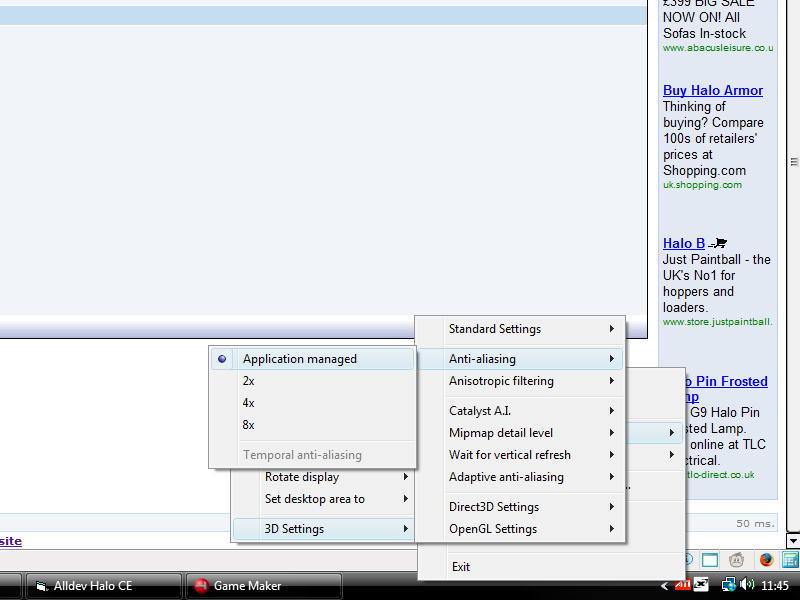 |
||||
|
|
|||||
|
Jessonei Joined: Feb 28, 2009 |
Posted: Feb 28, 2009 07:02 AM
Msg. 6 of 8
Thanks!
Edited by Jessonei on Feb 28, 2009 at 07:03 AM |
||||
|
|
|||||
|
Newbkilla Joined: Mar 9, 2008 
- Artist, Environment Artist, Level Designer - |
Posted: Feb 28, 2009 10:51 AM
Msg. 7 of 8
I got 4X on mine :P and it still works, I don't know why so many people are having problems :l
|
||||
|
|
|||||
|
iTails Joined: Nov 26, 2008 
The lot of idiots on this forum are veterans |
Posted: Feb 28, 2009 10:53 AM
Msg. 8 of 8
Quote: --- Original message by: Newbkilla it depends on what chipset you are using alsoI got 4X on mine :P and it still works, I don't know why so many people are having problems :l |
||||
|
|
|||||

|
