A Community discussion forum for Halo Custom Edition, Halo 2 Vista, Portal and Halo Machinima
|
 Home
Home Search
 Register
 Login
Login Member List
 Recent Posts
| »Forums Index »Halo Custom Edition (Bungie/Gearbox) »Halo CE General Discussion »Semi-Official Gallery [WIPS] | 
|
| Page 196 of 285 | Go to page: · 1 · ... · 193 · 194 · 195 · [196] · 197 · 198 · 199 · ... · 285 · Prev · Next |
| Author | Topic: Semi-Official Gallery [WIPS] (9951 messages, Page 196 of 285) | ||||
| Moderators: Dennis | |||||
 Maniac1000 -Helpful Poster- Joined: Feb 24, 2007 
|
Posted: Jul 3, 2014 02:27 PM
Msg. 6826 of 9951
Use an offset of half the canvas size.
work on the edges/corners (which are now the middle). Apply offset again. Done. http:// http://www.designbash.com/photoshop/photoshop-offset-filter-making-seamless-textures/ Edited by Maniac1000 on Jul 3, 2014 at 02:30 PM |
||||


|
|||||
|
Higuy Joined: Mar 6, 2007 
@lucasgovatos |
Posted: Jul 3, 2014 02:58 PM
Msg. 6827 of 9951
Quote: --- Original message by: Maniac1000 Use an offset of half the canvas size. work on the edges/corners (which are now the middle). Apply offset again. Done. http:// http://www.designbash.com/photoshop/photoshop-offset-filter-making-seamless-textures/ Edited by Maniac1000 on Jul 3, 2014 at 02:30 PM I think by "does not simply mess with corners" he means that even if you make the corners tile appropriately, its going to look fake in most cases, or easy noticeable that it tiles. |
||||
|
|
|||||
|
Delicon20 Joined: Oct 3, 2008 
Still here. Still loves bacon |
Posted: Jul 3, 2014 04:00 PM
Msg. 6828 of 9951
Quote: --- Original message by: Maniac1000 Use an offset of half the canvas size. work on the edges/corners (which are now the middle). Apply offset again. Done. http:// http://www.designbash.com/photoshop/photoshop-offset-filter-making-seamless-textures/ Edited by Maniac1000 on Jul 3, 2014 at 02:30 PM I usually do something similar to this, except I couldn't find an offset filter in gimp so I usually just open up a 4096x4096 window, paste the texture four times in each 2048 square, and then go from there. Basically just doing the offset by hand. Doesn't make much difference. @Yatz, I'll definitely try that I decided to try something a little more challenging, and tried to do a complete overhaul of the wide metal decorative strip texture The original:  Edited version:  I was going for something different than halo 1, maybe a little closer to H3 aesthetically, but overall just something different. Oh and don't worry I don't plan on spamming this thread with textures. I just thought the tile was a bit to simple for proper criticism and any problems I have with my Gimp skills would be better exposed by a more challenging modification, and you guys could therefore critique me better. Edited by Delicon20 on Jul 3, 2014 at 04:59 PM |
||||
|
|
|||||
|
Maniac1000 -Helpful Poster- Joined: Feb 24, 2007
|
Posted: Jul 3, 2014 07:10 PM
Msg. 6829 of 9951
I really like it.
|
||||
|
|
|||||
|
eliteslasher Joined: Jun 30, 2008 
Crysis 3!!!!!!! All I have to say. :D |
Posted: Jul 3, 2014 07:12 PM
Msg. 6830 of 9951
Blowing the texture up like that seems to have created some pixelated edges especially around some of the round parts. I would recommend doing some spot tesselation and then blending if you plan to keep that texture size. Also, after the re-color/re-grunging, it appears some of the shaded areas have become less pronounced and thus look really 2D, even for a base texture. I would recommend going through and picking out the shaded areas in the original and trying to overlay them somehow. Maybe overlay with a greyscale of the original then bring the contrast up a bit until all the flat areas are white and only the edges where the shading is shows as dark, then create a mask and reverse the mask so that only the shaded parts show over top and then play around with layer intensities until you find a level that keeps your updated texture, but also adds in the shading at a good level to make it look 3D.
|
||||
|
|
|||||
|
TauSigmaNova Joined: Jan 31, 2011 
If love is blind, I guess I'll buy myself a cane |
Posted: Jul 3, 2014 07:25 PM
Msg. 6831 of 9951
Looking good, Delicon. I'd suggest putting them ingame and taking a few screenshots. That's something I'd love to see.
|
||||
|
|
|||||
|
PRPatxi Joined: Oct 30, 2010 
Dennis, free me from this suffering |
Posted: Jul 3, 2014 08:53 PM
Msg. 6832 of 9951
Quote: --- Original message by: eliteslasher Blowing the texture up like that seems to have created some pixelated edges especially around some of the round parts. I would recommend doing some spot tesselation and then blending if you plan to keep that texture size. Also, after the re-color/re-grunging, it appears some of the shaded areas have become less pronounced and thus look really 2D, even for a base texture. I would recommend going through and picking out the shaded areas in the original and trying to overlay them somehow. Maybe overlay with a greyscale of the original then bring the contrast up a bit until all the flat areas are white and only the edges where the shading is shows as dark, then create a mask and reverse the mask so that only the shaded parts show over top and then play around with layer intensities until you find a level that keeps your updated texture, but also adds in the shading at a good level to make it look 3D. Elite, where the ehck have you been? killing Teemos I presume. |
||||
|
|
|||||
|
eliteslasher Joined: Jun 30, 2008
Crysis 3!!!!!!! All I have to say. :D |
Posted: Jul 3, 2014 09:34 PM
Msg. 6833 of 9951
Quote: --- Original message by: PRPatxi Quote: --- Original message by: eliteslasher Blowing the texture up like that seems to have created some pixelated edges especially around some of the round parts. I would recommend doing some spot tesselation and then blending if you plan to keep that texture size. Also, after the re-color/re-grunging, it appears some of the shaded areas have become less pronounced and thus look really 2D, even for a base texture. I would recommend going through and picking out the shaded areas in the original and trying to overlay them somehow. Maybe overlay with a greyscale of the original then bring the contrast up a bit until all the flat areas are white and only the edges where the shading is shows as dark, then create a mask and reverse the mask so that only the shaded parts show over top and then play around with layer intensities until you find a level that keeps your updated texture, but also adds in the shading at a good level to make it look 3D. Elite, where the ehck have you been? killing Teemos I presume. More like working on learning the electronic music scene and playing Gary's Mod.  |
||||
|
|
|||||
|
Darkzealotx Joined: Jun 15, 2014 
|
Posted: Jul 3, 2014 09:37 PM
Msg. 6834 of 9951
Quote: --- Original message by: Mootjuh I kinda like the blue tint in the last texture. I'd say make all your texture modifications the same color pattern. Made a quick render with some color corrections. http://i849.photobucket.com/albums/ab55/haddouti_m/blue_zpsb59b5ee7.jpg~original Edited by Mootjuh on Jul 3, 2014 at 08:58 PM That looks pretty bad. |
||||
|
|
|||||
|
Delicon20 Joined: Oct 3, 2008
Still here. Still loves bacon |
Posted: Jul 3, 2014 10:22 PM
Msg. 6835 of 9951
Quote: --- Original message by: Mootjuh I kinda like the blue tint in the last texture. I'd say make all your texture modifications the same color pattern. Made a quick render with some color corrections. <a href="http://i849.photobucket.com/albums/ab55/haddouti_m/blue_zpsb59b5ee7.jpg~original" target="_blank">http://i849.photobucket.com/albums/ab55/haddouti_m/blue_zpsb59b5ee7.jpg~original</a> Edited by Mootjuh on Jul 3, 2014 at 08:58 PM I actually have a version of the floor tile I made that matches the wide decorative strips color palette. I made like three different variations of the ground plate texture, actually. Anyway,  Alright, so I've worked on pretty much everything. -Added more Detail -Used the bump map as an overlay layer to make all the edges more pronounced -Spruced up the two left and right borders a little -Shaded a lot of the edges and inclines of the texture by hand rather than relying on the vanilla texture to do it for me like a pansy -Added highlights to the edges of the gold metal parts of the texture going by what Yatz suggested. -Probably screwed up the tilability of the texture in the process of all this, like a pansy. Gonna have to fix that later Edited by Delicon20 on Jul 4, 2014 at 02:37 AM |
||||
|
|
|||||
|
NeX Joined: Apr 11, 2013 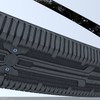
|
Posted: Jul 4, 2014 03:07 AM
Msg. 6836 of 9951
Rain, wet rocks, and...stuff?
   Just finished the shield and health from scratch. Modeled it after the vids of TSC:E, but obvious differences. Overall, it's just a slick look that I really liked in the new CMT previews. *shrug* vid of it, came out super dark though. https://www.youtube.com/watch?v=l6wdf9Utv8o |
||||
|
|
|||||
|
BKTiel Joined: Mar 18, 2014 
strong independent bird needs no cage |
Posted: Jul 4, 2014 03:57 AM
Msg. 6837 of 9951
Your post has helped me realize hyper-detailed gloves make me distinctly uncomfortable.
|
||||
|
|
|||||
|
sshers4 Joined: Apr 28, 2013 
|
Posted: Jul 4, 2014 11:37 AM
Msg. 6838 of 9951
Quote: --- Original message by: Delicon20 Quote: --- Original message by: Mootjuh I kinda like the blue tint in the last texture. I'd say make all your texture modifications the same color pattern. Made a quick render with some color corrections. <a href="http://i849.photobucket.com/albums/ab55/haddouti_m/blue_zpsb59b5ee7.jpg~original" target="_blank">http://i849.photobucket.com/albums/ab55/haddouti_m/blue_zpsb59b5ee7.jpg~original</a> Edited by Mootjuh on Jul 3, 2014 at 08:58 PM I actually have a version of the floor tile I made that matches the wide decorative strips color palette. I made like three different variations of the ground plate texture, actually. Anyway, http://i.imgur.com/T9F69Zp.jpg Alright, so I've worked on pretty much everything. -Added more Detail -Used the bump map as an overlay layer to make all the edges more pronounced -Spruced up the two left and right borders a little -Shaded a lot of the edges and inclines of the texture by hand rather than relying on the vanilla texture to do it for me like a pansy -Added highlights to the edges of the gold metal parts of the texture going by what Yatz suggested. -Probably screwed up the tilability of the texture in the process of all this, like a pansy. Gonna have to fix that later Edited by Delicon20 on Jul 4, 2014 at 02:37 AM Looks good nice but I like to see ingame. |
||||
|
|
|||||
|
Delicon20 Joined: Oct 3, 2008
Still here. Still loves bacon |
Posted: Jul 4, 2014 07:03 PM
Msg. 6839 of 9951
Ingame footage because my 900 dollar gaming computer can't take screencaps of halo:
https://www.mediafire.com/?x68ofg6jipvdecf Those damn jackals kept causing a racket in the background. I thought I killed them all  |
||||
|
|
|||||
|
Jesse Joined: Jan 18, 2009 Discord: Holy Crust#4500 |
Posted: Jul 4, 2014 09:46 PM
Msg. 6840 of 9951
Quote: --- Original message by: NeX Rain, wet rocks, and...stuff? Hey, are you able\willing to share those fp arms? I have a few H4 animations that I made, and I'd probably do a better job if I had the actual H4 arms instead of the H2 ones that I use, I'd make more accurate origins and such. How well are they rigged? Magnum:  Edited by Jesse on Jul 4, 2014 at 09:50 PM |
||||
|
|
|||||
|
MEGA_VKNG Joined: Dec 23, 2013 
|
Posted: Jul 4, 2014 11:07 PM
Msg. 6841 of 9951
They are savinpvtmikes fp arms. He took it down cuzz of latino modders not crediting him so you will have to rip it from a latino map.
|
||||
|
|
|||||
|
NeX Joined: Apr 11, 2013
|
Posted: Jul 4, 2014 11:48 PM
Msg. 6842 of 9951
Cool, they're one of the only assets I was unable to find a creator to credit for!
@ Jesse Yeah, I've fully redone all the shaders and have a complete re-tag of the fp arms. I wondered the origins, and yeah I had to rip it from ragnarok. The originals looked awful, but I'd be willing to PM you if you'd send me the completed version :P Edited by NeX on Jul 4, 2014 at 11:50 PM |
||||
|
|
|||||
|
NeX Joined: Apr 11, 2013
|
Posted: Jul 5, 2014 09:39 AM
Msg. 6843 of 9951
Such animosity, why?
I never even said it was good. Chill |
||||
|
|
|||||
|
MoooseGuy Joined: Aug 10, 2008 
I Approve This Message. |
Posted: Jul 5, 2014 02:24 PM
Msg. 6844 of 9951
Lumoria and Threshold are best buddies.
 Edited by MoooseGuy on Jul 5, 2014 at 02:24 PM |
||||
|
|
|||||
|
Vergil Joined: Jun 13, 2011 
you're just mad cuz you're angry |
Posted: Jul 5, 2014 03:22 PM
Msg. 6845 of 9951
would threshold be a cool place to have a map?
i forget, does it even have land? I feel like we could BS a cool mp or even SP map there |
||||
|
|
|||||
|
Echo77 Joined: Jul 20, 2010 
Humble thyself and hold thy tongue. |
Posted: Jul 5, 2014 04:12 PM
Msg. 6846 of 9951
Quote: --- Original message by: Vergil would threshold be a cool place to have a map? i forget, does it even have land? I feel like we could BS a cool mp or even SP map there The gas mine levels in Halo 2 take place on Threshold. |
||||
|
|
|||||
|
Vergil Joined: Jun 13, 2011
you're just mad cuz you're angry |
Posted: Jul 5, 2014 08:00 PM
Msg. 6847 of 9951
ewww
|
||||
|
|
|||||
|
greg079 Joined: Apr 1, 2013 
channeling my inner april fool |
Posted: Jul 5, 2014 10:16 PM
Msg. 6848 of 9951
Quote: --- Original message by: Echo77 Quote: --- Original message by: Vergil would threshold be a cool place to have a map? i forget, does it even have land? I feel like we could BS a cool mp or even SP map there The gas mine levels in Halo 2 take place on Threshold. so yes, you could easily have a floating station in low orbit |
||||
|
|
|||||
|
darksoldier Joined: Dec 28, 2010 
Helo my friend, it's time to fight ;) |
Posted: Jul 6, 2014 10:46 AM
Msg. 6849 of 9951
Created new textures for teleport shield (with news shaders). Which one is the best ?
     |
||||
|
|
|||||
|
Super Flanker Joined: Oct 5, 2012 
The length of your life depends on my aim. |
Posted: Jul 6, 2014 10:49 AM
Msg. 6850 of 9951
Quote: --- Original message by: darksoldier Created new textures for teleport shield (with news shaders). Which one is the best ? http://img11.hostingpics.net/pics/467611haloce2014070616232140.png http://img11.hostingpics.net/pics/446153haloce2014070616315767.png http://img11.hostingpics.net/pics/712292haloce2014070616335154.png http://img11.hostingpics.net/pics/148301haloce2014070616345239.png http://img11.hostingpics.net/pics/845916haloce2014070616355528.png Reduce the grunge. Green is best. |
||||
|
|
|||||
|
Flash44x Joined: Jan 3, 2007 
What would you have your arbiter do? |
Posted: Jul 6, 2014 10:58 AM
Msg. 6851 of 9951
Those look nice. Green and blue are best.
|
||||
|
|
|||||
|
MoooseGuy Joined: Aug 10, 2008
I Approve This Message. |
Posted: Jul 6, 2014 11:20 AM
Msg. 6852 of 9951
Red looks pretty badass IMO.
EDIT: New color profile bitmaps are fully implemented in Universal UI's Update 1.  Also, here's a change log of what I've gotten done: Added Fierce & Nebulaphobia to Firefight menu Added Halo Slender Swamp and [redacted] to Singleplayer menu Moved Halo: Covert Ops and Takedown into main Campaign menu Removed H2SPP and Firefight Amnesia for this update Added custom intro and looping music Added custom player profile color images Added custom multiplayer menu graphics Optimized interface and decreased startup time Modified sky gbxmodel to accomodate a smaller Threshold bitmap Gave the Requiem planet bitmap better depth Tweaked sunlight lens flare color/brightness Fixed error box text alignment differences Cleaned up gametype icons General cleanup of interface and text Edited by MoooseGuy on Jul 6, 2014 at 12:52 PM |
||||
|
|
|||||
|
Vergil Joined: Jun 13, 2011
you're just mad cuz you're angry |
Posted: Jul 6, 2014 01:12 PM
Msg. 6853 of 9951
freakin AWESOME.
|
||||
|
|
|||||
|
Masters1337 Joined: Mar 5, 2006 
halonaminator's unfortunate idol |
Posted: Jul 6, 2014 01:15 PM
Msg. 6854 of 9951
Quote: --- Original message by: Vergil would threshold be a cool place to have a map? i forget, does it even have land? I feel like we could BS a cool mp or even SP map there Burial Mounds takes place on the surface. |
||||
|
|
|||||
|
Spiral Joined: Apr 3, 2011 
I hope i'm out of the way |
Posted: Jul 6, 2014 01:22 PM
Msg. 6855 of 9951
Burial Mounds is a moon orbiting Threshold. The moon's name is Basis and it is told to have had heretics on it...
http://halo.wikia.com/wiki/Burial_Mounds http://halo.wikia.com/wiki/Basis |
||||
|
|
|||||
|
Storm Joined: Dec 19, 2011 
Send memes to www.loganpaul.com/cliffhanger |
Posted: Jul 8, 2014 02:26 AM
Msg. 6856 of 9951
|
||||
|
|
|||||
|
altis94 Joined: Oct 5, 2012 
Join my Discord https://discord.gg/GDVEaRD |
Posted: Jul 8, 2014 04:05 AM
Msg. 6857 of 9951
I am going to make so much profit out of that zip
|
||||
|
|
|||||
|
Storm Joined: Dec 19, 2011
Send memes to www.loganpaul.com/cliffhanger |
Posted: Jul 8, 2014 07:08 AM
Msg. 6858 of 9951
Quote: --- Original message by: altis94 I am going to make so much profit out of that zip Someone who reads the terms and conditions :P |
||||
|
|
|||||
|
Super Flanker Joined: Oct 5, 2012
The length of your life depends on my aim. |
Posted: Jul 8, 2014 09:05 AM
Msg. 6859 of 9951
Quote: --- Original message by: Storm Quote: --- Original message by: altis94 I am going to make so much profit out of that zip Someone who reads the terms and conditions :P Hiralis? You made a video on youtube which covered how to modify your halo loading screen. But it didn't work for me :( |
||||
|
|
|||||
|
1bobsam1 Joined: Mar 18, 2010 I win. You lose. |
Posted: Jul 8, 2014 09:50 AM
Msg. 6860 of 9951
Quote: --- Original message by: Storm Quote: --- Original message by: altis94 I am going to make so much profit out of that zip Someone who reads the terms and conditions :P Seems like it would make a great layout for a New Mombasa map. |
||||
|
|
|||||
| Page 196 of 285 | Go to page: · 1 · ... · 193 · 194 · 195 · [196] · 197 · 198 · 199 · ... · 285 · Prev · Next |

|
