A Community discussion forum for Halo Custom Edition, Halo 2 Vista, Portal and Halo Machinima
|
 Home
Home Search
 Register
 Login
Login Member List
 Recent Posts
| »Forums Index »Halo Custom Edition (Bungie/Gearbox) »Halo CE General Discussion »lightmaps? | 
|
| Author | Topic: lightmaps? (8 messages, Page 1 of 1) | ||||
| Moderators: Dennis | |||||
 kinpat Joined: Apr 22, 2014 
:D |
Posted: Jun 24, 2014 09:33 AM
Msg. 1 of 8
Are there ANY GOOD tutorials for making lightmaps using aether, 'cause I just cant get any lightmaps to be made correctly.. -_-
Here is the crappy lightmaps tool makes at full quality: and believe me, I have triple-checked those faces, and they are properly unwrapped, textures are correctly applied and the smoothing groups are correctly set. 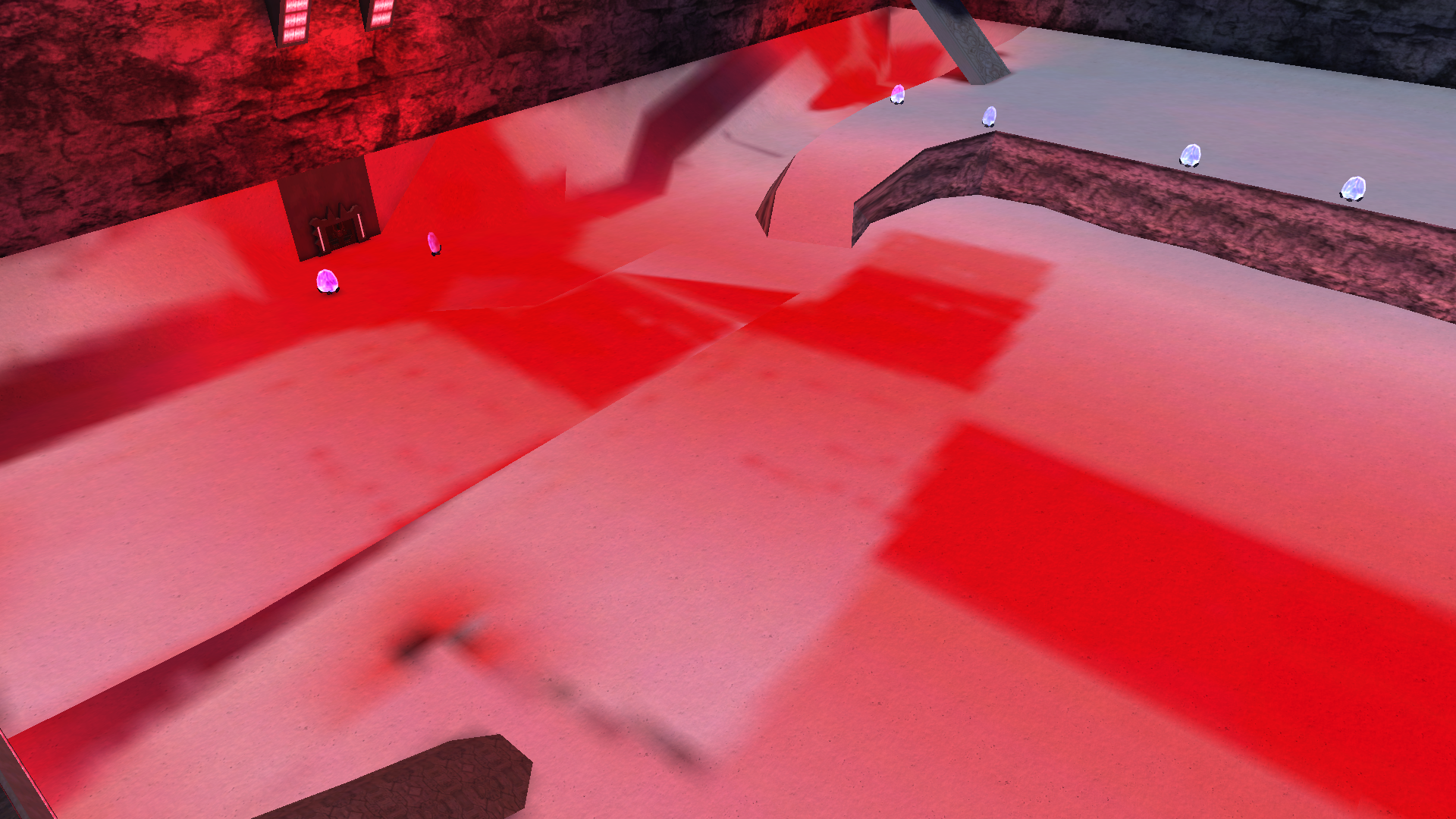 and here's how the lightmaps look when I used MatthewDratts tutorial (https://www.youtube.com/watch?v=x4cYQFW4Pxw) 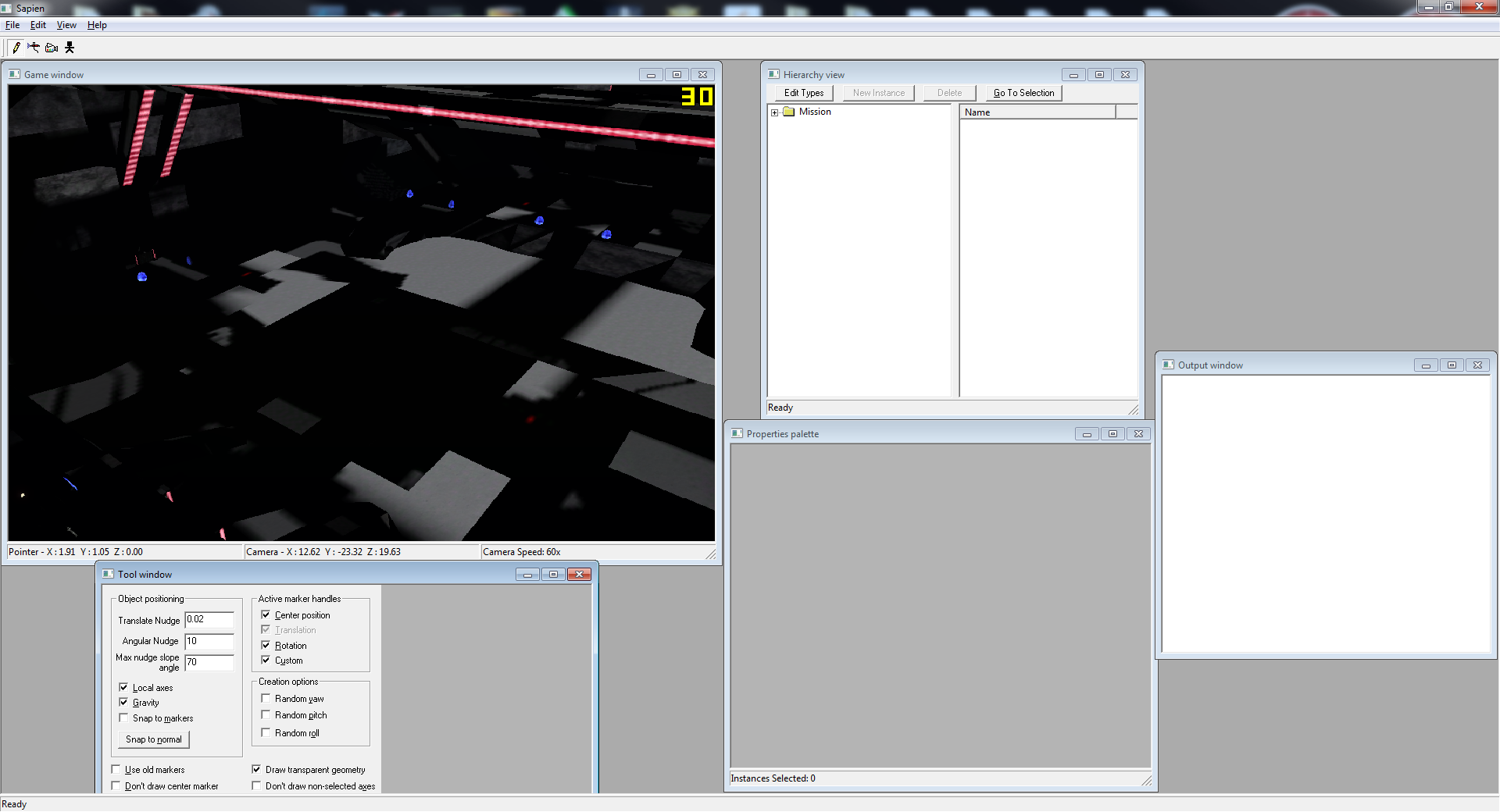 And the DEEhunters tutorial isn't really good for what I'm trying to achieve (atleast the one which can be downloaded from halomaps)... |
||||


|
|||||
|
PRPatxi Joined: Oct 30, 2010 
Dennis, free me from this suffering |
Posted: Jun 24, 2014 10:25 AM
Msg. 2 of 8
Matt's video tutorial:
http://www.youtube.com/watch?v=x4cYQFW4Pxw&list=UUPsxaYEBAUj2Ew2HJrTnsmg&feature=share |
||||
|
|
|||||
|
kinpat Joined: Apr 22, 2014
:D |
Posted: Jun 24, 2014 10:37 AM
Msg. 3 of 8
Quote: --- Original message by: kinpat and here's how the lightmaps look when I used MatthewDratts tutorial (https://www.youtube.com/watch?v=x4cYQFW4Pxw) Already used that one... |
||||
|
|
|||||
|
PRPatxi Joined: Oct 30, 2010
Dennis, free me from this suffering |
Posted: Jun 24, 2014 10:47 AM
Msg. 4 of 8
Quote: --- Original message by: kinpat Quote: --- Original message by: kinpat and here's how the lightmaps look when I used MatthewDratts tutorial (https://www.youtube.com/watch?v=x4cYQFW4Pxw) Already used that one... And you still couldn't do it? l0l |
||||
|
|
|||||
|
kinpat Joined: Apr 22, 2014
:D |
Posted: Jun 24, 2014 03:13 PM
Msg. 5 of 8
ok, seriously, being trying to get this thing working for the past 3 hours and it still doesnt work. Did everything like in the tutorial, but still the lightmaps are all messed up, and by this point i'm pretty sure the problem has to do with the bsp itself, because when I import the bsp, it looks like this:
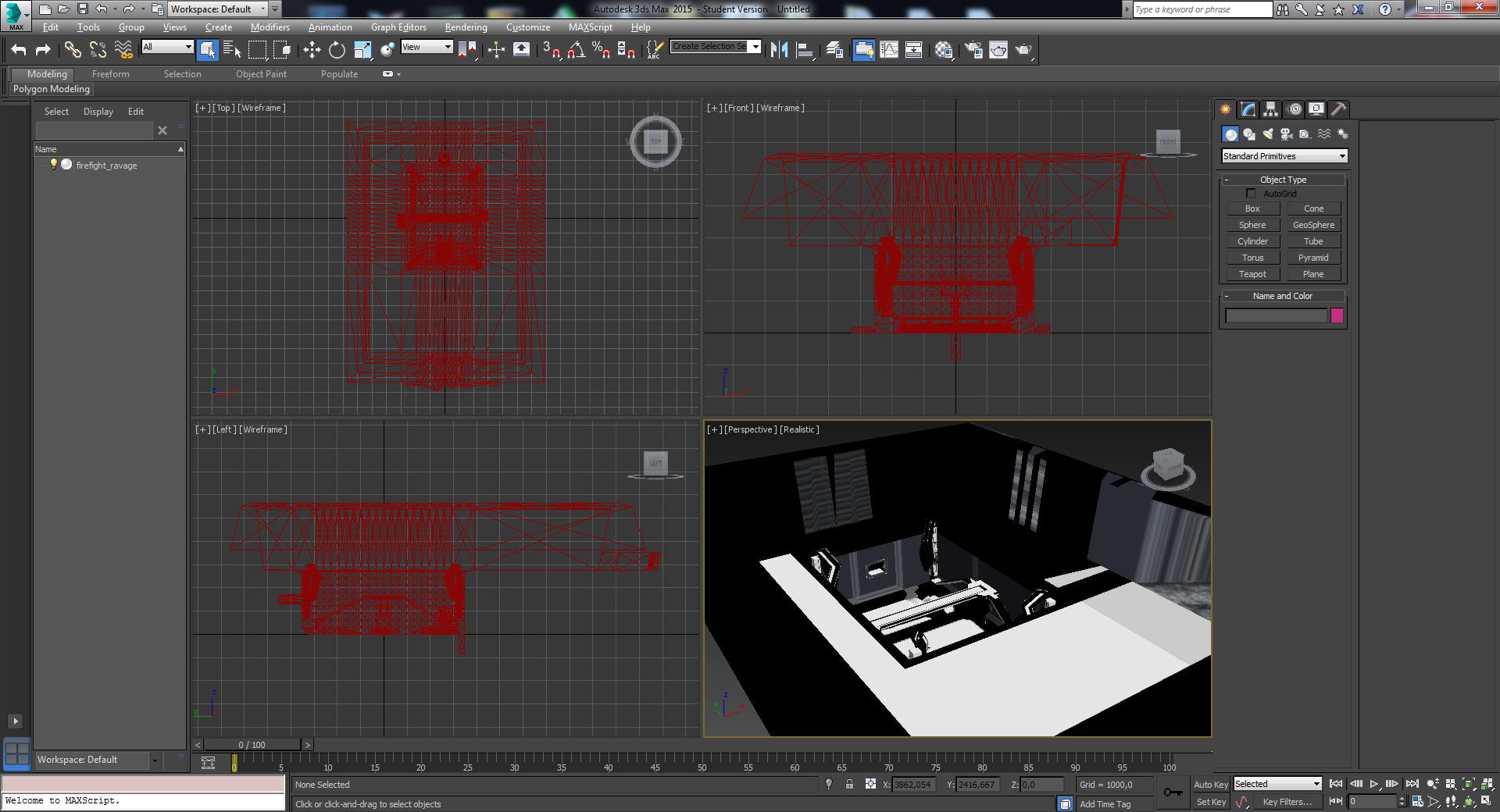 , and it doesn't look too nice to me , and it doesn't look too nice to me |
||||
|
|
|||||
|
MatthewDratt Joined: Sep 11, 2010 
TAKEDOWN IS OUT MattDratt.com |
Posted: Jun 24, 2014 03:22 PM
Msg. 6 of 8
I think you did my tutorial right, you just up crappy lights. If you want the entire place to be lit, just place an omni light and put it on a high settings. Place it somewhere in the middle of the map. You can go to Render in 3ds max to see how it looks.
|
||||
|
|
|||||
|
kinpat Joined: Apr 22, 2014
:D |
Posted: Jun 24, 2014 03:53 PM
Msg. 7 of 8
in the "render to texture" should I choose "use existing channel" or "use automatic channel" in the mapping coordinates section, because in the tutorial "use existing channel" at channel "1" was used and that just gives me black renders...
edit: used the automatic thingy, made the omnilight (always did), everything messed up again.... its weird though cause in 3ds max renders the map looked great, but in sapien its all messed up :( 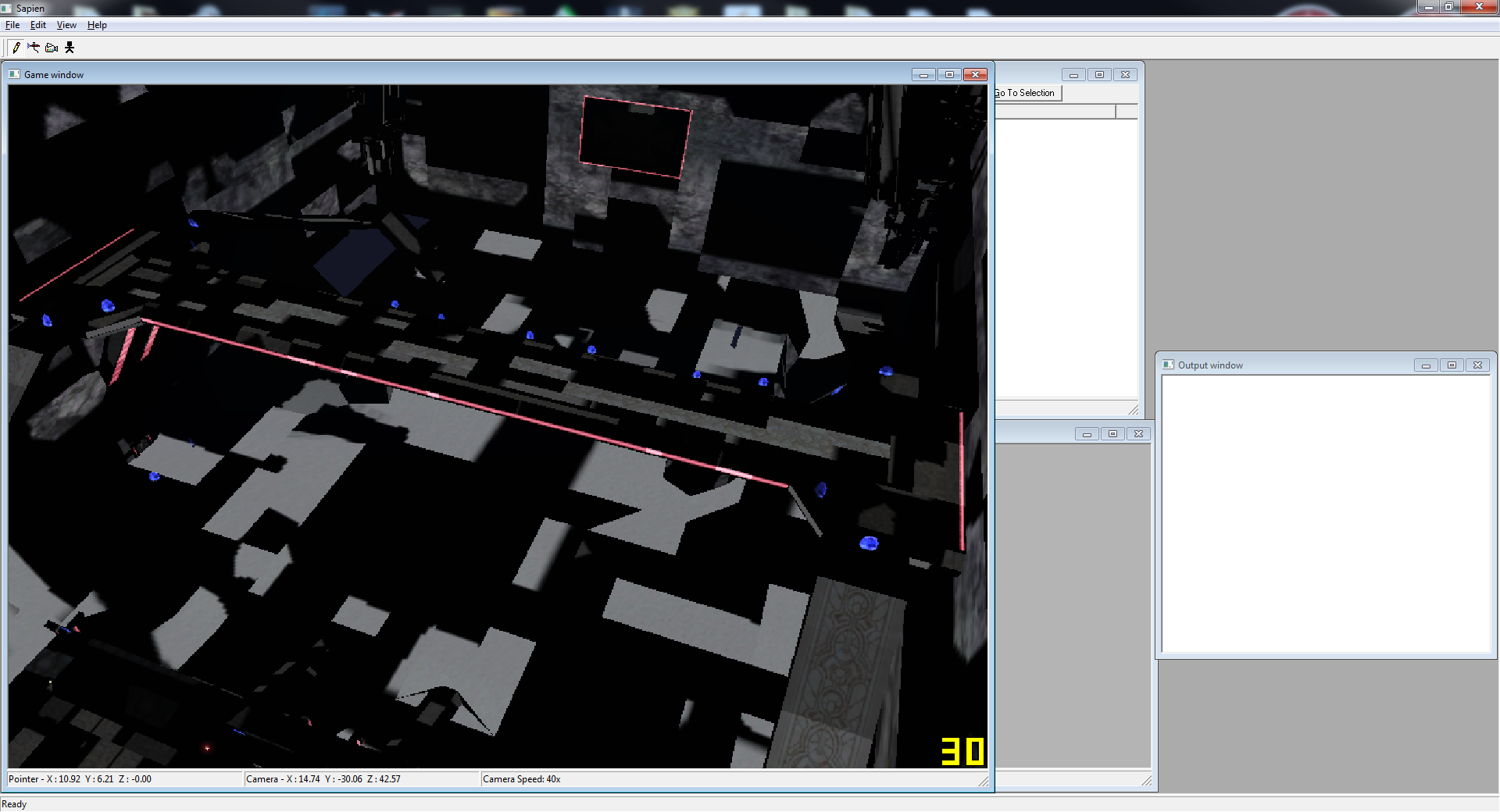 Edited by kinpat on Jun 24, 2014 at 04:03 PM Edited by kinpat on Jun 24, 2014 at 04:05 PM |
||||
|
|
|||||
|
kinpat Joined: Apr 22, 2014
:D |
Posted: Jun 24, 2014 05:17 PM
Msg. 8 of 8
Any ways to do without os-tool? 'Cause I'm using regular tool.. and sry for asking so much, I'm rly not an expert at these things and I've already put too much time in fixing the light etc, and I'm already becoming too tired to actually fix them, and that's why I cant really figure out anything myself anymore...
Edited by kinpat on Jun 24, 2014 at 05:29 PM |
||||
|
|
|||||

|
