A Community discussion forum for Halo Custom Edition, Halo 2 Vista, Portal and Halo Machinima
|
 Home
Home Search
 Register
 Login
Login Member List
 Recent Posts
| »Forums Index »Halo Custom Edition (Bungie/Gearbox) »Halo CE General Discussion »Biped Rigging, Issue with Wrists | 
|
| Author | Topic: Biped Rigging, Issue with Wrists (7 messages, Page 1 of 1) | ||||
| Moderators: Dennis | |||||
 DeadHamster Joined: Jun 8, 2014 
https://discord.gg/Neu4EJM |
Posted: Jun 15, 2014 08:23 PM
Msg. 1 of 7
Any idea why this is happening? It's been driving me nuts, using the cyborg MP rig, it moves fine in 3DS max, and no matter how many times I re-rig it end up like that.
Link 1 Link 2 Edited by DeadHamster on Jun 15, 2014 at 08:53 PM |
||||


|
|||||
|
Spartan314 Joined: Aug 21, 2010 
Former biped rigger & FP animator |
Posted: Jun 16, 2014 12:32 AM
Msg. 2 of 7
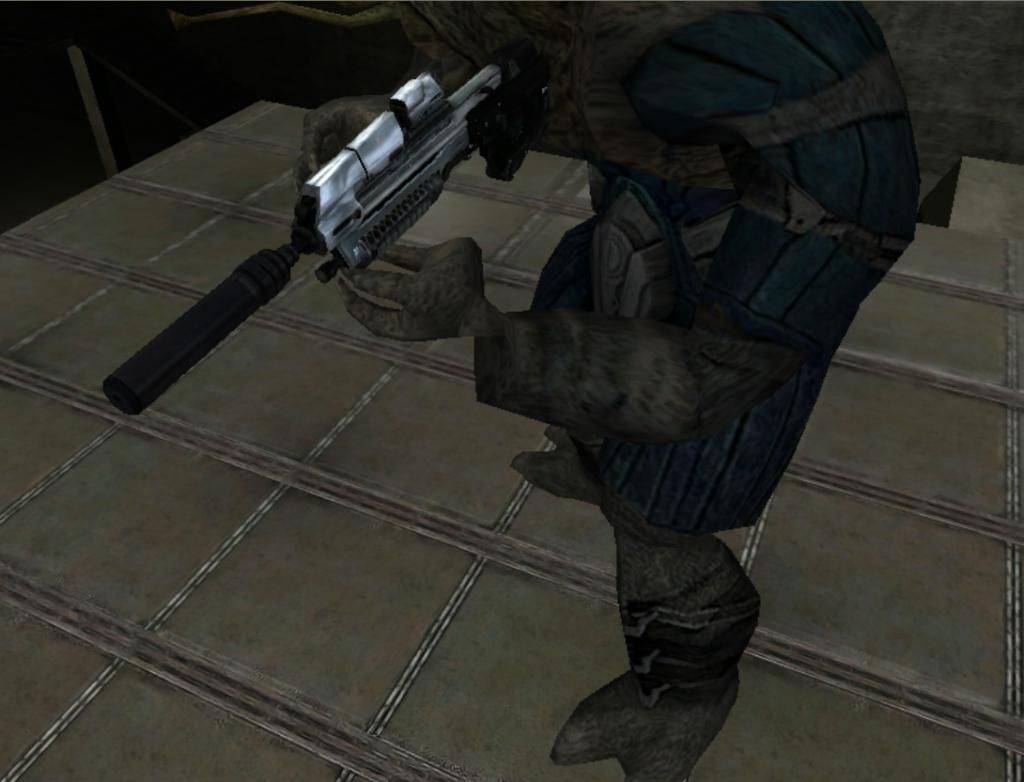 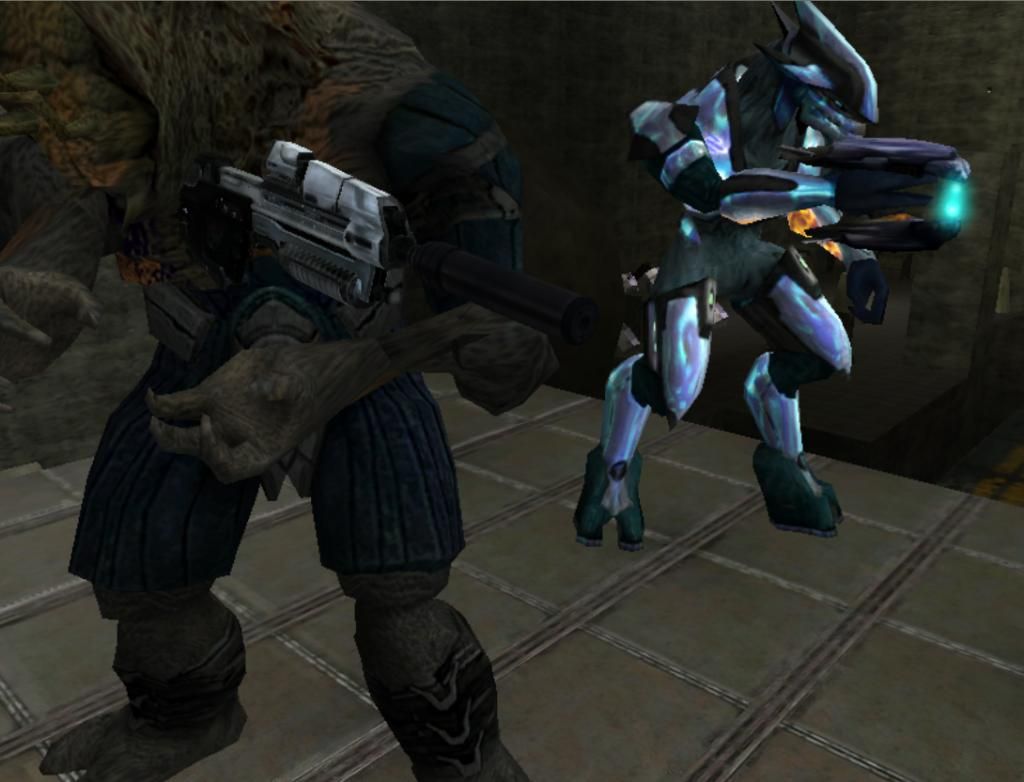 For easier viewing. Could you tell us which animations you're using and whether it's custom biped or not? |
||||
|
|
|||||
|
bourrin33 Joined: Oct 19, 2009 
HEK not installed tho |
Posted: Jun 16, 2014 08:03 AM
Msg. 3 of 7
That looks like a scaling problem... Did you scale the bones of the MC biped before rigging ?
Is the angle of the wrist bone right at the connection between forearm and wrist bone ? Try scaling all the bones to 100-100-100 before trying if an animation matches correctly, that should be the halo result |
||||
|
|
|||||
|
DeadHamster Joined: Jun 8, 2014
https://discord.gg/Neu4EJM |
Posted: Jun 16, 2014 08:43 AM
Msg. 4 of 7
Yes I did scale the bones. Figured that might be the problem. With that being said then, how would I fit an existing skeleton like the cyborg one that I'm using, for a biped much larger.
That's an H3 brute flood model I've been editing, it's much larger than the existing rig. How can I fit the bones into the model properly without scaling them up to match the size properly? Do I scale the model to the bones instead? And just for total clarification; Custom model, pulled from H3 map, using the stock H1 cyborg animations/skeleton. Edited by DeadHamster on Jun 16, 2014 at 08:44 AM |
||||
|
|
|||||
|
Corvette19 Joined: Feb 27, 2007 
|
Posted: Jun 16, 2014 09:30 AM
Msg. 5 of 7
Long time no see, Hamster!!!
|
||||
|
|
|||||
|
SOI_7 Joined: Mar 23, 2012 
Welcome to the true man's world |
Posted: Jun 16, 2014 12:38 PM
Msg. 6 of 7
Quote: --- Original message by: DeadHamster Yes I did scale the bones. Figured that might be the problem. With that being said then, how would I fit an existing skeleton like the cyborg one that I'm using, for a biped much larger. That's an H3 brute flood model I've been editing, it's much larger than the existing rig. How can I fit the bones into the model properly without scaling them up to match the size properly? Do I scale the model to the bones instead? And just for total clarification; Custom model, pulled from H3 map, using the stock H1 cyborg animations/skeleton. Edited by DeadHamster on Jun 16, 2014 at 08:44 AM I did the same for my Flood Brute and Drinol: import the boneset, un-link the bones that you want to move (Un-link, not scale) and place them in order to fit the proportions of the Flood. Then re-link the bones to their old parents (for example, link the clavicles to spine1), rig the model. Then, make an overlay animation that scales the biped (remember that your bones will return to their original position during the anims, so you'll have to re-move them in your scene) and export the animation. Then set up your tag so that the overlay animation is always played. Probably there's an easier solution, but honestly I couldn't find anything else that worked. If you need just to scale the model, and not move a single bone, that's even easier because you just need to scale the root node. |
||||
|
|
|||||
|
DeadHamster Joined: Jun 8, 2014
https://discord.gg/Neu4EJM |
Posted: Jun 16, 2014 06:03 PM
Msg. 7 of 7
My man! How've you been!?! It's been ages since HM.
On another note, could somebody please clarify on that overlay animation bit? Will I have to compile a new animation tag for this, with an additional overlay that scales the biped up? I was hoping to not have to edit the anims at all, hence rigging it to the most compatible skeleton in the cyborg as opposed to a flood variant. |
||||
|
|
|||||

|
