A Community discussion forum for Halo Custom Edition, Halo 2 Vista, Portal and Halo Machinima
|
 Home
Home Search
 Register
 Login
Login Member List
 Recent Posts
| »Forums Index »Halo Custom Edition (Bungie/Gearbox) »Halo CE General Discussion »a map i've been working on.... | 
|
| Author | Topic: a map i've been working on.... (28 messages, Page 1 of 1) | ||||
| Moderators: Dennis | |||||
 darkassassin14 Joined: Jul 23, 2007 
El. Psy. Congroo. |
Posted: Sep 5, 2011 07:04 AM
Msg. 1 of 28
ok well i've been working on this map for 2 straight days (because it's actually turning out really good) and i wanted to see what the community thinks (basically i want feedback). right now im working out the kinks and thinking of anything else that i could add.
Flythrough: http://www.xfire.com/video/4d3bfa/ Red base: 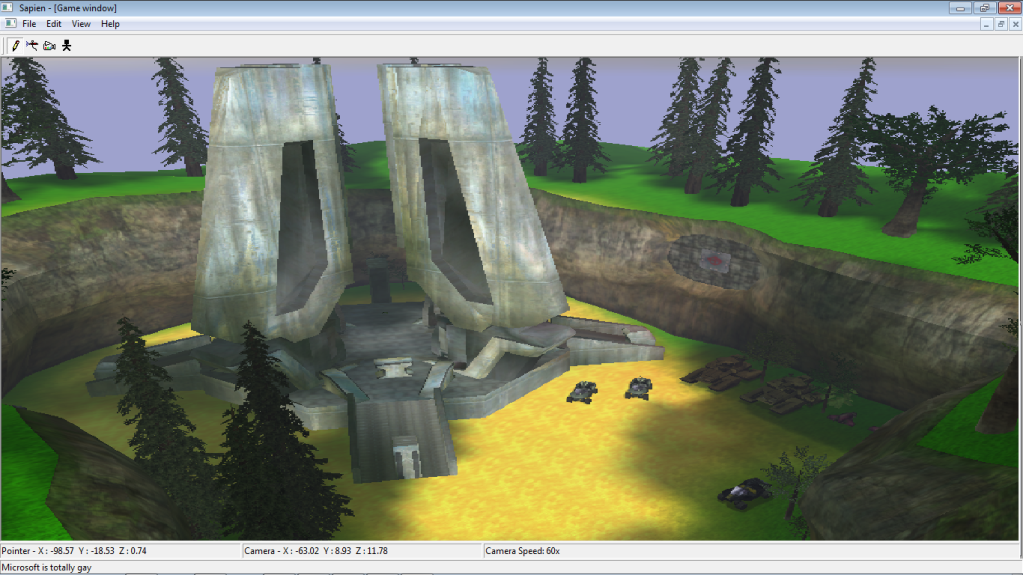 The bridges are inaccessible btw. 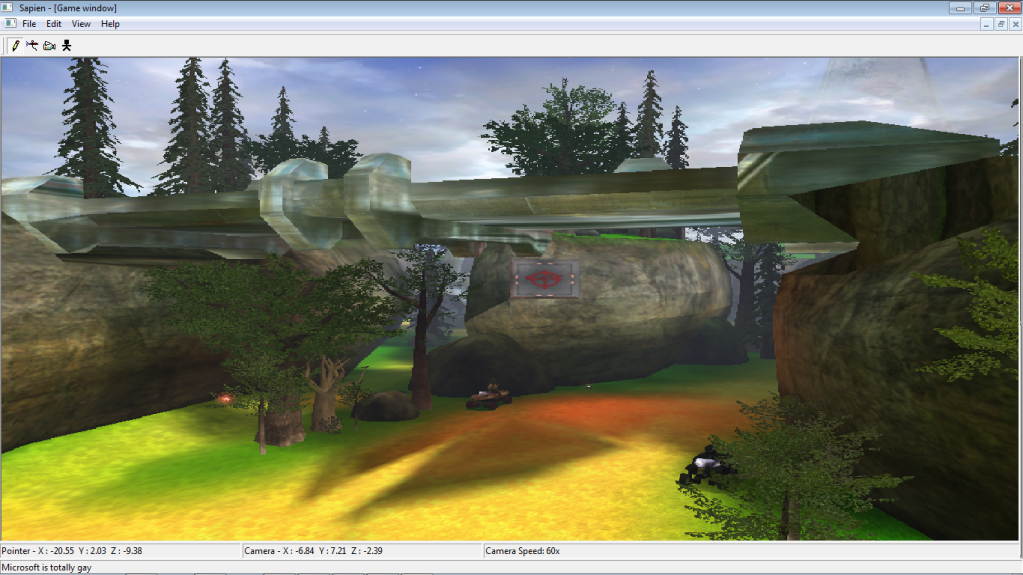 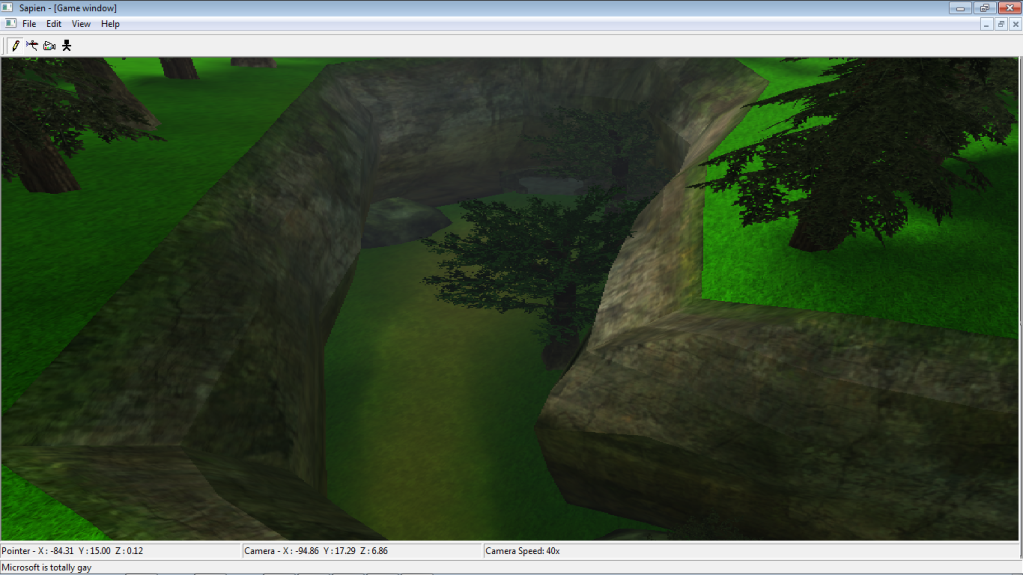 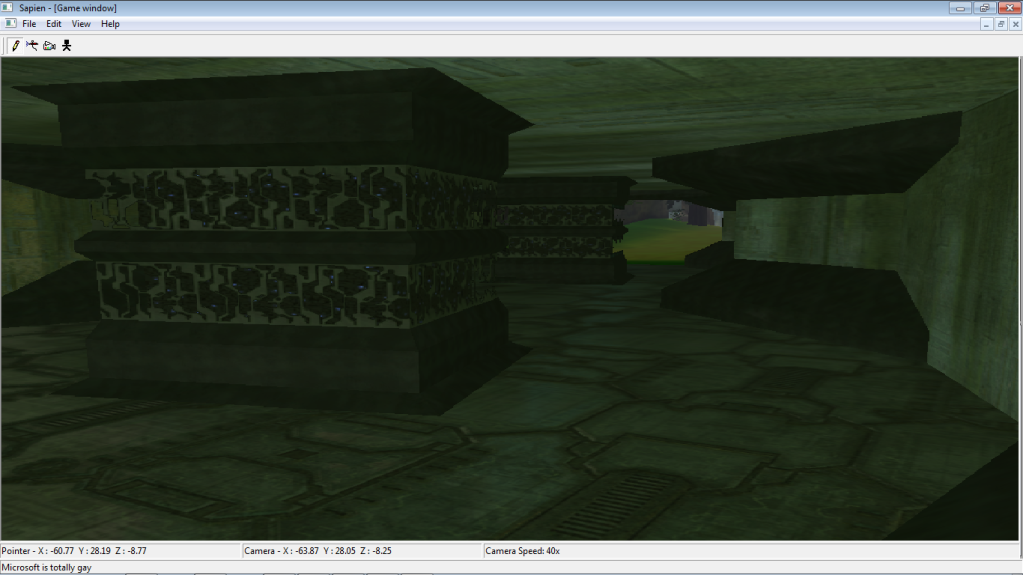 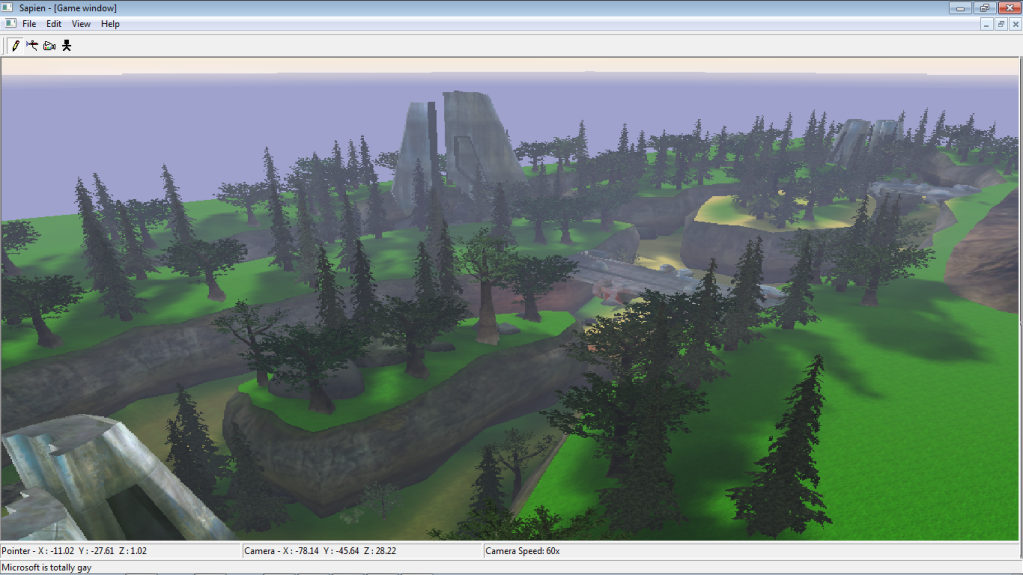 Neutral: 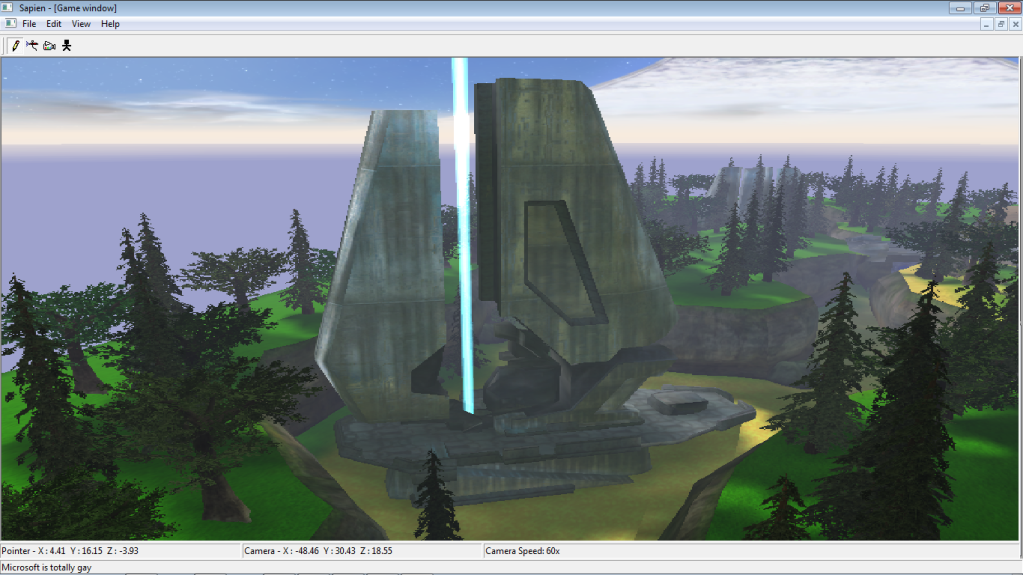 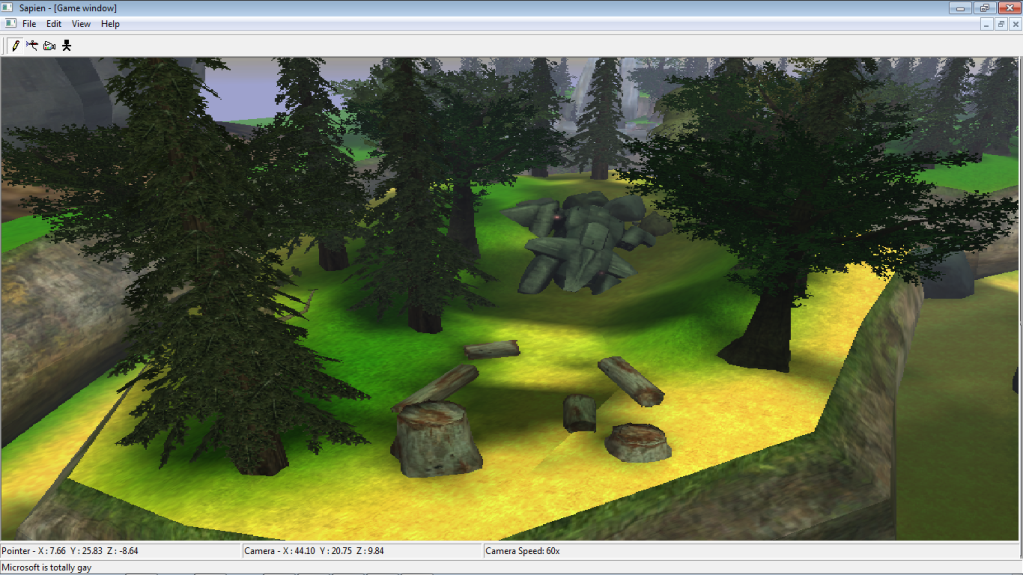 I'm debating whether or not to take the poa out, get a better model or switch it to a frigate. 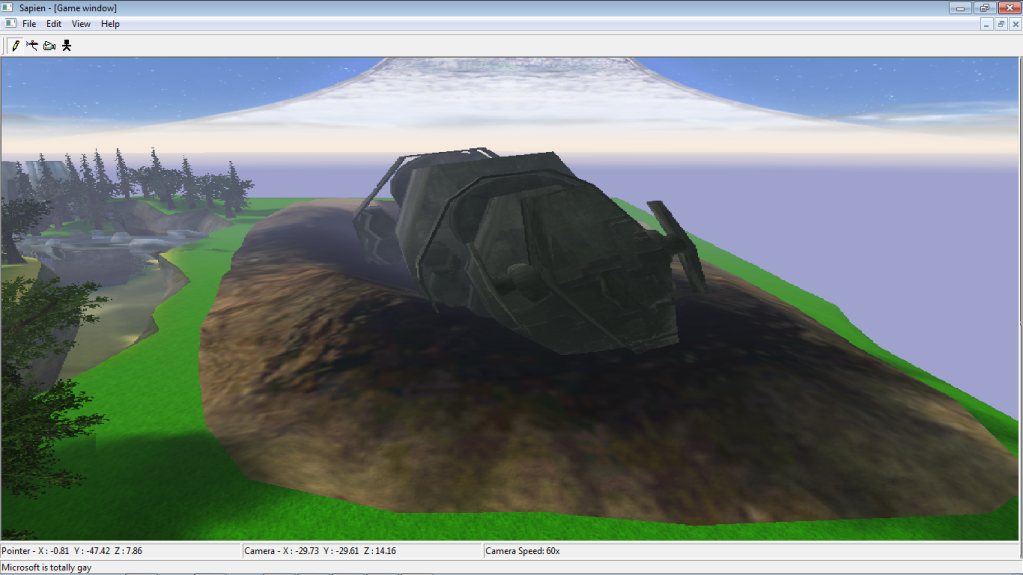 Blue base: 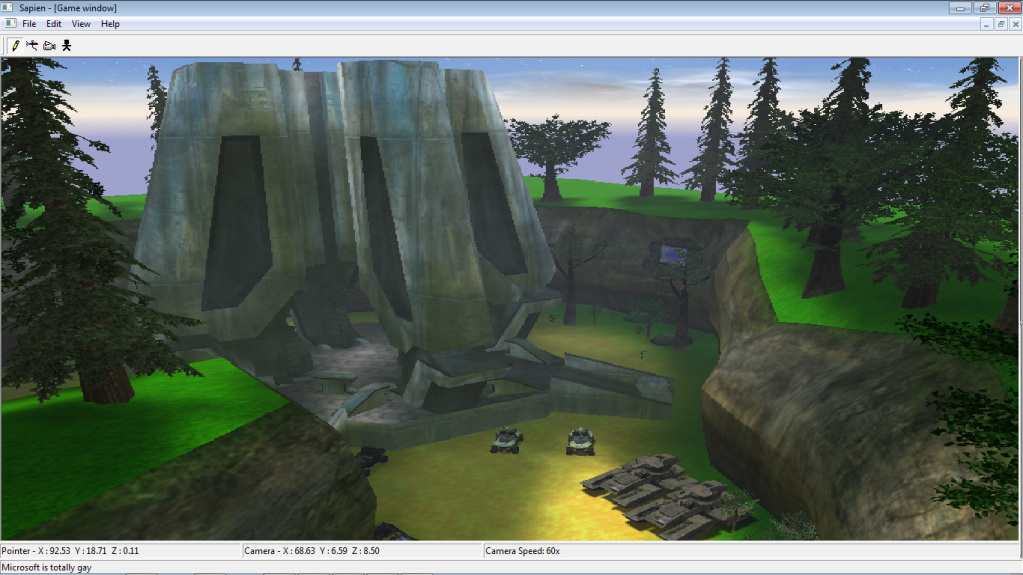 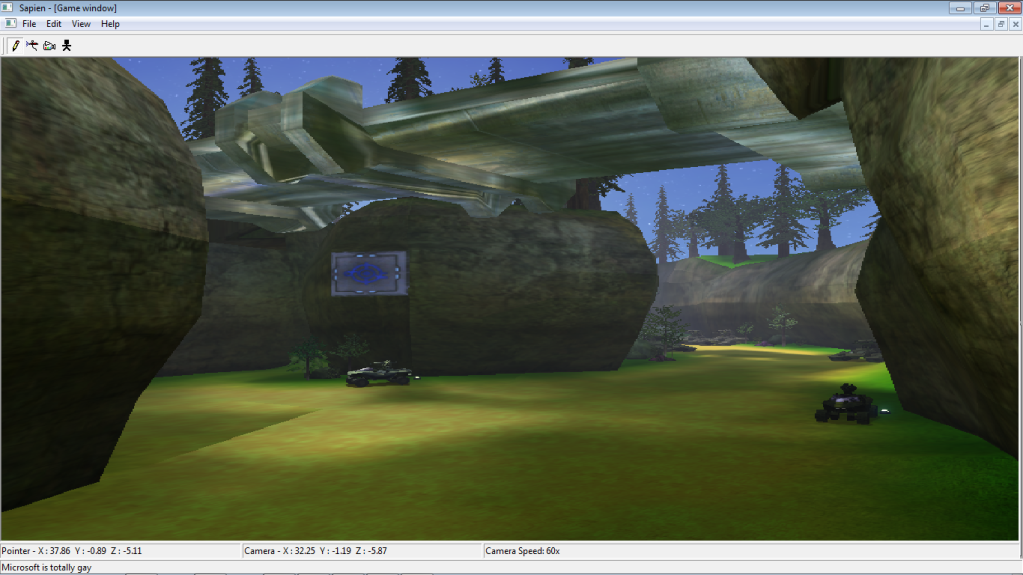 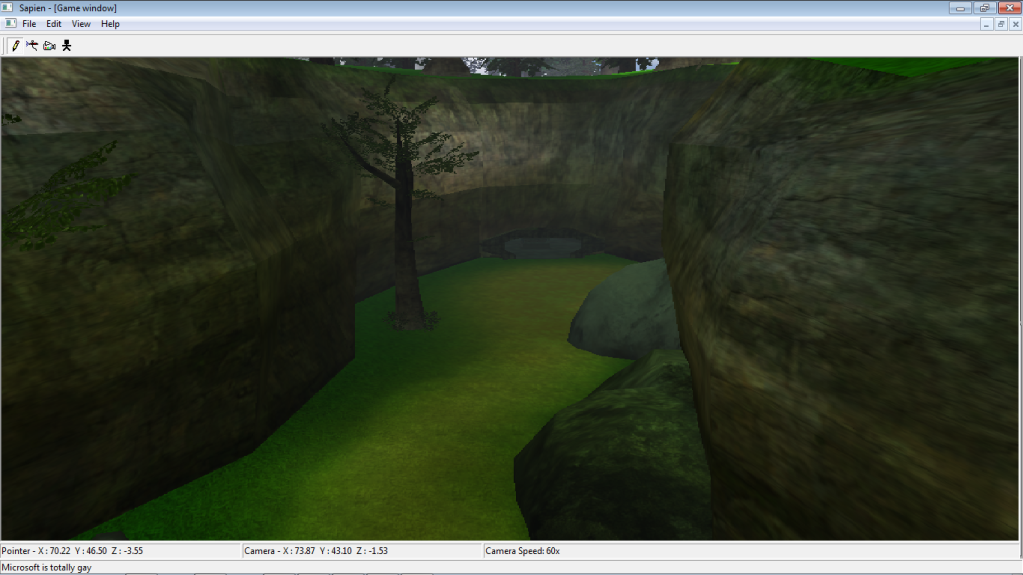 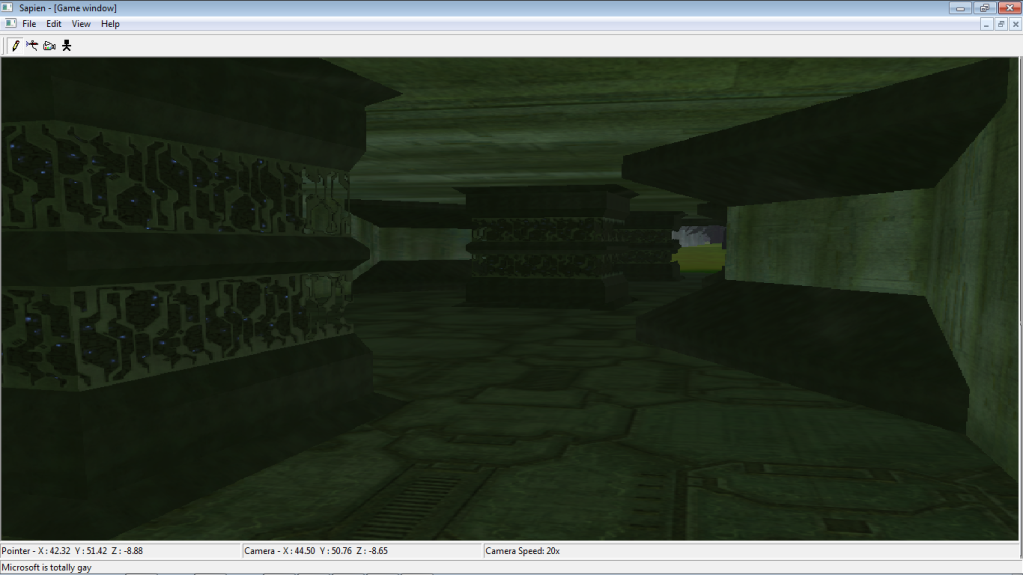 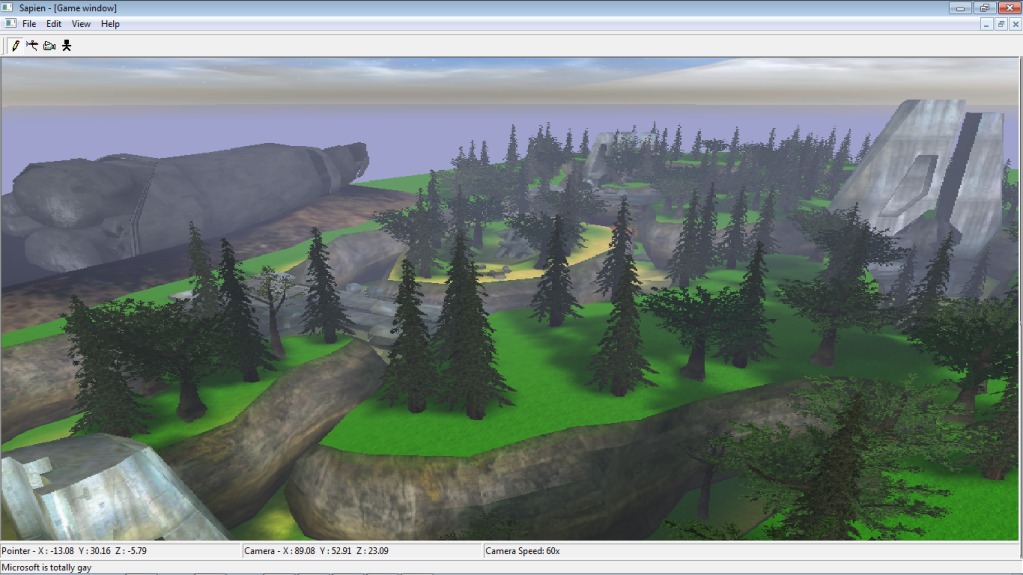 Edited by darkassassin14 on Sep 5, 2011 at 07:32 AM |
||||


|
|||||
|
Higuy Joined: Mar 6, 2007 
@lucasgovatos |
Posted: Sep 5, 2011 08:32 AM
Msg. 2 of 28
Looking alright. Get rid of the tree's on the top area and instead add filer tree's, it will look better and the map wont lag to hell and back becuase of how much scenery there is.
I can't tell if those bridges or whatever are scenery or not (if so you should make them BSP), and do they serve any gameplay purpose? The POA looks way to tiny in there, if I were you i would just get rid of it and instead add some natural bueaty like some tall cliffs and maybe a waterfall, or pehaps a forerunner wall. Your grass and dirt in your ground map are very wierd. Make the dirt more brown - as of now its yellow. The grass is also way to green, maybe make it a bit darker. |
||||
|
|
|||||
|
darkassassin14 Joined: Jul 23, 2007
El. Psy. Congroo. |
Posted: Sep 5, 2011 03:21 PM
Msg. 3 of 28
yea i was gonna get some tree sprites and do that lol.
the bridges are bsp and are inaccessible. that's why i was thinking of switching it to a frigate but that's a great idea. and yea i'll fix that. Anything else you might wanna add? |
||||
|
|
|||||
|
Higuy Joined: Mar 6, 2007
@lucasgovatos |
Posted: Sep 5, 2011 03:25 PM
Msg. 4 of 28
Yeah, fix the shader on the bridges. If you look the lightmaps all messed up, try checking simple parametrizations at the top of whatever shader its using.
|
||||
|
|
|||||
|
iHalo Joined: Dec 5, 2009 
Modeling ::Royal Carribean's Oasis of the Seas:: |
Posted: Sep 5, 2011 03:48 PM
Msg. 5 of 28
Make it night time, snowy, and have those small covenant illuminative glow stick things? Would look nice... it looks liek a good map for Ghost vehicle combat or even SP
|
||||
|
|
|||||
|
Wesker Joined: Jun 8, 2011 
Your Future Hinges upon This Fight!!! |
Posted: Sep 5, 2011 05:06 PM
Msg. 6 of 28
i kinda like it. it reminds me of the old halo maps people use to make
|
||||
|
|
|||||
|
darkassassin14 Joined: Jul 23, 2007
El. Psy. Congroo. |
Posted: Sep 5, 2011 09:03 PM
Msg. 7 of 28
Ok here's an update. i pretty much did everything higuy told me.
Blue side: 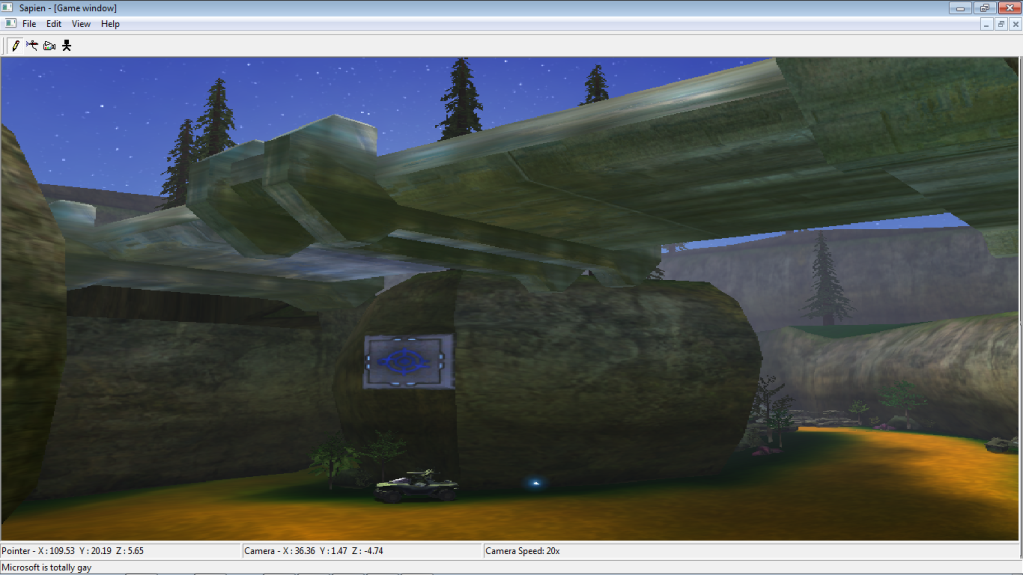 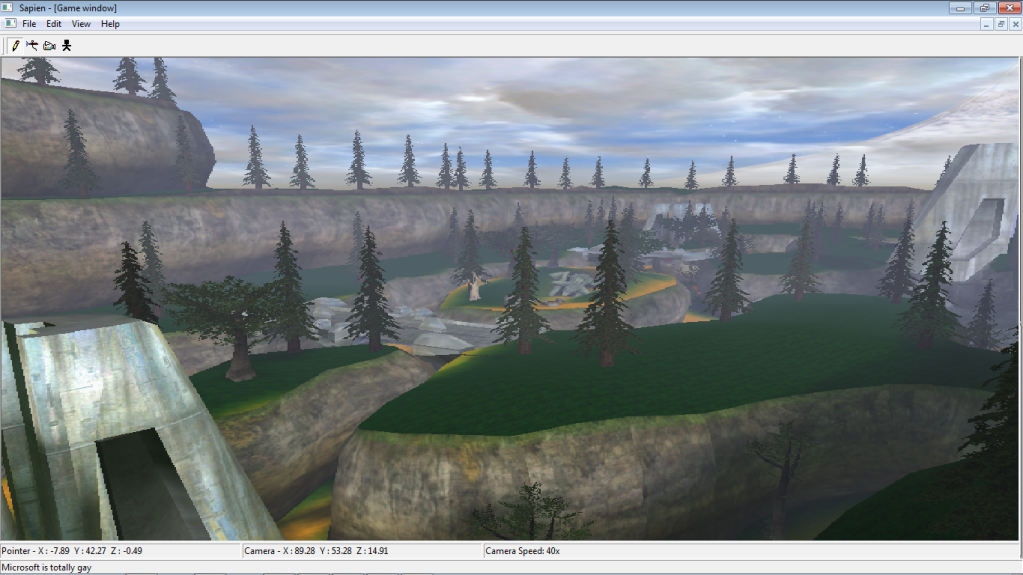 Neutral: 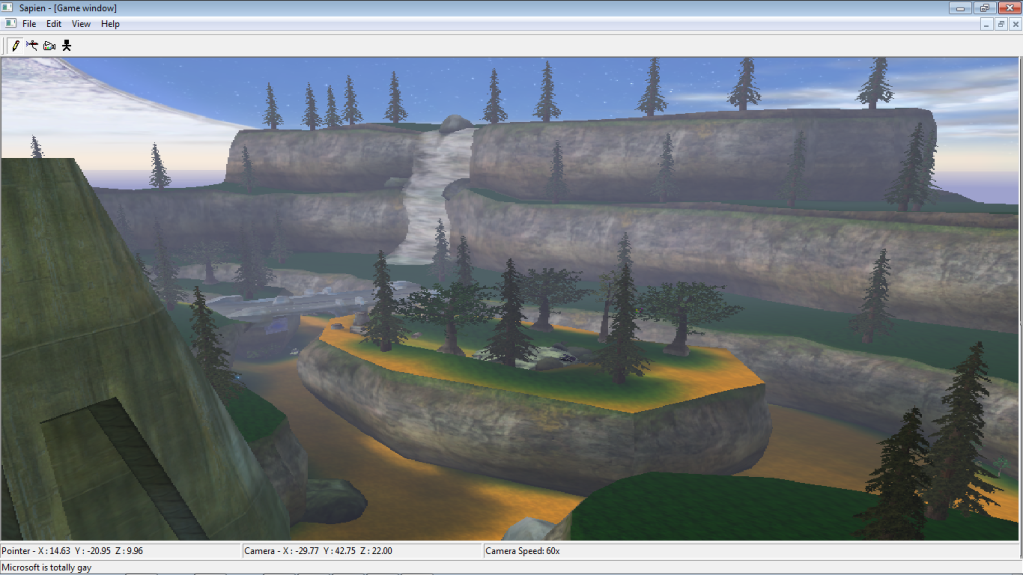 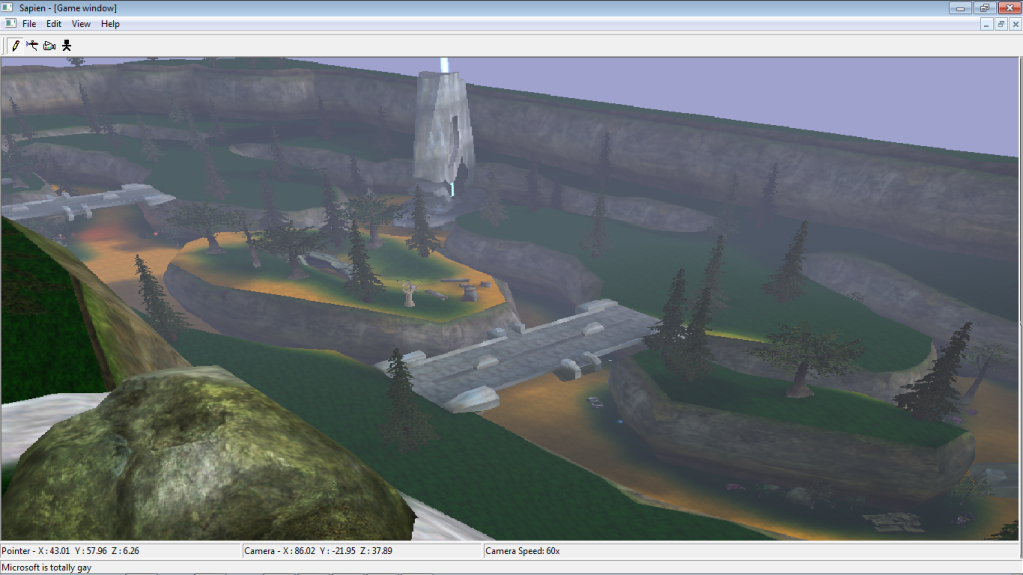 Red side: 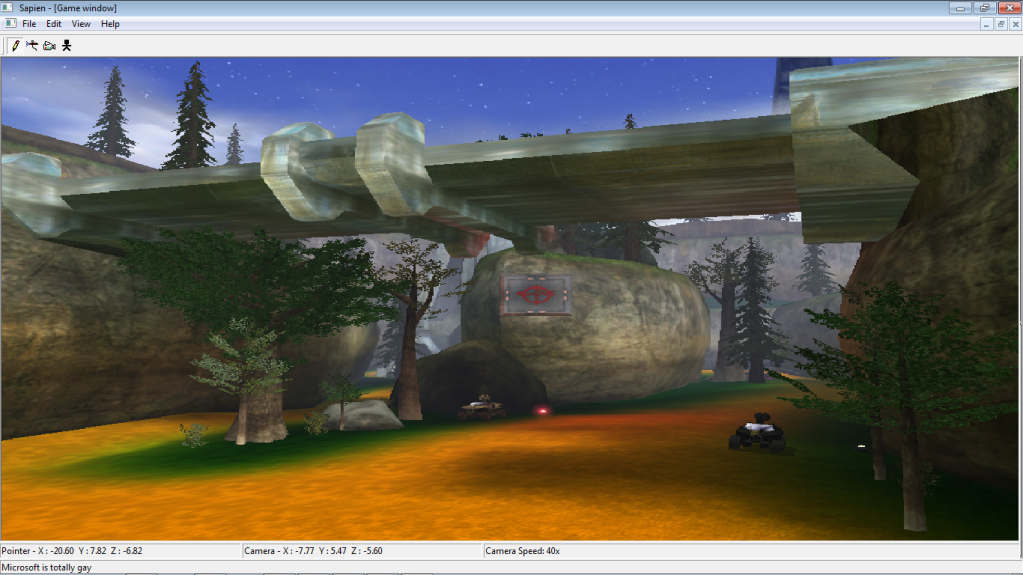 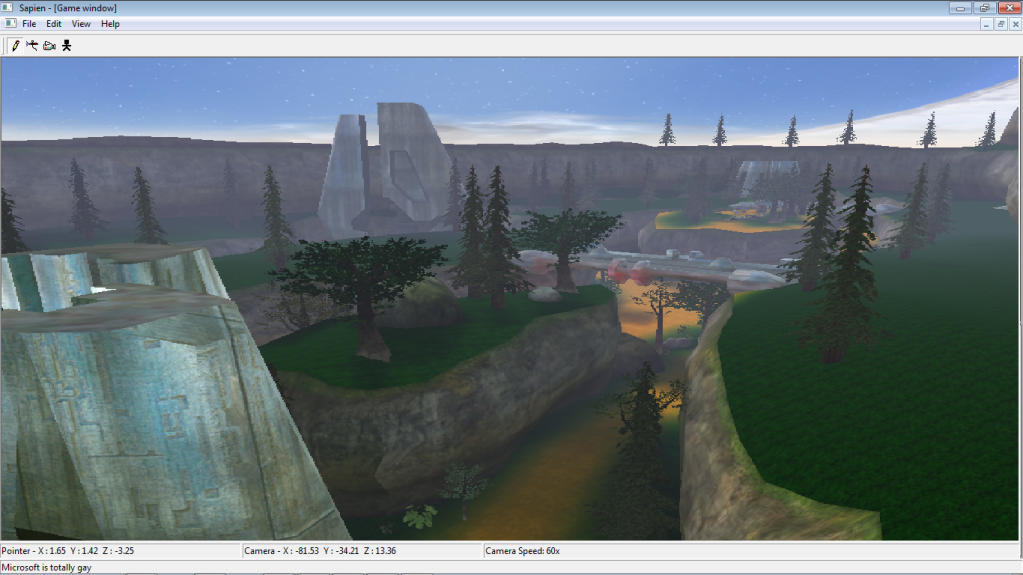 i'm gonna make the waterfall faster. I also wanna add a forrunner wall but i don't know how to model forrunner things. i was thinking of asking CAG Gonzo for a portion of his lol. Edited by darkassassin14 on Sep 5, 2011 at 09:05 PM |
||||
|
|
|||||
|
anonymous_2009 Joined: Jun 13, 2009 
|
Posted: Sep 5, 2011 10:49 PM
Msg. 8 of 28
Work on your colour's for the ground... make the grass colour and sand colour realistic. You never have lain green grass, not natural anyway usually. Mixed tones of green with other colours like brown ect...
and sand isn't a vibrant yellow.. |
||||
|
|
|||||
|
ally Joined: Jun 23, 2010 
Aye Ready |
Posted: Sep 5, 2011 11:17 PM
Msg. 9 of 28
it looks not bad at all, anything that needs done, i think has already be mentioned.
also: remember to credit nexus for the bases in there. |
||||
|
|
|||||
|
SeL Joined: Dec 15, 2010 
twitter.com/TeamFalldog |
Posted: Sep 5, 2011 11:23 PM
Msg. 10 of 28
The cliffs are almost perfectly uniform, and the ground looks almost entirely flat.
Make some more interesting natural features, and make the terrain more interesting. For the most part though it doesn't look all that bad. Edited by SeL on Sep 5, 2011 at 11:24 PM |
||||
|
|
|||||
|
darkassassin14 Joined: Jul 23, 2007
El. Psy. Congroo. |
Posted: Sep 5, 2011 11:27 PM
Msg. 11 of 28
hmm i'll try that out for the colors. and i know the ground is flat, that's temporary. I think the cliffs are ok so they'll stay.
i modeled a sentinel wall similar to the one in H2 and i wanna know what you think and maybe some techniques you use: 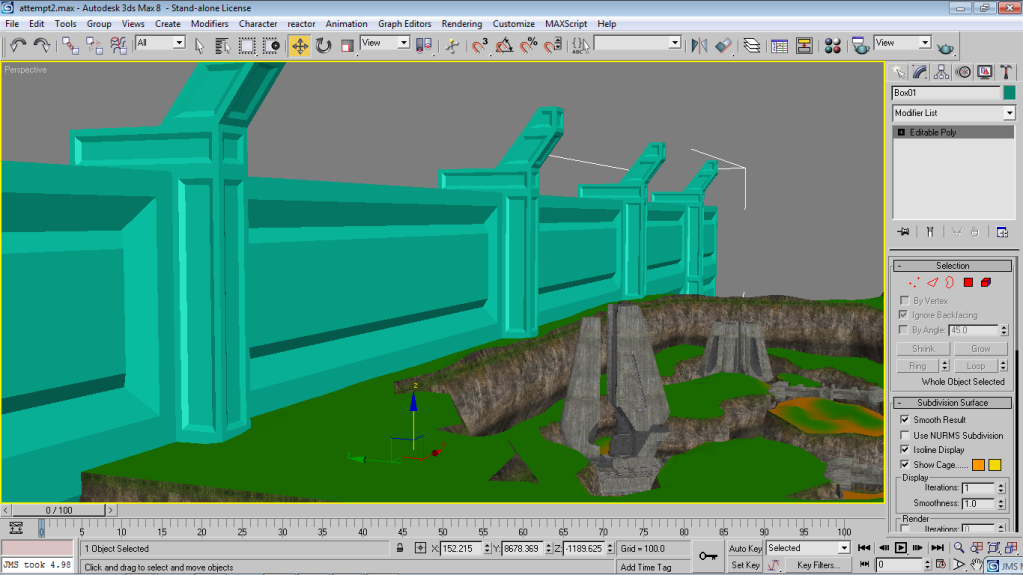 |
||||
|
|
|||||
|
Corvette19 Joined: Feb 27, 2007 
|
Posted: Sep 6, 2011 12:01 AM
Msg. 12 of 28
Doesn't look forerunner but it still looks cool. Really, the map looks enjoyable.
|
||||
|
|
|||||
|
darkassassin14 Joined: Jul 23, 2007
El. Psy. Congroo. |
Posted: Sep 6, 2011 02:28 AM
Msg. 13 of 28
ok so what about this color sand?
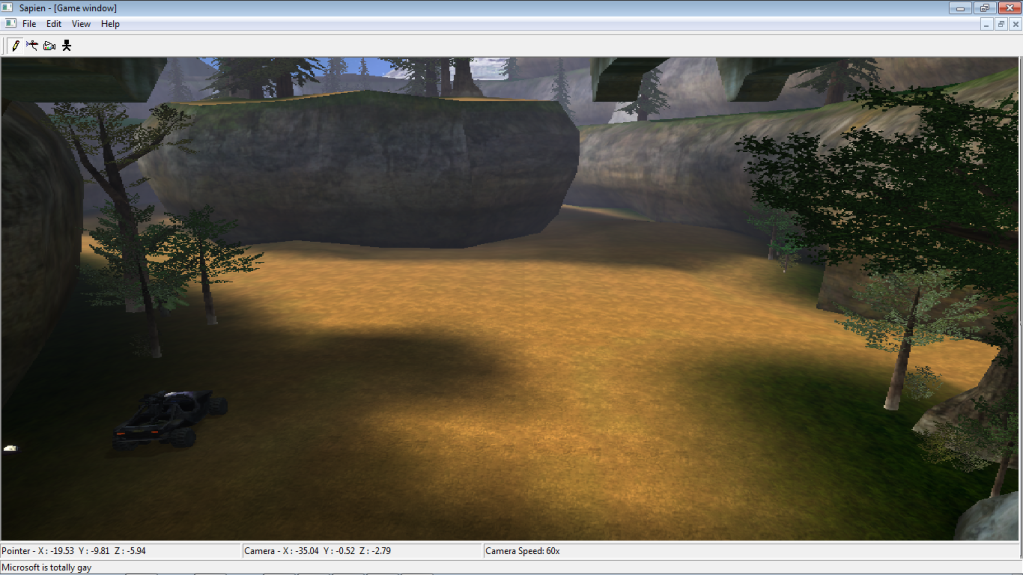 |
||||
|
|
|||||
|
UBE Chief Joined: Sep 28, 2009 
Raising the bar, one kill at a time. |
Posted: Sep 6, 2011 03:02 AM
Msg. 14 of 28
Far better imo.
Question: What tagset(s) are you going to be implementing in your map? |
||||
|
|
|||||
|
UBE Chief Joined: Sep 28, 2009
Raising the bar, one kill at a time. |
Posted: Sep 6, 2011 09:04 AM
Msg. 15 of 28
You can only see the vehicles, which, as you said, is classic. But he can use a different tagset for weapons, etc.
|
||||
|
|
|||||
|
olly12345 Joined: Jul 30, 2008 
|
Posted: Sep 6, 2011 09:56 AM
Msg. 16 of 28
Looks really good!
One thing i might suggest is to have each of the bases around a different theme, so one is a more lush type area, while the other is more forerunner, with different walls and colours. You should be able to distinguish what side of the map you're on with out having to turn around. Use more than just a Blue base sign to distinguish between them. |
||||
|
|
|||||
|
UBE Chief Joined: Sep 28, 2009
Raising the bar, one kill at a time. |
Posted: Sep 6, 2011 10:02 AM
Msg. 17 of 28
Yes, use blue and red landing lights (scenery) to help distinguish where each base begins/ends as well.
|
||||
|
|
|||||
|
darkassassin14 Joined: Jul 23, 2007
El. Psy. Congroo. |
Posted: Sep 6, 2011 06:10 PM
Msg. 18 of 28
yep i did that. one question though. How do i add fog to a pool of water?
|
||||
|
|
|||||
|
XlzQwerty1 Joined: Aug 6, 2009 
|
Posted: Sep 6, 2011 06:32 PM
Msg. 19 of 28
I still think the sand should be a bit lighter in color, but that's just me, and also maybe make the sand a mixed tone of yellow?
|
||||
|
|
|||||
|
darkassassin14 Joined: Jul 23, 2007
El. Psy. Congroo. |
Posted: Sep 6, 2011 09:06 PM
Msg. 20 of 28
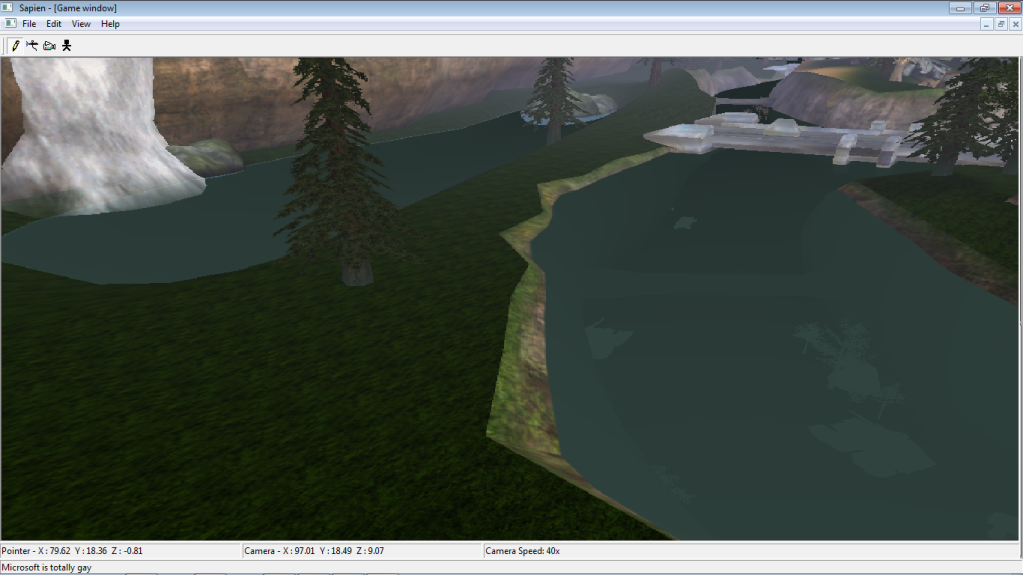
HOW DO I ADD FOG TO A POOL??? I made a nice pool for the waterfall and i added a fog plane right under the water but i don't know what to do now. Oh and how do i 'Mix' tones?
|
||||
|
|
|||||
|
Higuy Joined: Mar 6, 2007
@lucasgovatos |
Posted: Sep 6, 2011 09:08 PM
Msg. 21 of 28
Quote: --- Original message by: darkassassin14 HOW DO I ADD FOG TO A POOL??? I made a nice pool for the waterfall and i added a fog plane right under the water but i don't know what to do now. Oh and how do i 'Mix' tones? You can just apply a shader called Water!$ to the water plane, and then add a fog pallate (and then apply it), which will in turn give you fog to the water. |
||||
|
|
|||||
|
darkassassin14 Joined: Jul 23, 2007
El. Psy. Congroo. |
Posted: Sep 7, 2011 01:02 AM
Msg. 22 of 28
ok i got the fog but it extends down too much and covers my entire map. i just want it in the pool how do i do that?
|
||||
|
|
|||||
|
Bottletopman Joined: Feb 5, 2011 
Blessed are the cheesemakers |
Posted: Sep 7, 2011 03:29 AM
Msg. 23 of 28
Looks really enjoyable, although the cliffs do look a bit unnatural...maybe jag up the top edges a bit, make it look like it's eroding? Hundreds of years worth of erosion?
EDIT: Are you going to put in Halo 3 weapons? Edited by Bottletopman on Sep 7, 2011 at 03:35 AM |
||||
|
|
|||||
|
darkassassin14 Joined: Jul 23, 2007
El. Psy. Congroo. |
Posted: Sep 7, 2011 03:15 PM
Msg. 24 of 28
How do i localize the fog to the water pool? this is what keeps happening:
 And update on stuff: 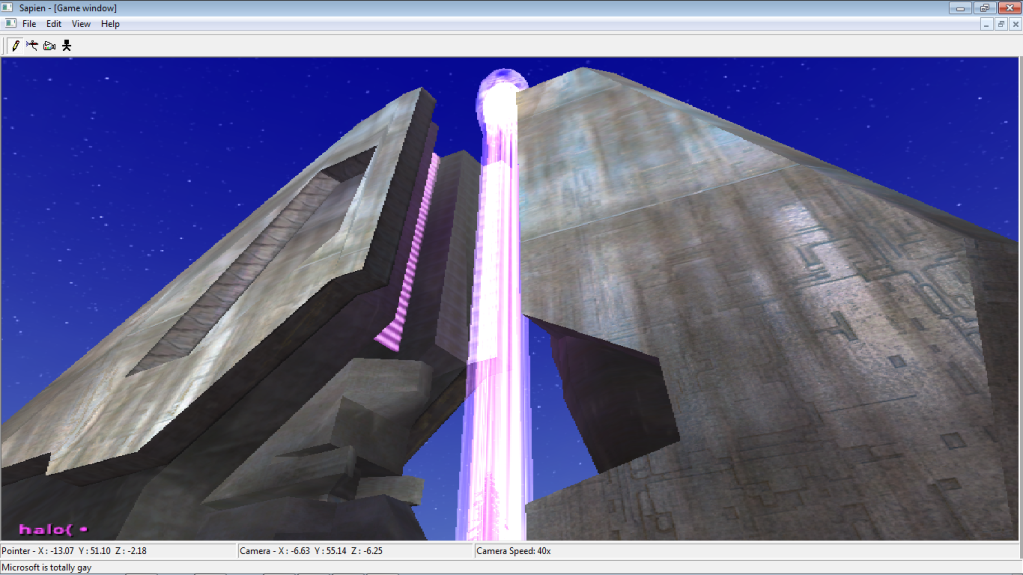 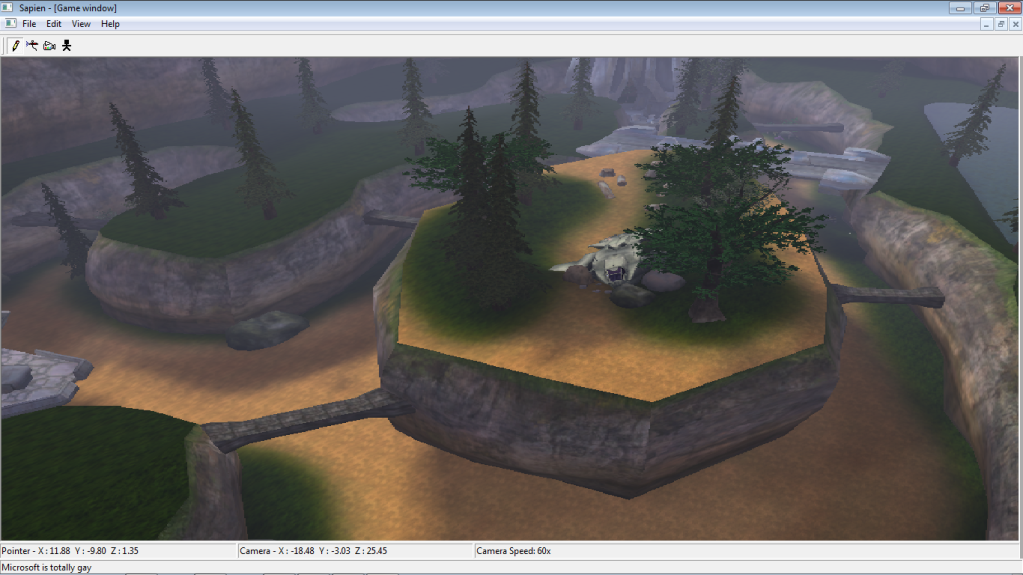 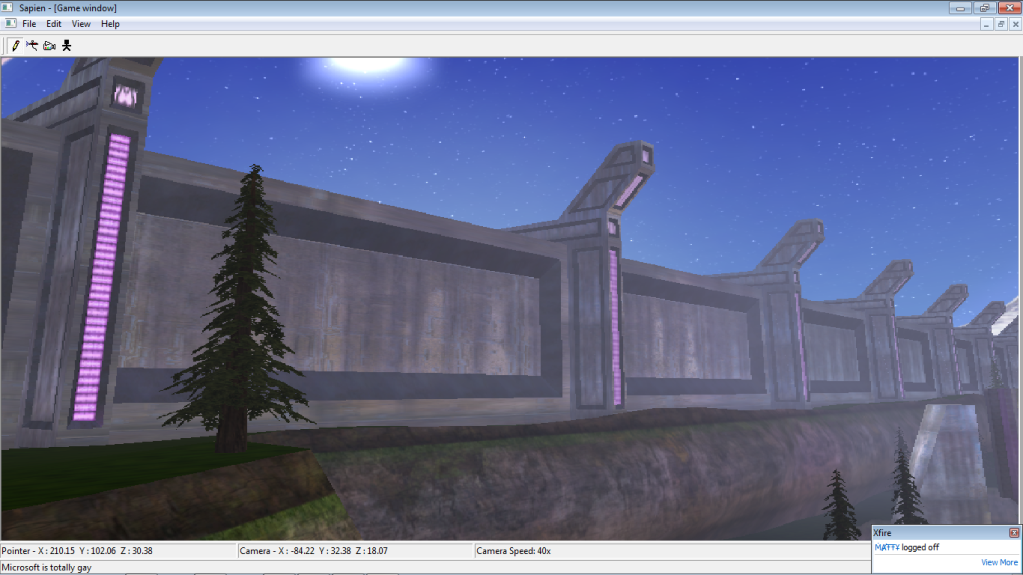 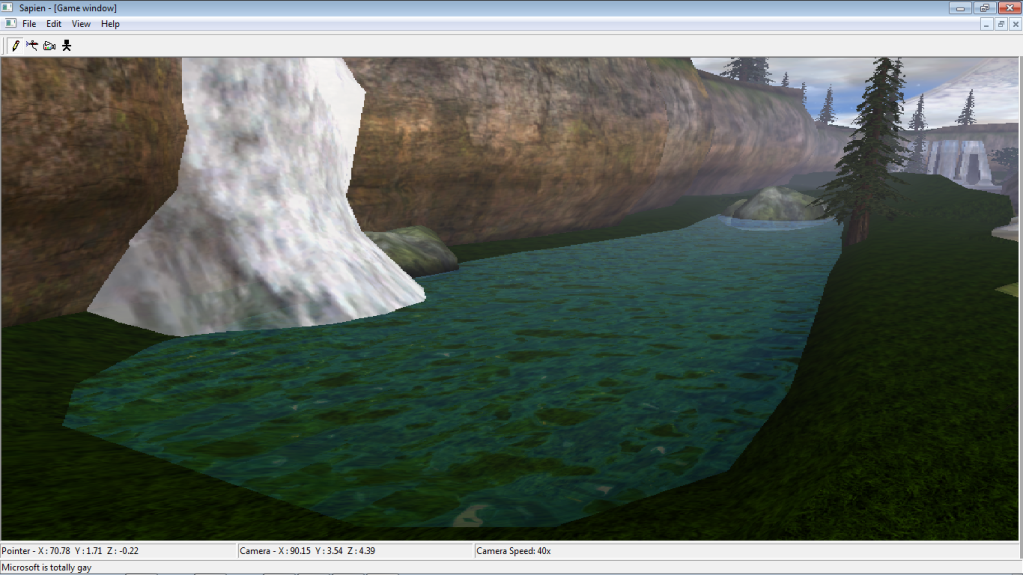 Red base: 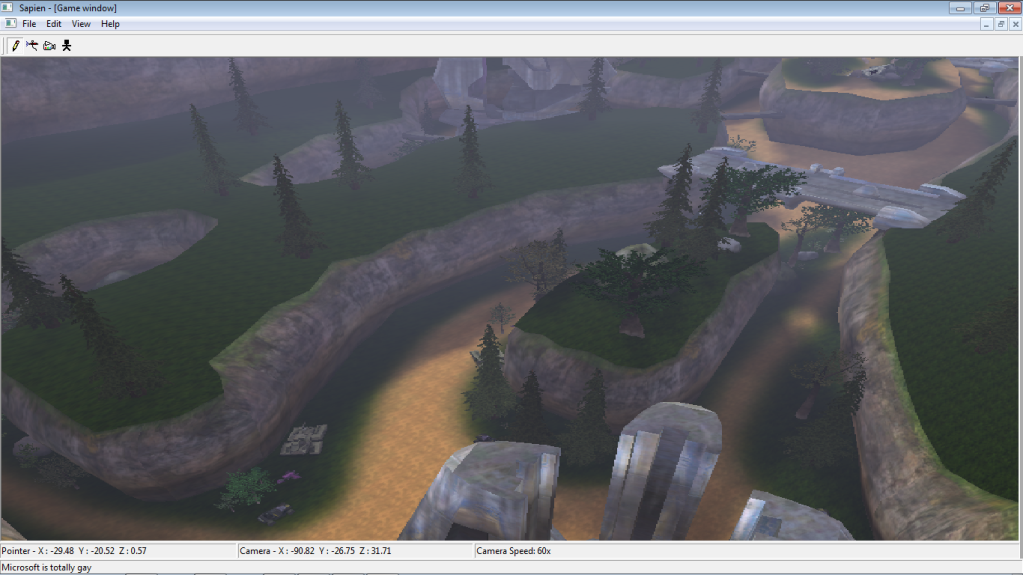 Blue base: 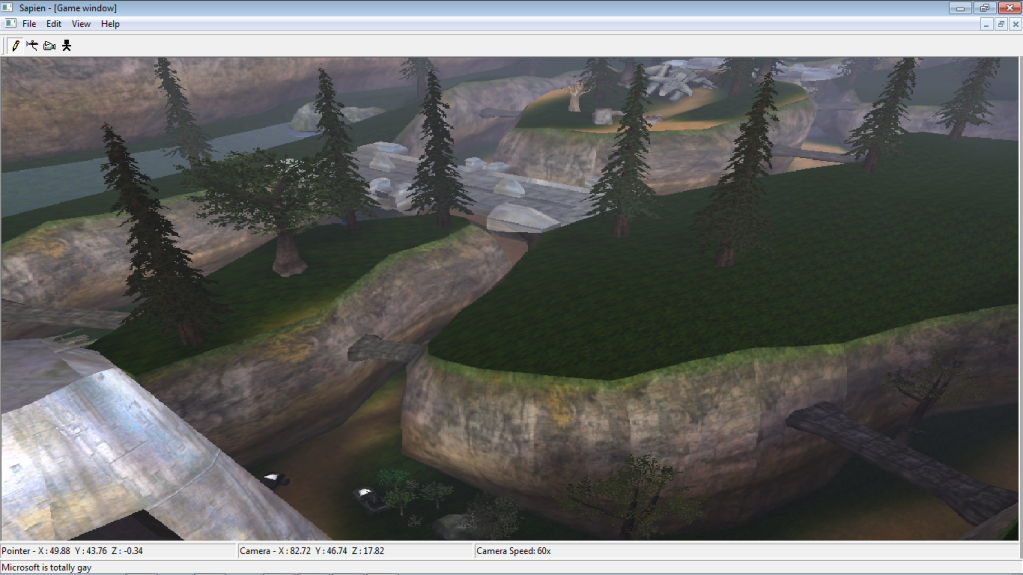 |
||||
|
|
|||||
|
Higuy Joined: Mar 6, 2007
@lucasgovatos |
Posted: Sep 7, 2011 04:50 PM
Msg. 25 of 28
If you can't see the water, don't add it?
|
||||
|
|
|||||
|
darkassassin14 Joined: Jul 23, 2007
El. Psy. Congroo. |
Posted: Sep 7, 2011 09:23 PM
Msg. 26 of 28
no i mean the fact that it extends across the whole map. how do i keep the fog in the water only?
you can see what im talking about in the first picture. |
||||
|
|
|||||
|
Shade117 pro Joined: Jul 2, 2009 
Yeah bro (xfire: blue117pro) I can make cubemaps |
Posted: Sep 8, 2011 05:24 AM
Msg. 27 of 28
Quote: --- Original message by: idltp http://img62.imageshack.us/img62/5536/mapoverviewblue2.png He's using 'A hobo' which is a modified version of Sapien. |
||||
|
|
|||||
|
darkassassin14 Joined: Jul 23, 2007
El. Psy. Congroo. |
Posted: Sep 8, 2011 03:36 PM
Msg. 28 of 28
lol yea.
Quote: --- Original message by: mastur cheef Add a '$' in your water material in 3ds max/gmax. i did that and that's what happens. i tried making a box but tool wouldn't let it through. i'm just gonna say screw the fog nobody's suppose to be able to get up there anyways. |
||||
|
|
|||||

|
