A Community discussion forum for Halo Custom Edition, Halo 2 Vista, Portal and Halo Machinima
|
 Home
Home Search
 Register
 Login
Login Member List
 Recent Posts
| »Forums Index »Halo Custom Edition (Bungie/Gearbox) »Halo CE Technical / Map Design »error while exporting | 
|
| Author | Topic: error while exporting (3 messages, Page 1 of 1) | ||||
| Moderators: Dennis | |||||
 darkassassin14 Joined: Jul 23, 2007 
El. Psy. Congroo. |
Posted: Aug 3, 2011 01:54 AM
Msg. 1 of 3
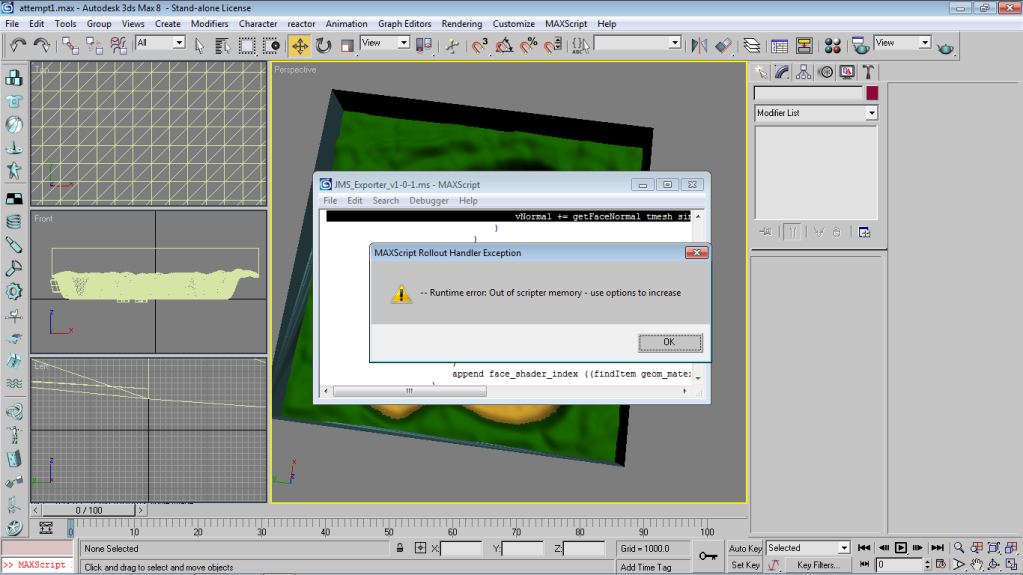
i dont know what this is:
 |
||||


|
|||||
|
ally Joined: Jun 23, 2010 
Aye Ready |
Posted: Aug 3, 2011 04:42 AM
Msg. 2 of 3
look at this thread to give you an idea of what that means...
http://12.199.124.105/index.cfm%3Fpage=topic&topicID=34403 and here's how to set it up... To increase type "heapsize += 10000000" where 10000000 is the amount of bytes to increase by. You can't decrease, reloading 3dsmax will set the assigned memory to default. Don't increase the memory too much, I think default is about 7.5meg or 20meg(can't remember to be honest), try increasing it by 10 meg at a time and importing the file. You could add the heapsize command to a startup script so you always have more memory for scripting purposes, but this leaves less memory for actually working in max. Edited by ally on Aug 3, 2011 at 04:45 AM |
||||
|
|
|||||
|
darkassassin14 Joined: Jul 23, 2007
El. Psy. Congroo. |
Posted: Aug 3, 2011 02:18 PM
Msg. 3 of 3
lol i found this out and i put it all the way up and it still wasn't working so i gave yesterday and went to bed after posting this. now today you tell me what i found out and then i relized that last night i probably should've restarted max lol. because i just tried and it worked this time.
|
||||
|
|
|||||

|
