A Community discussion forum for Halo Custom Edition, Halo 2 Vista, Portal and Halo Machinima
|
 Home
Home Search
 Register
 Login
Login Member List
 Recent Posts
| »Forums Index »Halo Custom Edition (Bungie/Gearbox) »Halo CE Technical / Map Design »Blitzkrieg Plugin Failed To Initialize - 3DS Max 8 | 
|
| Author | Topic: Blitzkrieg Plugin Failed To Initialize - 3DS Max 8 (2 messages, Page 1 of 1) | ||||
| Moderators: Dennis | |||||
 Master Jake Joined: Sep 20, 2009 
Haii |
Posted: May 19, 2010 01:45 AM
Msg. 1 of 2
EDIT:
I've fixed this error. I'll post the fix here for future reference to anyone else who was having this problem. It turns out that the Blitzkrieg plugin and DLL's that came with the HEK don't work on 3DS Max 6, 7, and 8. For those 3 version, you need the max6 version of Blitzkrieg. This is the link I downloaded the DLL's and new Blitz version from. Sorry if the link is broken, but it worked at the time I used it. http://www.filefront.com/3819659/max6.zip# Just put the 4 DLL's either into Windows\system32 folder or into your 3DSMax8 installation root folder. Put the Blitzkrieg.dle into your 3DSMax8\plugins folder. END OF EDIT So, I reverted back to 3DS Max 8 so I could use the Blitzkrieg exporter. I'm sure there's a quick way to fix this, but I get an error when loading 3DS Max 8. Loading DLLs I have the 4 *.dll files in my system32 directory and am using the blitzkrieg version that came with HEK. I have also restarted several times. Screenshot 1: Failure to Initialize Plugin 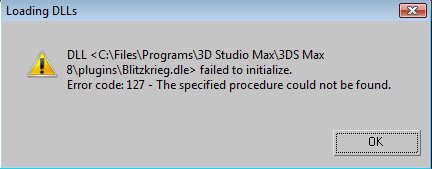 Screenshot 2: After Pressing "OK" To The Error Dialog (Proof, also, that it actually is 3DS Max 8) 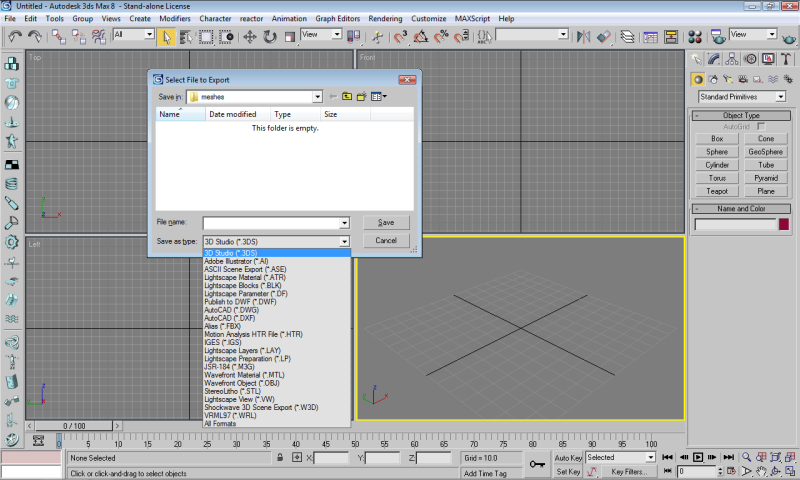 Edited by Master Jake on May 19, 2010 at 02:50 AM Edited by Master Jake on May 19, 2010 at 02:51 AM |
||||


|
|||||
|
Black Crypt Joined: Jun 30, 2008 
Xfire : blackcrypt |
Posted: Apr 16, 2011 11:18 PM
Msg. 2 of 2
Bumped.
I know it's an old post, but I'd like to say a big thanks to Master Jake. His self-solve and thoughtful post edit has helped me after a massive HD fail. Thanks Jake. |
||||
|
|
|||||

|
