A Community discussion forum for Halo Custom Edition, Halo 2 Vista, Portal and Halo Machinima
|
 Home
Home Search
 Register
 Login
Login Member List
 Recent Posts
| »Forums Index »Halo Custom Edition (Bungie/Gearbox) »Halo CE Technical / Map Design »Sapien | 
|
| Author | Topic: Sapien (13 messages, Page 1 of 1) | ||||
| Moderators: Dennis | |||||
 flyinhawaiianryan Joined: Feb 10, 2009 |
Posted: Feb 18, 2009 04:30 AM
Msg. 1 of 13
what does this mean? and how can i take care of the problem so i can run radiosity?
 |
||||


|
|||||
|
Koo294 Joined: Nov 30, 2008 
How is she when she doesn't surf? |
Posted: Feb 18, 2009 05:32 AM
Msg. 2 of 13
go back to your map in 3ds or gmax and import the file called debug.wrl (NOT yourmapname.wrl)
it should show you the degenerate triangle to fix |
||||
|
|
|||||
|
flyinhawaiianryan Joined: Feb 10, 2009 |
Posted: Feb 18, 2009 05:38 AM
Msg. 3 of 13
Okay, i got Sapien to run radiosity! what does this message mean?
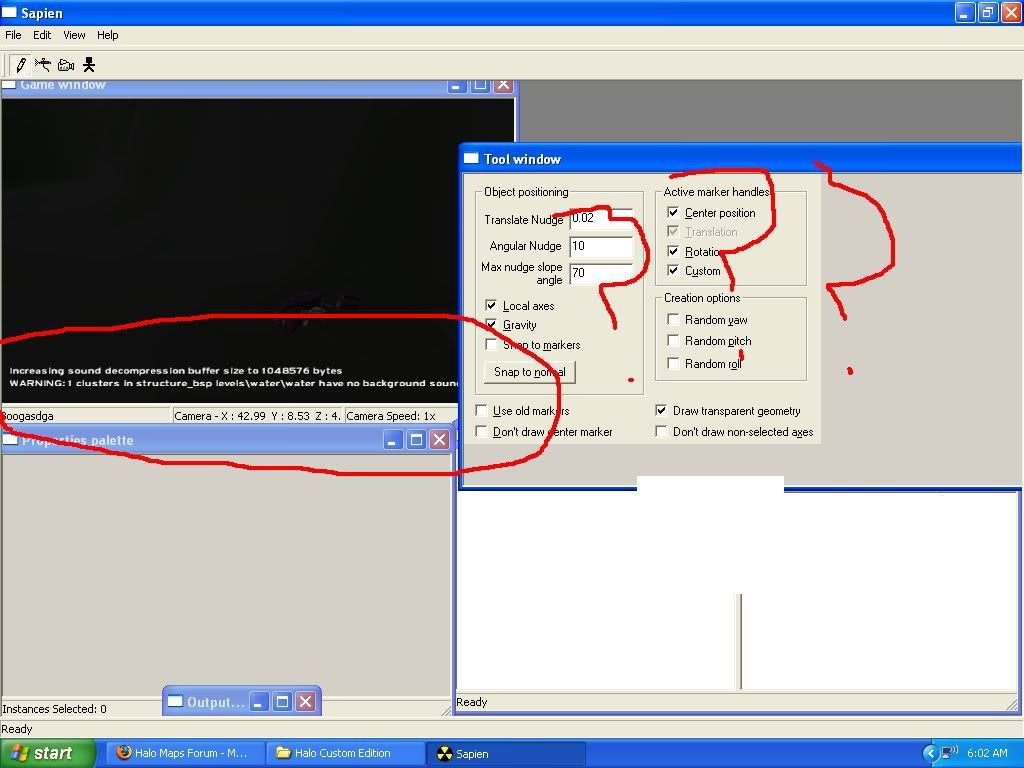 why is it so dark? last time i got radiosity to run on that level it wasn't as dark. Could it be that my graphics card is very poor? Edited by flyinhawaiianryan on Feb 18, 2009 at 06:20 AM |
||||
|
|
|||||
|
Polamee Joined: Feb 25, 2008 
MP2SPMT's founder |
Posted: Feb 18, 2009 08:16 AM
Msg. 4 of 13
Message dosen't mean anything. Its normal. What sky did you use?
|
||||
|
|
|||||
|
Koo294 Joined: Nov 30, 2008
How is she when she doesn't surf? |
Posted: Feb 18, 2009 11:23 AM
Msg. 5 of 13
message just means you havn't put background sound in yet. It doesn't matter
|
||||
|
|
|||||
|
BeachParty clan Joined: Oct 12, 2008 
Sooo... You wanna switch to Red team huh? |
Posted: Feb 18, 2009 11:42 AM
Msg. 6 of 13
You never need to use the tool window, close that and bring the hierarchy view to the front.
It may be dark because the lightning is poor there, turn the brightness of your monitor up and see if you can identify shapes, other than that, change the sky, and also you might want to look around and see if you're not looking at a wall |
||||
|
|
|||||
|
flyinhawaiianryan Joined: Feb 10, 2009 |
Posted: Feb 18, 2009 01:28 PM
Msg. 7 of 13
It's still really dark a bit lighter but still dark! When i first ran raiosity for this level it wasn't even close to being this dark. I double checked in my material editor to see if the +sky material was added to my sky box which it was. here is a picture of what i'm dealing with
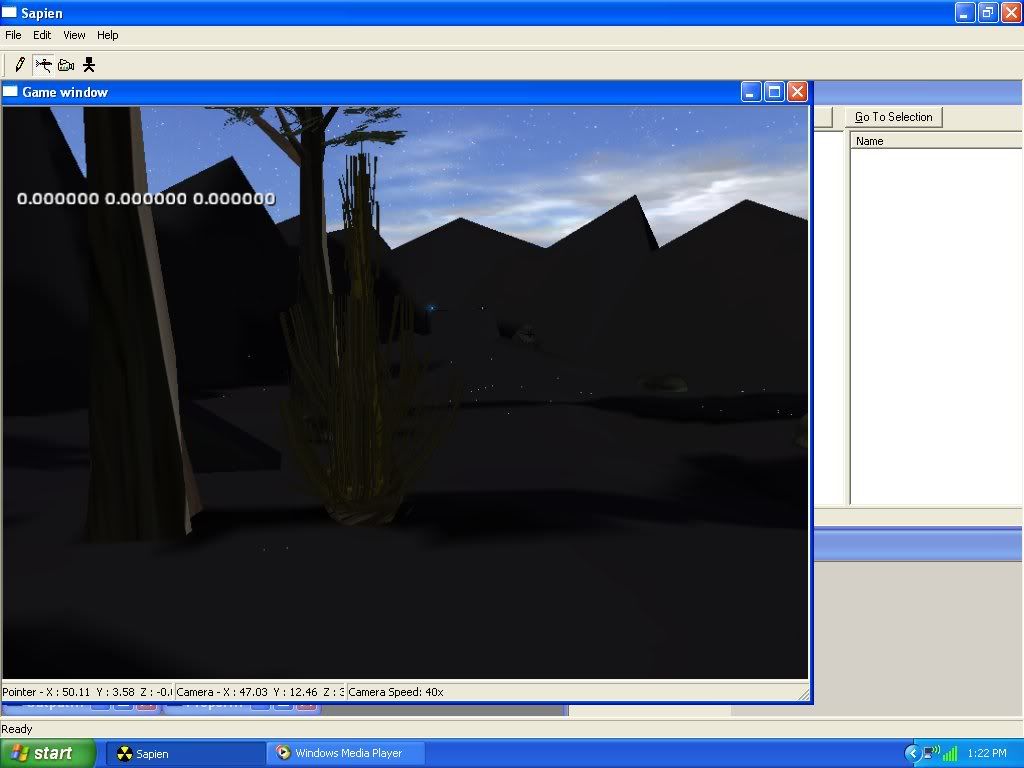 Still dark! the sky i am using is from the sky folder it's the clear afternoon sky. any ideas? Edited by flyinhawaiianryan on Feb 18, 2009 at 02:11 PM |
||||
|
|
|||||
|
black doom Joined: Oct 4, 2008 
we will never stop, we can win the "impossible" |
Posted: Feb 18, 2009 02:13 PM
Msg. 8 of 13
Quote: --- Original message by: flyinhawaiianryan It's still really dark a bit lighter but still dark! When i first ran raiosity for this level it wasn't even close to being this dark. I double checked in my material editor to see if the +sky material was added to my sky box which it was. here is a picture of what i'm dealing with Still dark! the sky i am using is from the sky folder it's the clear afternoon sky. any ideas? Edited by flyinhawaiianryan on Feb 18, 2009 at 02:11 PM use the command "radiosity_stop". |
||||
|
|
|||||
|
flyinhawaiianryan Joined: Feb 10, 2009 |
Posted: Feb 18, 2009 03:21 PM
Msg. 9 of 13
is that even a command? cause i can type anything in there and it will shoot out this...
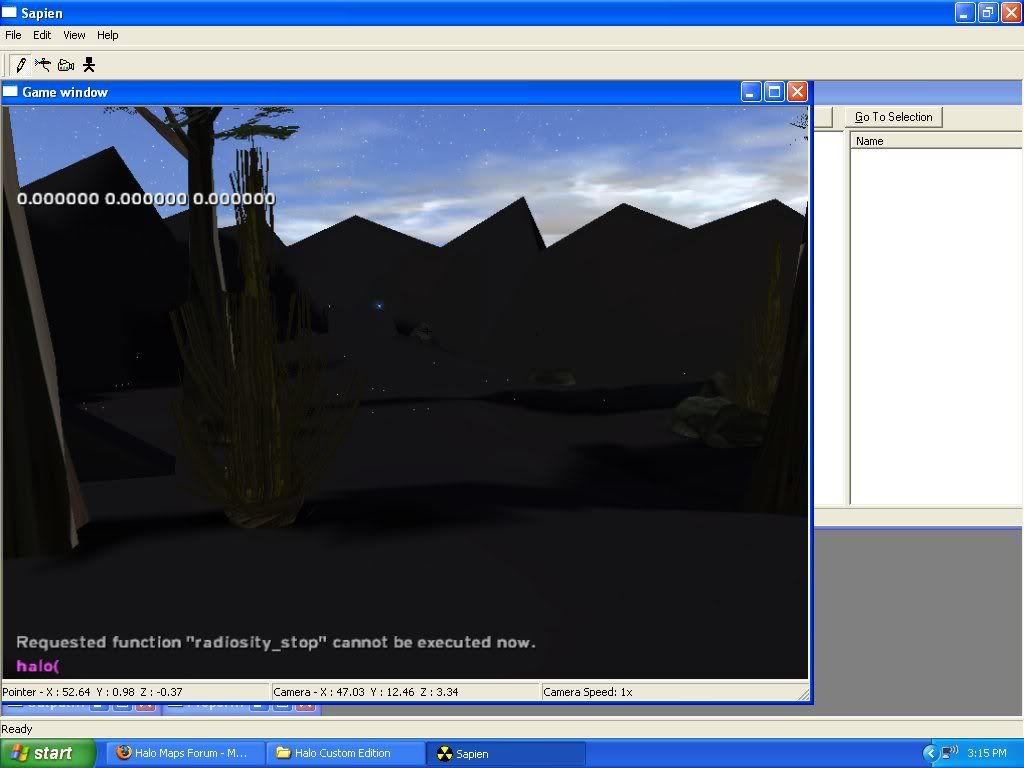 Help me fix this dark issue. |
||||
|
|
|||||
|
Koo294 Joined: Nov 30, 2008
How is she when she doesn't surf? |
Posted: Feb 18, 2009 04:19 PM
Msg. 10 of 13
its radiosity_save, not radiosity_stop
|
||||
|
|
|||||
|
flyinhawaiianryan Joined: Feb 10, 2009 |
Posted: Feb 18, 2009 04:37 PM
Msg. 11 of 13
Awesome! "radiosity_save" worked! Thanks a lot!
look at how bad my graphics card is. 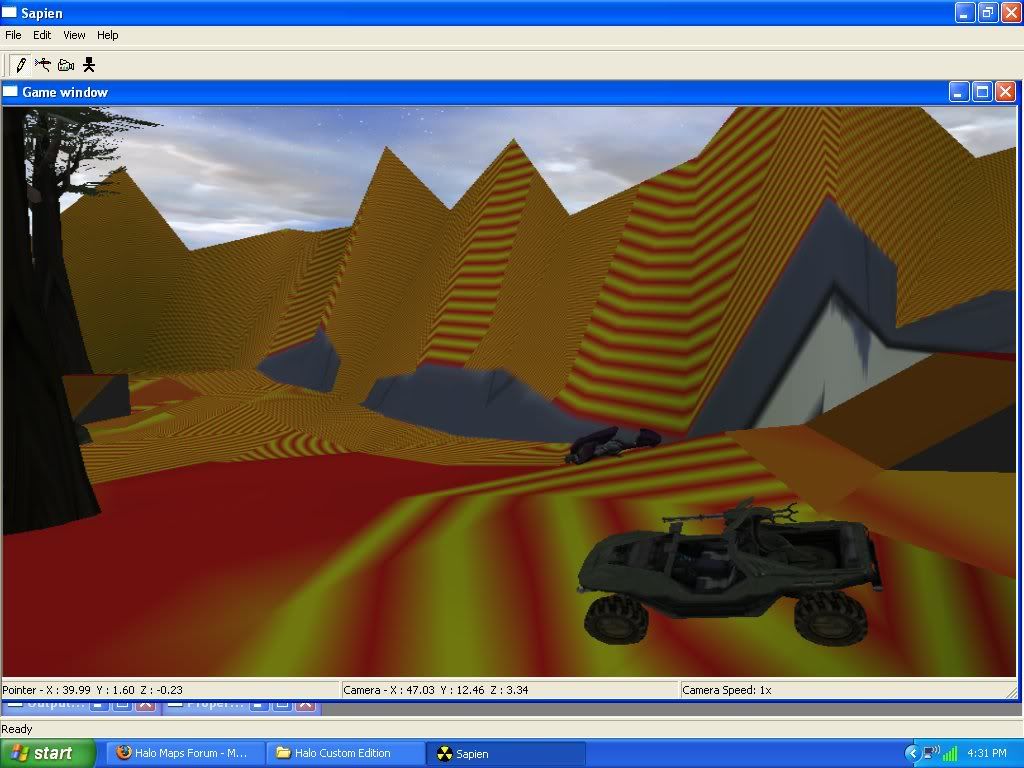 pretty cool huh? |
||||
|
|
|||||
|
Koo294 Joined: Nov 30, 2008
How is she when she doesn't surf? |
Posted: Feb 18, 2009 04:38 PM
Msg. 12 of 13
hmmm... quite dazzling
 |
||||
|
|
|||||
|
black doom Joined: Oct 4, 2008
we will never stop, we can win the "impossible" |
Posted: Feb 19, 2009 11:12 AM
Msg. 13 of 13
Quote: --- Original message by: flyinhawaiianryan Awesome! "radiosity_save" worked! Thanks a lot! look at how bad my graphics card is. pretty cool huh? erm.. did you textured it yourself? i think you choosed the wrong texture.. |
||||
|
|
|||||

|
