A Community discussion forum for Halo Custom Edition, Halo 2 Vista, Portal and Halo Machinima
|
 Home
Home Search
 Register
 Login
Login Member List
 Recent Posts
| »Forums Index »Halo Custom Edition (Bungie/Gearbox) »Halo CE Technical / Map Design »Tool radiosity LIES!! | 
|
| Author | Topic: Tool radiosity LIES!! (6 messages, Page 1 of 1) | ||||
| Moderators: Dennis | |||||
 Vick Jr Joined: Jun 26, 2008 
Well enough alone... |
Posted: Nov 10, 2008 12:35 PM
Msg. 1 of 6
I was getting very annoyed because when i use some light shaders in my map, they don't seem to light anything, especially some invisible light shaders. So I made a map to see if they actually do anything. I made 9 small 100X100X100 boxes with the metal plate floor shader (double sided in this case), applied. These boxes are all inside one large box with a ground texture on the bottom face and sky on the others. Inside each small box, I put a diamond shaped light, each light has a different light shader applied. Light shaders include "c10light inv5bluish!", "c10light 200blue!", "c10_light_fungal_green!", "c10light_inv_10paleblue!", and others.
I exported the map, and ran tool radiosity with this command tool levels\test\lightstester\lightstester lightstester1 1 .999999 it took 5 seconds (very small map), finished and made a bitmap. When I loaded it up in sapien, everything was visible. All the metal plate floor faces are visible, both inside the boxes and outside. However, they all have absolutely no tint and are all lit with the exact same brightness. None are any different from the others, except for those on the inside of one box which had a light with "C10light 200blue" applied (a very bright visible light, used on light panels in c10). None of the invisible lights had any effect. Boxes were lit on the inside that had no light producing shaders inside. (One box for instance had only the energy rope shader inside, which produces no light, yet it's inside was visible, and looked exactly like the insides of all the other boxes). However, when I ran radiosity in tool, all the light shaders worked as they should. They had different colors and different powers. Everything was lit that should have been and nothing was lit that shouldn't have been. So, WTF TOOL RADIOSITY?!?! You're fast but you suck! Must i run sapien radiosity to get invisible lights to work? Comparison pics... 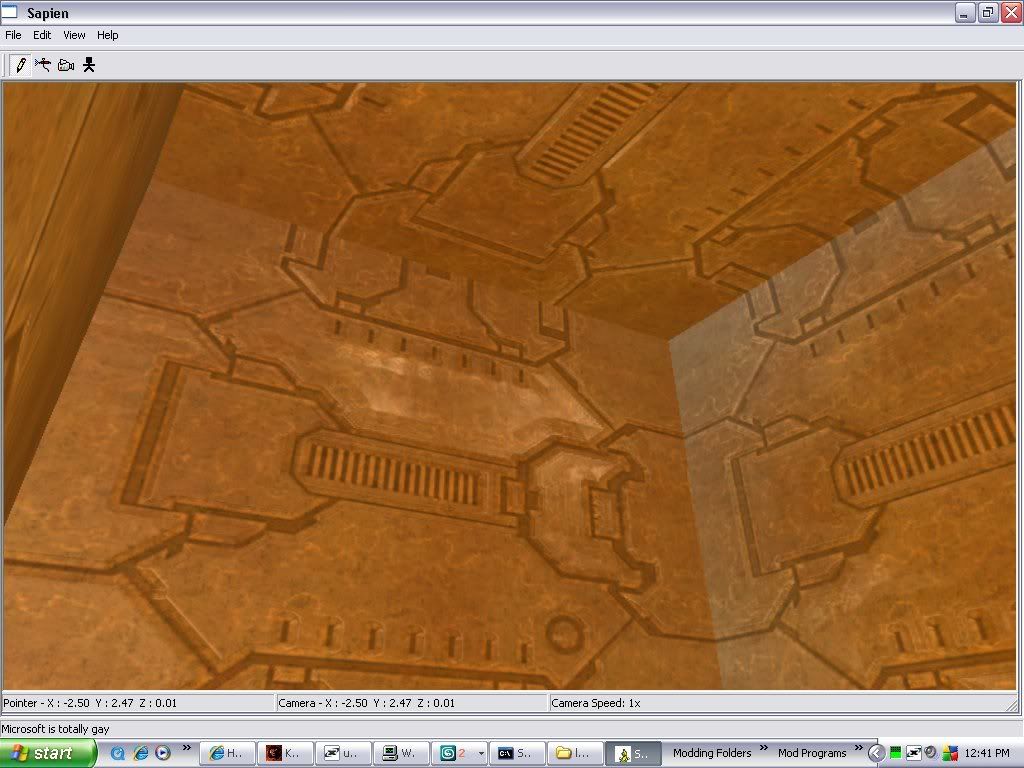 Sapien radiosity 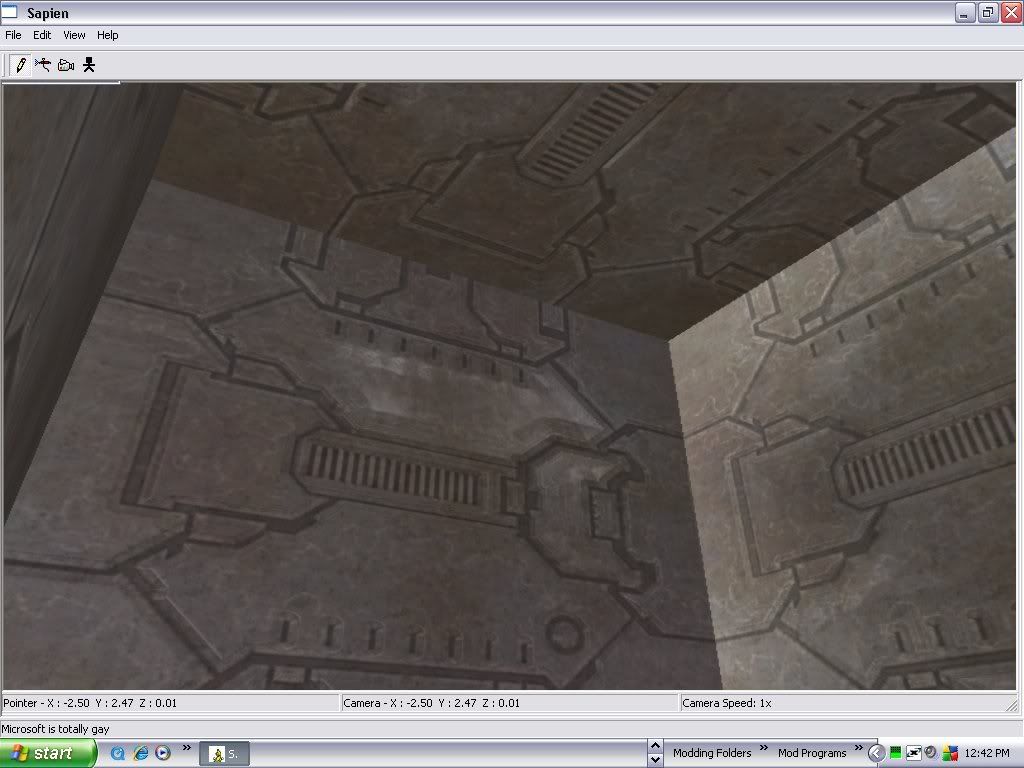 Tool radiosity Edited by Vick Jr on Nov 10, 2008 at 12:55 PM |
||||


|
|||||
|
chrisk123999 Joined: Aug 10, 2008 
=CE= Chris [Captain] [=] |
Posted: Nov 11, 2008 10:01 AM
Msg. 2 of 6
Tool Radiosity does not like using lights for some reason.
|
||||
|
|
|||||
|
Vick Jr Joined: Jun 26, 2008
Well enough alone... |
Posted: Nov 13, 2008 02:27 PM
Msg. 3 of 6
Good. I'm not the only one.
O.K. So that means I should use sapien radiosity. Does that keep running if it's not the main window of if it's minimized, because I swear if I start radiosity, then go do something else, then come back after hours, it hasn't counted down at all; as if you have to be in sapien for the radiosity to work. (Yet if you minimize it it still takes up a lot of cpu). And if I leave it overnight, when it should only take a few hours and be done by next morning, it isn't. As if when the computer goes into sleep mode sapien stops. (but it still runs and takes up cpu). Is there any way to run radiosity overnight in sapien reliably? Thanks! |
||||
|
|
|||||
|
Ermac Joined: Nov 24, 2006 
Pops up from time to time |
Posted: Nov 14, 2008 11:09 PM
Msg. 4 of 6
Play Windows Media Player when you do it, and keep the Sapien window open. WMP keeps the computer from going to a screensaver or on standby.
It seems to 'freeze' up because radiosity is a very intense process for the CPU. It is not actually frozen; it's just really, really slow. Even when it's done, it's really friggin' slow. How slow it is depends on how fast your computer is normally. Mine was only moderately slow; not bad for only 1 GB of RAM and a processor that's not even supposed to run Halo. When it is finished, hit the ~ button to bring up the console, and type in radiosity_save. That'll bring it back to normal. |
||||
|
|
|||||
|
Advancebo Joined: Jan 14, 2008 
|
Posted: Nov 14, 2008 11:11 PM
Msg. 5 of 6
Quote: --- Original message by: drillinstructor Play Windows Media Player when you do it, and keep the Sapien window open. WMP keeps the computer from going to a screensaver or on standby. It seems to 'freeze' up because radiosity is a very intense process for the CPU. It is not actually frozen; it's just really, really slow. Even when it's done, it's really friggin' slow. How slow it is depends on how fast your computer is normally. Mine was only moderately slow; not bad for only 1 GB of RAM and a processor that's not even supposed to run Halo. When it is finished, hit the ~ button to bring up the console, and type in radiosity_save. That'll bring it back to normal. Or you can just go to properties, and change the timer to go into screensaver mode to 999 |
||||
|
|
|||||
|
FoxtrotZero Joined: Aug 3, 2008 
Digging Foxholes by Profession |
Posted: Nov 16, 2008 03:04 AM
Msg. 6 of 6
Or, you could go to proporties and set your ScreenSaver to None.
Then it won't use the screensaver. Just turn your monitor off to keep from burning it up. Setting time to 999 only waits 999 minutes before it starts. Sure thats 16 Hours, but still. |
||||
|
|
|||||

|
