A Community discussion forum for Halo Custom Edition, Halo 2 Vista, Portal and Halo Machinima
|
 Home
Home Search
 Register
 Login
Login Member List
 Recent Posts
| »Forums Index »Halo Custom Edition (Bungie/Gearbox) »Halo CE Technical / Map Design »Tif error | 
|
| Author | Topic: Tif error (10 messages, Page 1 of 1) | ||||
| Moderators: Dennis | |||||
 Recon_Sniper_4 Joined: Jun 2, 2009 
Take down what once was a great power. |
Posted: Aug 7, 2010 06:08 PM
Msg. 1 of 10
i want to use a reach pic for a poster but everytime i go to compile it, it says
"#skipping bitmap with non-power-of-two. how can i fix this? |
||||


|
|||||
|
cytronix Joined: Jul 29, 2010 
http://www.youtube.com/watch?v=vjt1iuwPCBg&NR=1 |
Posted: Aug 7, 2010 07:17 PM
Msg. 2 of 10
a link i found on gearbox that explains it for you.
http://gbxforums.gearboxsoftware.com/showthread.php?p=165588 |
||||
|
|
|||||
|
MoooseGuy Joined: Aug 10, 2008 
I Approve This Message. |
Posted: Aug 7, 2010 08:25 PM
Msg. 3 of 10
2, 4, 8, 16, 32, 64, 128, 256, 512, 1024, 2048
|
||||
|
|
|||||
|
rerout343 Joined: Aug 7, 2010 
Targeted and Firing |
Posted: Aug 7, 2010 08:31 PM
Msg. 4 of 10
The Physical dimensions of your tiff file must be two power of two numbers like 64 x 64 pixels etc... Like what MoooseGuy posted.
|
||||
|
|
|||||
|
Recon_Sniper_4 Joined: Jun 2, 2009
Take down what once was a great power. |
Posted: Aug 7, 2010 10:38 PM
Msg. 5 of 10
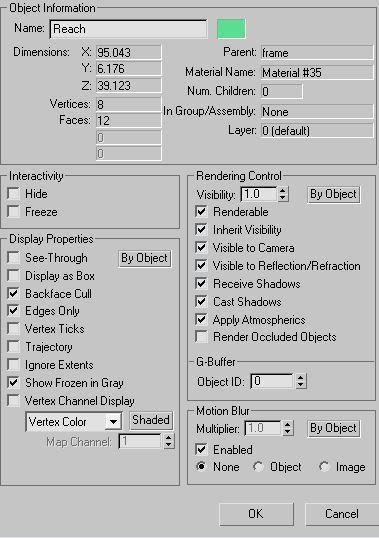 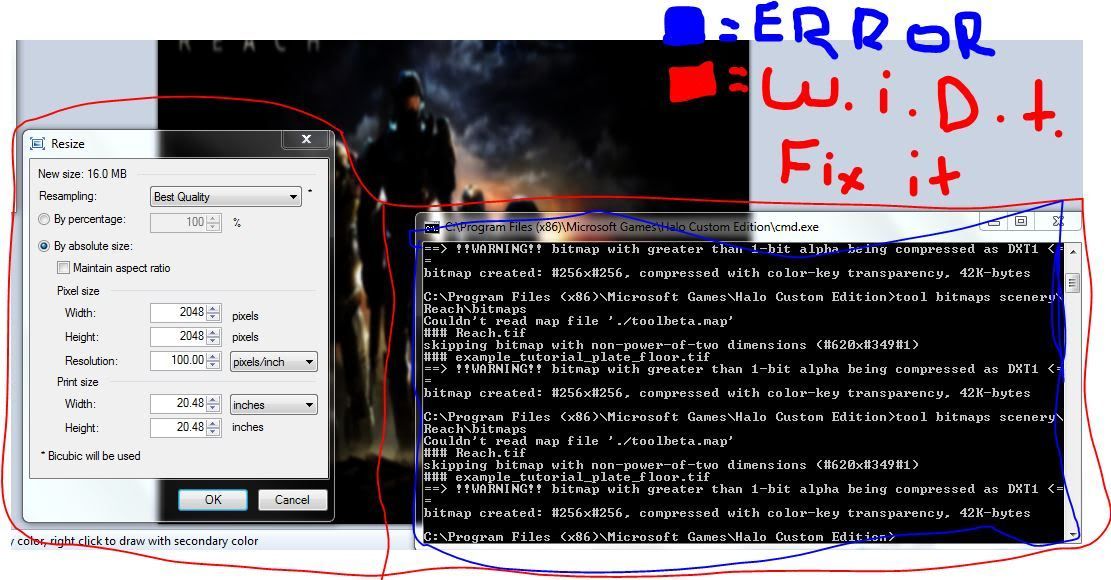 thats what i do and still error Edited by Recon_Sniper_4 on Aug 7, 2010 at 11:32 PM |
||||
|
|
|||||
|
rerout343 Joined: Aug 7, 2010
Targeted and Firing |
Posted: Aug 7, 2010 11:09 PM
Msg. 6 of 10
Actually that's what I was talking about, I guess I worded it wrong. By physical size, I meant the dimensions of the image. The dimensions should be something like what MoooseGuy said, like 1024 x 1024 or 1024 x 2048, etc.
|
||||
|
|
|||||
|
Gamma927 Joined: Jun 12, 2008 
Steam: gamma927 |
Posted: Aug 8, 2010 10:07 AM
Msg. 7 of 10
Your print height and with are 20.48. Don't know if my math is correct this early in the morning, but I'm pretty sure the only powers of two close to that are 16 and 32. Resize it to 16 or 32.
|
||||
|
|
|||||
|
Recon_Sniper_4 Joined: Jun 2, 2009
Take down what once was a great power. |
Posted: Aug 8, 2010 11:22 AM
Msg. 8 of 10
thnx gamma,
ok stratch that now when i go to import it, this error happens. 08.08.10 11:41:02 sapien pc 01.00.00.0609 ---------------------------------------------- Edited by Recon_Sniper_4 on Aug 8, 2010 at 11:44 AM |
||||
|
|
|||||
|
Gamma927 Joined: Jun 12, 2008
Steam: gamma927 |
Posted: Aug 8, 2010 01:46 PM
Msg. 9 of 10
One of your shaders has a null reference. Delete all shader references in the model you're trying to import, create new shaders without null references, and re-reference them into the model. Or re-extract the shader if you ripped it from somewhere.
|
||||
|
|
|||||
|
CAG Gonzo Joined: Apr 2, 2009 
Retreat? Hell! We just got here! |
Posted: Aug 11, 2010 11:27 AM
Msg. 10 of 10
I got the same error. What happened was when I exported my model for building, I was using a stock light bitmap that was referenced by the 'light dim white' shader file. Tool didn't like the fact that there wasn't a shader in my shaders folder that matched the name of the material, so it created a new one in my main tags folder, lights small strips.shader_transparent_chicago. Thing was, it had no info in it. Just a name.
So, to fix this, open your .gbxmodel tag in guerilla and scroll all the way down to the bottom. The last section deals with the materials and their corresponding shaders used in the model. In the drop down menu, locate your material (mine was lights small strips) and note the referenced shader. It was referencing lights small strips! in my main tags folder (! being a shader symbol), which was my problem: that file has no information, and is treated as corrupt. Simply click the '...' button and browse to the sahder you want to use for that material. In my case, I went to my shaders folder in the scenery object I was making and referenced the appropriate shader. Save the .gbxmodel and the model should now load correctly in Sapien. That sounds like your problem, but Gamma could be correct in his advice. For me, my solution worked because both the material and shader files were stock. If you are using cutom ones, it may not work for you...but I don't know. |
||||
|
|
|||||

|
